Guest Notes in U.S. Restaurants: How to Personalize Service Without Privacy Confusion
Why guest notes matter in U.S. restaurant operations
Guest notes in U.S. restaurants can improve hospitality, reduce repeat mistakes, and help teams handle service details across dine-in, takeout, delivery, and reservations. But if notes are collected casually or shown too broadly, they can also create privacy confusion for guests and awkward situations for staff.
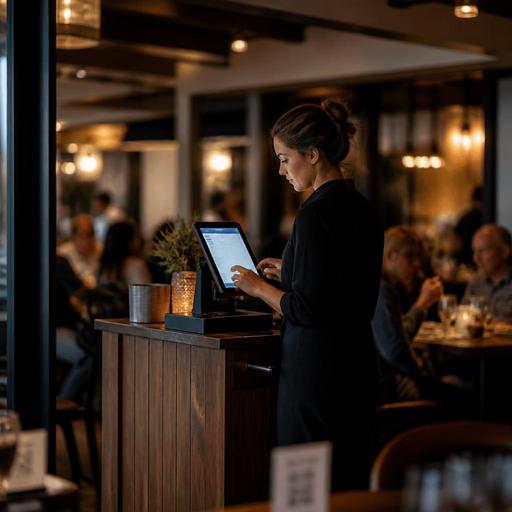
Think about a neighborhood bistro that wants to remember a regular guest prefers a booth away from the bar, or a fast-casual salad concept that wants to flag a repeat order pattern for easier upselling. Those notes may be useful operationally. On the other hand, a server typing personal comments into the POS, a host stand keeping open-ended notes on birthdays, or a delivery workflow storing unnecessary details about a guest’s home routine can quickly cross the line from helpful to uncomfortable.
For U.S. operators, the goal is simple: collect only the guest information your team truly needs to serve the check, complete the order, and improve the next visit. Whether you run a diner, food truck, hotel restaurant, sports bar, airport concession, or a multi-location fast-casual brand, guest notes should support service, not create confusion about what your restaurant is tracking.
If your operation touches accessibility, payments, labor workflows, alcohol service, or marketing permissions, build your note process around operational clarity and verify current federal, state, and local requirements with qualified advisors or official guidance.
What belongs in a guest note and what does not
The easiest way to avoid privacy confusion is to separate service notes from personal observations. A useful guest note helps the team perform a task. An unnecessary note simply records something about a person that does not help service.
Examples of useful operational notes
- Reservation preference: booth seating, patio request, high chair needed, quieter table when available
- Order fulfillment detail: curbside pickup vehicle description for handoff, hotel room delivery instructions provided by the guest, or preferred contact method for pickup readiness
- Item customization pattern: dressing on the side, no ice in beverages, extra napkins for takeout, split check request when the party returns regularly
- Access-related service preference: guest requests printed menu instead of QR ordering, or asks for verbal menu support because phone use is difficult
- Loyalty workflow note: corporate lunch account, recurring office catering contact, or approved tax-exempt documentation process where applicable and verified
Examples that should usually be avoided
- Personal judgments about appearance, mood, or family situation
- Medical assumptions beyond what is necessary to fulfill an order request
- Speculation about tipping habits, income, or relationship status
- Free-form comments about race, religion, age, disability, or other sensitive personal characteristics
- Home, work, or travel details that are not needed to complete service
A practical rule for managers is this: if the note would sound strange when read back to the guest, it probably should not be in your system.
Build a note policy that works at the host stand, POS, and online ordering layer
Many privacy problems start because restaurants do not decide where notes belong. Teams end up scattering guest details across reservation apps, POS customer records, handwritten host stand logs, direct messages, and delivery app tablets. That makes access harder to control and increases the chance of inconsistent service.
Create a basic workflow for note entry and visibility:
- Decide which systems can hold guest notes. For example, reservation preferences may live in your reservation flow, while takeout handoff notes belong in online ordering or POS order details.
- Limit note categories. Use structured fields where possible instead of open text. “Patio,” “allergy alert for current order,” or “curbside arrival call requested” is safer than broad free-form comments.
- Assign who can enter notes. Hosts may add seating preferences, managers may handle VIP or complaint recovery notes, and line staff may only see order-specific prep instructions on the kitchen display system.
- Set visibility rules. A kitchen display system should show prep details, not unnecessary guest history. A server may need to know a regular prefers sparkling water, while a cashier at a pickup shelf may only need the pickup name and handoff status.
- Remove stale notes. Old one-time details should not live forever. A note tied to a single event, private dining setup, or temporary access need should be reviewed and cleared when no longer useful.
For example, a three-unit brunch concept in Texas might let hosts tag “stroller space requested” in reservations, but block staff from writing free-form personal notes in the customer profile. A food truck doing office lunch drops in Chicago may keep loading dock instructions for that client account, but not random comments about individual employees ordering lunch.
Train staff to use guest notes without sounding intrusive
Even a well-designed system can feel creepy if staff use notes poorly. The issue is often not the note itself, but how it appears in conversation.
Suppose a server at a suburban steakhouse sees that a returning guest prefers a corner booth. A smooth service move is: “We have a quieter booth available if you’d like it.” An awkward move is: “Last time you said you hate sitting near families.” Same operational idea, very different guest experience.
Training should cover three habits:
- Confirm, do not assume. “Would you still like patio seating if available?” is better than acting like an old note is permanent.
- Use notes to reduce friction. They should speed up seating, ordering, pickup, and payment, not turn into a script.
- Keep sensitive details out of floor conversation. If a guest shared a concern during a prior visit, managers should coach staff on the service response without repeating private details in front of the table.
This matters in U.S. settings where guests move between channels. A regular may reserve online, scan a QR menu at the table, add a tip on a handheld payment device, and then place takeout next week through direct ordering. Staff should never make the guest feel like every action is being watched across systems. Instead, use notes to create continuity only when it clearly helps service.
Apply the right note standards to dine-in, takeout, delivery, and multi-location brands
Different formats need different note discipline.
Dine-in restaurants and bars
Keep notes focused on seating, service recovery, and repeatable hospitality preferences. In a cocktail bar, for example, a note that a guest prefers a quieter corner can help hosts manage the floor. But comments about drinking habits or personal life should not become part of a standing guest record. If your operation includes tabs, split checks, or service charges for events, keep those details in the transaction workflow rather than in permanent guest notes. Verify any payment, tip reporting, or service charge handling with your POS provider and qualified advisors.
Fast-casual, QSR, and pickup-heavy operations
These concepts should prioritize fulfillment notes over personal profiles. A sandwich shop may need “leave on pickup shelf” or “call on arrival for curbside pickup.” A chicken bowl chain may store “sauce on side” as part of ordering behavior if the guest chooses to save that preference. What matters is clarity and consent in the user experience, especially for direct online ordering.
Delivery and off-premise
For delivery, only keep instructions necessary to complete the order safely and accurately. Apartment gate codes, office suite access, and hotel handoff details should be treated carefully and only retained if operationally needed. If you use third-party delivery apps plus direct ordering, avoid copying extra guest information into side spreadsheets or staff group chats.
Multi-location and franchise teams
Standardize note categories across stores. Otherwise, one location records “VIP regular,” another writes long narrative comments, and a third stores nothing useful at all. Brand leaders should define what can be captured, who can see it, and when it should expire. That creates a more consistent guest experience and reduces training confusion.
Five practical steps to clean up guest notes this month
- Audit every place notes are stored, including POS customer profiles, reservation tools, delivery tablets, host stand sheets, and shared documents.
- Delete notes that are old, vague, or inappropriate, especially comments that do not help service.
- Create 5 to 10 approved note types for your concept, such as seating preference, curbside handoff, repeat modifier, or accessibility support request.
- Train managers and front-of-house staff with examples of acceptable and unacceptable note language.
- Review your digital ordering and reservation flows so guests understand why information is being collected and how it helps their experience.
Handled well, guest notes can make an American restaurant feel more organized, more hospitable, and easier to do business with. Handled poorly, they create discomfort and inconsistency. The best systems keep notes short, useful, role-based, and tied to real service tasks.
Restomas helps restaurants organize reservations, QR ordering, order management, and guest-facing workflows so teams can use operational notes more consistently across channels.
