Managing Delivery App Tablets in U.S. Restaurants Without Order Chaos
For many operators, managing delivery app tablets in U.S. restaurants becomes a daily source of friction long before the dining room even gets busy. A burger shop with DoorDash, Uber Eats, and Grubhub running on separate tablets can miss alerts during lunch rush. A neighborhood sushi spot may accept orders faster than the kitchen can fire them. A fast-casual salad brand with three locations may have different menu updates live on each marketplace. The problem is not just technology clutter. It is an order-flow problem that affects ticket times, guest reviews, labor, food quality, and profit.
If your expo station is juggling dine-in, takeout, direct online ordering, third-party delivery apps, curbside pickup, and a pickup shelf, the goal is simple: create one reliable workflow from order acceptance to handoff. That means fewer manual steps, clearer station responsibilities, and better visibility for managers.
Why Multiple Delivery Tablets Break Down During Rush
One tablet might sit near the host stand, another near the bar, and a third near the cashier. That setup seems manageable until a Friday night rush hits. A sports bar may have a bartender hearing one alert while the takeout counter hears another. A pizza shop may miss a new order because the tablet volume is low. A food truck may be working from limited counter space and have nowhere practical to stage incoming marketplace orders.
Common breakdowns usually come from workflow gaps, not just from having too many devices:
- Orders are accepted in different places, so no one owns the full queue.
- Menu changes are inconsistent, causing out-of-stock items to remain live on one app.
- Prep times are not adjusted in real time, so the kitchen gets overloaded.
- Drivers arrive before orders are ready, creating congestion at the front counter.
- Staff re-enter orders into the POS manually, increasing mistakes and slowing service.
- Packaging and labeling are inconsistent, leading to missing sides, drinks, or sauces.
In a U.S. QSR or fast-casual operation, these issues can quickly affect both on-premise and off-premise business. The line at the register gets longer because a cashier is toggling between tablets. Servers get pulled away from guests to answer delivery driver questions. The kitchen display system fills with delayed tickets while the dining room experience slips.
Build One Order Flow From Acceptance to Handoff
The best operators treat delivery marketplace orders like a defined production line. Whether you run a diner, wing shop, hotel restaurant, or multi-unit poke concept, every order should follow the same internal path.
1. Assign one intake point
Choose one place, one role, or one integrated system to manage incoming marketplace orders. In a small cafe, that may be the front counter lead. In a multi-location fast-casual brand, that may be POS-integrated order injection with manager oversight. Avoid letting tablets live in different corners of the restaurant where alerts can be missed.
2. Route orders directly to the right production view
If possible, orders should flow into the POS and kitchen display system instead of being copied by hand. A sandwich shop should send hot items to grill and cold items to garde manger or make line. A breakfast restaurant should separate coffee, griddle, and pastry production when needed. The fewer times staff touch the same order, the fewer chances there are for errors.
3. Set a clear acceptance rule
Some operators auto-accept everything. Others manually accept during peak periods. The right choice depends on your staffing, kitchen capacity, and system setup. A ghost kitchen may prefer tighter acceptance control during spikes. A high-volume burrito chain may rely on integrated automation. The important part is consistency: staff should know when to throttle order intake and who has authority to pause or adjust prep times.
4. Standardize staging and driver pickup
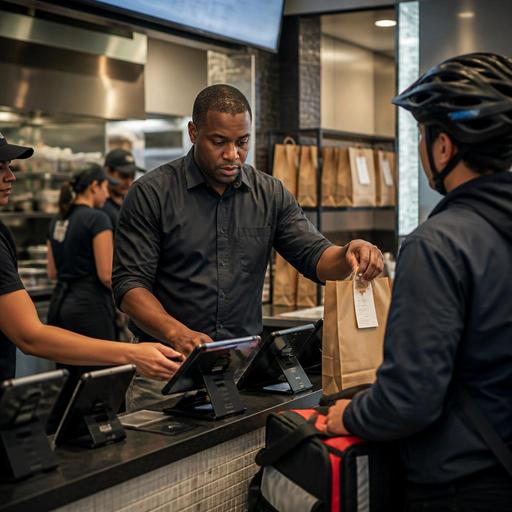
Create a dedicated area for completed delivery orders. This may be a labeled shelf behind the counter, a pickup cubby near the takeout station, or a separate handoff table for drivers. In urban stores with heavy app traffic, keeping drivers away from the main guest queue can reduce lobby friction. In suburban restaurants with curbside pickup, direct online orders and third-party pickups should still have separate staging logic so staff do not mix them up.
Practical Setup Changes That Reduce Errors Fast
You do not always need a full tech overhaul to improve order flow. Many U.S. restaurants can fix the worst problems with a few operational changes.
- Create a tablet opening checklist. Confirm each device is charged, logged in, audible, connected to Wi-Fi, and synced to the correct menu and hours.
- Use one item naming standard. If your POS says fries side but one app says French fries, staff can miss modifiers. Keep naming as consistent as possible across systems.
- Define 86 workflows. When you run out of brisket, gluten-free buns, or bottled cold brew, assign one person to update every live ordering channel immediately.
- Separate packaging stations. A wing concept can stage sauces, napkins, seals, and drink stickers in one place so expo does not hunt for supplies.
- Track remake reasons. Keep a simple log for missing items, wrong modifiers, late driver arrival, or accidental double acceptance. Patterns will show where to fix the process.
- Adjust prep times by daypart. Lunch, late night, game day, and weekend brunch may need different settings based on actual kitchen throughput.
For example, a fried chicken shop in Atlanta may discover that its biggest issue is not cooking time but packaging bottlenecks when family meals hit at 6:30 p.m. A hotel restaurant near an airport may find that delivery app surges overlap with room service peaks, making menu throttling more important than adding another tablet stand.
Train Staff Around Exceptions, Not Just Normal Orders
Most teams can handle routine tickets. The real stress comes from exceptions. Build short training around the moments that create refunds and bad reviews:
- What happens when a driver arrives early?
- Who contacts the guest or marketplace if an item is unavailable?
- How should staff handle duplicate orders?
- When should a manager pause a marketplace temporarily?
- Where do substitute item decisions get documented?
- How are direct online ordering tickets prioritized versus third-party orders?
These scenarios matter because U.S. restaurants often run mixed channels at once. A server may be closing out checks with tips in the dining room while the takeout lead is bagging app orders and the cashier is managing curbside pickup. Clarifying channel priorities helps protect hospitality for in-house guests while still keeping off-premise orders moving.
If your operation includes service charges, tipping prompts, or separate payment flows for direct orders versus third-party delivery, make sure managers understand how those transactions appear in your POS and reporting. The operational goal is accurate reconciliation and cleaner shift closeout. Because payment, labor, tax, and tip reporting rules can vary by state and city, operators should verify current requirements with qualified advisors and official guidance.
What Multi-Location Operators Should Standardize First
If you manage several stores, inconsistency is expensive. One location may pause tablets aggressively while another accepts everything and falls behind. One airport concession may have limited driver access, while a street-level store depends heavily on pickup shelves. Standardize the core playbook first:
- Menu governance: who updates pricing, availability, modifiers, and photos across channels.
- Order routing: how marketplace orders enter the POS and kitchen workflow.
- Handoff rules: where drivers wait, how orders are staged, and who verifies pickup.
- Capacity controls: when to adjust prep times, pause channels, or limit menu sections.
- Reporting reviews: which managers review cancellations, refunds, missed orders, and channel mix weekly.
For chain operators, this is also where digital tools can make a real difference. Instead of managing disconnected tablets and menu edits store by store, centralized visibility helps operators keep hours, item availability, and order flow more consistent. That is especially useful for fast-casual brands, college-area stores with heavy late-night volume, and franchise groups trying to protect brand standards across locations.
Accessibility matters too. If you use QR ordering, direct web ordering, or pickup instructions that rely on mobile devices, make sure the experience is easy to navigate and that staff can assist guests who need alternatives. For menu labeling and other regulated disclosures, larger chains should verify current FDA and local requirements before changing digital menu workflows.
Delivery marketplaces can bring volume, but unmanaged tablet sprawl can quietly erode service and margin. The operators who perform best usually simplify intake, connect orders to the POS and kitchen display system, train for exceptions, and stage pickups with intention. If your team wants a cleaner way to unify ordering, menus, and kitchen workflow across channels, Restomas can support that transition without forcing you to lose the service style your guests already know.
