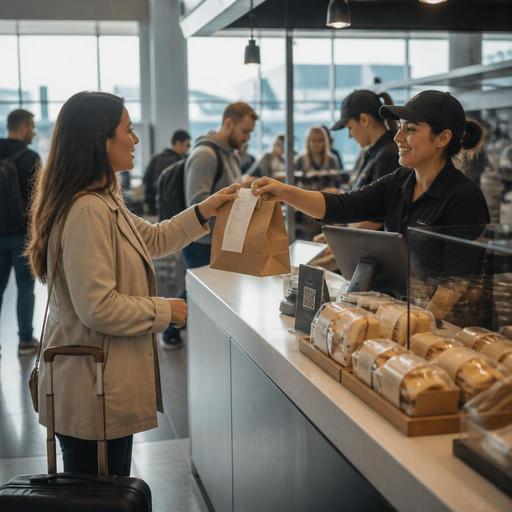
Airport Concession Menu Strategy for Faster Ordering in U.S. Terminals
Airport concession menu strategy is different from menu planning for a neighborhood restaurant because U.S. terminal guests are making fast decisions under time pressure, often with bags in hand, limited seating time, and little patience for unclear pricing or slow ordering. Whether you operate a coffee counter before security, a fast-casual gate-side concept, a sports bar in a major hub, or a grab-and-go kiosk in a regional airport, your menu has to support speed, guest clarity, and clean operating workflows at the same time.
In airports, the menu is not just a marketing document. It is an operations tool that affects line length, check average, kitchen display system routing, pickup shelf organization, alcohol service handoff, and how well your team handles rushes tied to boarding windows. It also touches accessibility, pricing presentation, payments, and labeling practices. Exact legal requirements can vary by airport authority, state, city, concept type, and chain size, so operators should verify current requirements with qualified advisors and official guidance before making compliance decisions.
Design the menu for rushed travelers, not leisurely diners
Airport guests scan before they read. A traveler with ten minutes before boarding at Dallas Love Field or LaGuardia is not comparing every sandwich in detail. They want to know: What is fast, what is filling, what travels well to the gate, and what can be paid for quickly?
That means your menu should do three practical things immediately:
- Highlight speed-friendly items such as packaged salads, breakfast burritos, pizza slices, grain bowls, coffee combos, or boxed snacks.
- Separate dine-in from gate-friendly items when needed, especially if fries, soups, loaded nachos, or plated entrees do not hold well for takeout.
- Make modifiers manageable so guests can customize without creating a bottleneck at the POS or on the kitchen display screen.
A burger bar in an airport concourse may keep a smaller core menu than its street location: one cheeseburger build, one bacon option, one veggie option, two side choices, and clear add-ons. That is often better than offering eight burger builds that slow the cashier, confuse self-order guests, and create remakes when a tired traveler misses a modifier.
For breakfast-heavy dayparts, a terminal coffee shop can group items by decision speed: hot coffee and pastry, breakfast sandwich combos, and bottled grab-and-go. If the guest can understand the menu in five seconds, the line moves faster.
Use pricing and item language that reduce friction at the register
In airport settings, guest frustration often starts when the displayed price does not match the final total on the check, or when the service model is unclear. Operators should be especially careful about how they present menu prices, service charges, fees, and alcohol tabs. Sales tax treatment and service charge rules vary by jurisdiction and concept, so your team should confirm current local requirements and disclosure practices with accounting, legal, or airport concession advisors.
Operationally, clarity matters more than cleverness. Avoid vague item names that force staff explanation during a rush. Instead of “Terminal Stack,” say “Turkey Club with Chips.” Instead of “Morning Fuel,” say “Bacon Egg Sandwich and Coffee.”
For U.S. airport bars and full-service concepts, think through the full payment path:
- Will guests open a tab or pay per round?
- How will tipped staff handle receipts when travelers leave quickly for boarding?
- How are tip prompts shown on handhelds, QR checks, or counter terminals?
- What is the workflow if a delayed flight creates a sudden bar rush?
A practical example: an airport taproom near a busy departure bank may choose smaller, clearer food categories and handheld payment at the bar rail to close checks faster. A counter-service taco concept may use combo pricing and a visible pickup shelf so guests can order, pay, and move out of the ordering zone quickly.
Build compliance into the menu workflow, not as a last-minute fix
Airport operators deal with layers of oversight, including airport authority standards, landlord requirements, brand standards, food safety procedures, alcohol controls, and public-facing menu expectations. The best approach is to treat compliance as part of your menu publishing process.
Start with a repeatable checklist before any menu change goes live:
- Confirm item names, recipes, and modifier structure in the POS.
- Match menu board language to the POS so cashiers and guests see the same item naming.
- Review allergen and dietary communication processes for accuracy.
- Check accessibility of digital menu access, including QR menu readability and screen contrast.
- Verify whether your concept size or chain structure triggers any federal menu labeling considerations, then confirm current guidance before publishing.
- Review alcohol placement and age-restricted item workflows with managers.
- Confirm tax, fee, and service charge presentation with advisors and airport rules.
For example, a multi-location sandwich brand operating both street stores and airport concessions may need a different airport-specific menu file because pricing, combo structure, and available ingredients differ by terminal. If the menu team updates the street menu but forgets the airport POS buttons, the result is cashier confusion, incorrect checks, and pickup delays.
ADA-minded access also matters in practice. If your airport concept relies on QR ordering, guests still need a usable path when they do not want to scan, cannot scan, or need staff assistance. A simple backup can be a clearly available printed menu, accessible counter display, or staff-guided ordering flow. Operators should verify current accessibility expectations for their setup with qualified advisors.
Set up the kitchen and pickup flow for terminal traffic patterns
Airport demand is spiky. You may have twenty quiet minutes, then a flood of orders when two flights begin boarding nearby. Your menu should support those waves.
That starts with production logic. Items with long cook times or too many build steps can damage throughput during gate surges. Review ticket times by daypart and ask which items create the most drag. In many airport kitchens, the answer is not the top seller but the item with the most exceptions.
Useful actions include:
- Create a short “rush menu” playbook for peak flight banks.
- Route simple items first on the kitchen display system so quick wins leave the line faster.
- Use packaging standards that travel well to gates and reduce remake risk.
- Organize pickup shelves by order channel, such as in-person, kiosk, QR, and delivery app where permitted.
- Train expediters to call out missing utensils, sauces, and beverage pairings before handoff.
Consider a chicken bowl concept in Hartsfield-Jackson or Denver. If half the tickets are customized, the line can stall unless the KDS groups orders clearly and the hot line has a limited modifier set. Likewise, a hotel-connected airport restaurant serving both terminal guests and nearby lodging guests may need separate routing for dine-in tabs, takeout bags, and third-party delivery pickup if the airport permits those channels.
Direct ordering can also play a role. If your airport location has QR ordering for seated guests or a branded web ordering path for pickup, keep the menu tighter than the in-store menu if needed. The goal is fewer abandoned carts, fewer confusing modifiers, and better handoff timing.
Train staff to explain the menu in one sentence
In airport concessions, your team does not have much time to recover from confusion. A server, cashier, bartender, or floor lead should be able to explain the menu structure quickly and consistently.
Try simple scripts such as: “These are our fastest hot items, these travel best to the gate, and combos include the drink.” Or at a bar: “If you are boarding soon, these three items come out fastest and we can close your check right here.”
This kind of training helps with labor efficiency too. New team members learn faster when the menu architecture is simple, the POS categories match the printed or digital menu, and pickup procedures are obvious. That matters in airports, where staffing can be tight, turnover can be high, and rush periods are unforgiving.
Review your menu every quarter using real operating signals: voids, remakes, long-ticket items, abandoned modifiers, tip flow friction, and guest questions at the register. If guests keep asking what comes with an item, the menu is unclear. If staff keep reopening checks because of combo confusion, the POS setup needs work. If travelers miss their order handoff because the pickup area is chaotic, the issue is not only labor; it may be menu and channel design.
A strong airport concession menu is one that helps travelers decide fast, helps staff execute cleanly, and helps operators maintain consistent workflows across POS, kitchen, pickup, and reporting. Restomas can support that kind of connected menu and ordering workflow across busy food-service environments without overcomplicating the guest experience.
