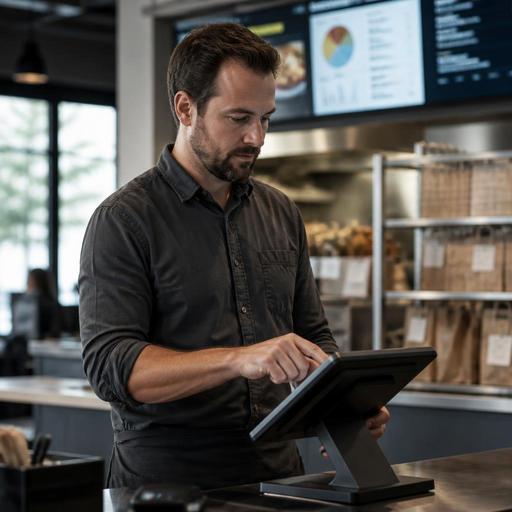
Preparing a Second Restaurant Location With Cleaner Operating Data
Opening a second store is exciting, but it can also expose every messy process hiding inside your first one. Preparing a second restaurant location with cleaner operating data means getting your menu structure, POS categories, labor reporting, inventory counts, and guest ordering workflows into a format that can scale. For U.S. restaurant operators, that matters whether you run a neighborhood cafe, a burger fast-casual concept, a food truck adding a brick-and-mortar unit, or a full-service restaurant planning a suburban second location.
Clean data is not just a back-office issue. It affects ticket times, check accuracy, tip reporting workflows, direct online ordering, pickup shelf handoff, curbside pickup communication, and how easily managers compare one location to another. If your first location has duplicate modifiers, inconsistent item names, or sales reports that mix dine-in and delivery app orders together, your second location will inherit confusion instead of best practices.
Start by standardizing the menu and POS structure
Most operators think they know their menu until they try to duplicate it across two stores. Then they discover that one POS button says Cheese Burger, another says Cheeseburger, and a third version lives only on a delivery app tablet. That kind of inconsistency creates reporting problems fast.
Before launch, build one clean master menu that covers item names, categories, sizes, modifiers, prices, and fulfillment channels. A fast-casual bowl shop in Texas, for example, may offer different proteins for in-store ordering, direct pickup, and third-party delivery. If those are not mapped consistently, food cost reporting and void analysis become unreliable.
- Use one naming convention for every item and modifier.
- Separate dine-in, takeout, curbside pickup, and delivery reporting paths when your POS allows it.
- Review combo logic, upcharges, and forced modifiers so both locations ring items the same way.
- Make sure QR menu flows match the POS menu to reduce order-entry mismatches.
- Document which items are available by daypart, channel, or location.
This is also the right time to review menu accessibility. If you use QR ordering, make sure guests can still access menus in ways that support different needs, and verify your setup against current accessibility expectations with qualified advisors when needed. For larger chains, menu labeling rules may apply in specific circumstances, so operators should confirm current FDA and local requirements before rollout.
Clean up sales channels before adding complexity
A second location usually means more ordering paths, not fewer. You may add direct online ordering, more delivery apps, a dedicated pickup shelf, or phone-ahead takeout. If each channel is configured differently, managers will struggle to answer basic questions like which orders are most profitable or why one store has more remakes.
A Chicago sandwich shop opening a second unit in a busy commuter area might see strong lunch demand from delivery marketplaces, while the original neighborhood location still depends on walk-ins. If marketplace orders, direct web orders, and in-person checks are not clearly separated in reporting, you cannot compare performance fairly.
Map every sales channel to a clear operational workflow:
- Define where each order enters the system.
- Assign a kitchen display route or prep station for each order type.
- Set handoff rules for dine-in, takeout, delivery driver pickup, and curbside pickup.
- Decide how refunds, comps, and remakes will be tagged.
- Train staff on when to move an order to ready status and who owns guest communication.
This matters even more for hotel restaurants, airport concessions, and stadium food venues, where multiple service models can run at once. A bar inside a hotel may have room service, lobby dining, and takeout from the same kitchen. Without clean channel data, it is hard to staff properly or identify bottlenecks.
Build labor and tipping workflows that compare location to location
When operators expand, labor reporting often becomes the first major headache. One store tracks front-of-house hours by role, while the other lumps everyone together. One location uses pooled tips, another has more traditional server ownership of tables. The result is unclear labor performance and manager frustration.
Set up consistent job codes, clock-in rules, and shift labels before the second store opens. A full-service restaurant in Florida, for instance, may need separate roles for server, bartender, host, expo, and takeout attendant, while a QSR in Arizona may focus on cashier, line, prep, and shift lead. The exact setup varies, but consistency matters more than complexity.
- Use the same role names across locations where duties are actually comparable.
- Separate tipped staff and non-tipped roles clearly in scheduling and reporting.
- Standardize how side work, breaks, overtime review, and shift notes are tracked.
- Align tip prompts and digital payment flows so guest-facing checkout is consistent.
- Review service charge versus tip handling carefully with payroll, accounting, and legal advisors.
Because labor, tip reporting, payroll, and service charge treatment can vary by state and city, operators should verify current rules with qualified advisors and official guidance. The operational goal is simple: make sure both stores produce reports that owners and bookkeepers can actually compare without manual cleanup every week.
Use inventory and prep data to prevent second-location drift
The second location should not become the place where recipes slowly change and margins disappear. Clean inventory data starts with clean recipe assumptions. If one Nashville hot chicken location counts cases of tenders and the other counts individual portions, purchasing reports will become noisy immediately.
Create a practical product and prep map before opening:
- Standardize unit names such as case, pound, bottle, each, or pan.
- Match recipe yields to prep reality, not idealized spreadsheets.
- Assign par levels by location based on demand pattern, not guesswork.
- Track waste, spill, comped items, and staff meals with clear reasons.
- Make sure vendor item names can be matched back to menu items and recipes.
A multi-location taco concept might learn that one store burns through salsa because portioning is loose, while the other is more disciplined. If the data is clean, that problem becomes visible early. If not, owners may assume food inflation is the only issue.
This is also where kitchen display workflows help. If prep stations, firing rules, and make-line screens are configured consistently, you can compare ticket times and production flow more accurately between stores.
Turn cleaner data into a repeatable expansion playbook
The real value of cleaner operating data is not the spreadsheet itself. It is the ability to open the second store with fewer surprises and to prepare for a third one if the concept works. Build a short operating playbook that documents how the business actually runs.
What to include in the playbook
- Master menu structure and modifier logic
- POS categories and reporting rules
- Direct ordering, delivery app, and QR ordering workflows
- Pickup shelf, curbside pickup, and handoff procedures
- Labor roles, scheduling assumptions, and manager review routines
- Inventory count units, pars, and waste tracking methods
- Daily and weekly reports every manager must review
For example, a California cafe group opening a second unit near office buildings may want one dashboard for breakfast mix, mobile order volume, pastry sell-through, and late pickup issues. A sports bar adding another location in a suburban retail center may care more about game-day tabs, bar versus kitchen sales mix, and ticket pacing during peak hours. Clean data lets each concept focus on what actually drives profit.
If you are preparing for location two, do not ask whether your current systems are perfect. Ask whether a new general manager could walk into the second store and understand the business from the reports alone. If the answer is no, clean up the data now while the expansion is still manageable.
Restomas can help operators bring menus, ordering flows, and day-to-day restaurant data into a more consistent system before growth makes the mess harder to fix.
