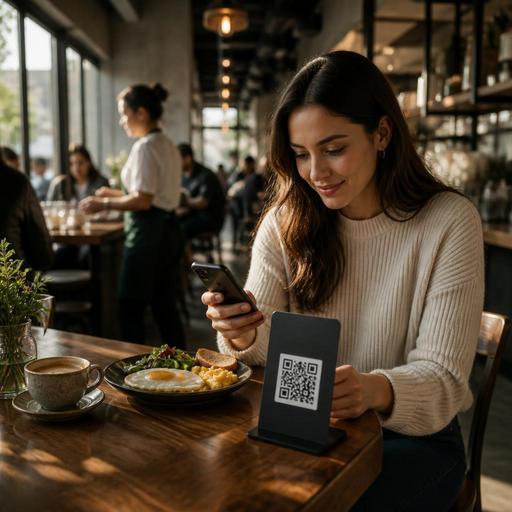
How to Optimize QR Menus for Breakfast Rushes in Busy Cafes
The main challenge in QR menu optimization for breakfast restaurants during peak hours is simple: guests want to decide fast, customize easily, and receive their food without confusion, while staff need a smooth flow from table to kitchen to payment. Breakfast service is different from dinner because the pace is compressed. Many guests are in a hurry, orders often repeat with small modifications, and tables can turn quickly. A well-structured QR menu helps remove friction at exactly the moment when small delays create long queues, kitchen bottlenecks, and stressed teams.
For breakfast restaurants, the QR menu should not act like a digital copy of a printed menu. It should work like an operational tool. That means it must guide fast decisions, surface the most relevant items early, make common add-ons easy to select, and reduce the need for staff to answer the same questions over and over. When built correctly, it supports both guest experience and service speed.
Design the menu around breakfast decision patterns
Breakfast guests usually do not browse the same way dinner guests do. Many arrive already knowing the type of meal they want: eggs, pastry and coffee, a healthy bowl, or a quick combo. Your QR menu should reflect these patterns instead of forcing guests through long category lists.
A practical structure is to place the highest-demand groups first, such as signature breakfast plates, quick combos, egg dishes, bakery items, hot drinks, and cold drinks. If your venue serves both dine-in and takeaway in the morning, make that distinction clear early so guests are not confused about what is available for each flow.
Descriptions should answer the questions staff hear most often. For example, if a breakfast plate includes bread, jam, olives, cheese, and tea, say so clearly. If eggs can be scrambled, poached, or fried, present those options directly rather than leaving room for verbal clarification. If an item is prepared quickly because it is pre-batched or easy to assemble, consider labeling it in a subtle operational way such as quick choice or placing it in a dedicated fast section.
- Lead with best-selling breakfast categories.
- Use short item names with clear descriptions.
- Show what is included to reduce follow-up questions.
- Group common choices into easy paths, such as combo, light breakfast, or coffee and pastry.
- Keep category count tight so guests do not over-scroll during rush periods.
Reduce ordering friction with smart modifiers
Peak-hour problems often begin in the modifier flow. Breakfast menus usually include many small choices: egg style, bread type, cheese swap, extra avocado, no tomato, oat milk, double espresso, and so on. If these options are poorly organized, guests slow down, staff need to intervene, and kitchens receive inconsistent tickets.
The solution is not to remove customization. It is to structure it. Put the most common required choices first, and keep optional add-ons separate. For an omelet, a guest may need to choose side salad or fries only if that choice exists. For coffee, milk type may be an optional modifier. For a breakfast platter, extra cheese or extra tea can appear as add-ons. This keeps the ordering path predictable.
Concrete example: imagine a cafe with a popular avocado toast. Instead of a long free-form note process, the QR menu can offer a clean sequence: bread type, egg add-on yes or no, chili flakes yes or no, extra smoked salmon, and allergy note if needed. The guest completes the order faster, and the kitchen gets a readable, standardized ticket.
Another useful tactic is limiting open-text notes to genuinely exceptional cases. Too many free-text fields create inconsistent instructions and slow kitchen interpretation. Standard modifiers are easier for everyone.
Highlight fast-moving items during the morning rush
Not every item belongs in the spotlight during peak breakfast hours. A QR menu can help steer demand toward dishes and drink combinations that are faster to produce, easier to plate, or more reliable under pressure. This does not mean hiding premium dishes. It means presenting the menu in a way that supports the kitchen when volume spikes.
For example, if your team can prepare a yogurt bowl, simit plate, or filter coffee set much faster than a fully customized skillet breakfast, feature those items near the top during the morning rush. If certain pastries sell best before a certain hour, they should be easy to find immediately. If fresh orange juice slows the bar when the line is long, you may choose to present alternatives such as batch-prepared cold drinks more prominently in peak windows.
This is where digital menu management becomes especially valuable. Operators can update item availability, reorder categories, or temporarily emphasize specific breakfast bundles without reprinting anything. A restaurant using a platform such as Restomas can make these adjustments quickly and keep the guest-facing menu aligned with real service conditions.
- Identify dishes that are fastest and most profitable in the breakfast period.
- Place these items higher in the QR menu during peak hours.
- Bundle common pairs such as pastry plus coffee or eggs plus tea.
- Temporarily disable unavailable items instead of letting staff explain shortages repeatedly.
- Review kitchen feedback weekly and adjust menu emphasis accordingly.
Use the QR menu to support staff, not replace them
One common mistake is treating QR ordering as a full substitute for hospitality. In breakfast service, the best results usually come when the QR menu handles repetitive information and structured ordering while staff stay available for welcome, upselling, exceptions, and problem-solving.
For instance, a server should not need to explain every jam flavor, bread option, or coffee size at every table. The QR menu can do that. But if a family needs help ordering for children, or a regular asks for a special dietary adjustment, staff should still be present and informed.
To make this work, train the team around the digital flow. Staff should know the exact category order, modifier logic, and how items appear on kitchen tickets. They should also know how to guide guests who are less comfortable scanning and ordering digitally. A host can say, for example, that the breakfast combinations are at the top and that coffee customizations are built into each drink item. That kind of guidance saves time without sounding mechanical.
Operationally, staff benefit when the QR menu reduces duplicate questions, improves ticket clarity, and shortens the time between seating and order placement. This can be especially useful in cafes where one person may be handling both floor service and takeaway coordination.
Track where guests hesitate and improve continuously
QR menu optimization is not a one-time design project. Breakfast demand changes by day, season, weather, and neighborhood rhythm. A commuter-heavy cafe may need a faster menu path on weekdays, while a brunch-focused venue may need more exploration on weekends. The right menu structure comes from observing where guests pause, what they skip, and which modifiers create confusion.
Start with simple operational questions. Which items generate the most clarification requests? Which categories are rarely opened? Which dishes create long kitchen times during the rush? Which add-ons are frequently requested verbally even though they exist digitally? The answers often point to obvious improvements.
For example, if guests frequently ask whether coffee is included with certain breakfast sets, the inclusion is not visible enough. If servers repeatedly fix egg-style mistakes, the modifier may be too hidden or optional when it should be required. If the kitchen struggles with special notes on toast toppings, those choices should become standardized add-ons.
Restaurant owners do not need a complicated transformation to improve results. They need a QR menu that matches how breakfast actually works in their business. Clear categories, practical modifiers, smart item prioritization, and quick updates can make the morning rush feel more controlled for both guests and staff.
If your breakfast service depends on speed and clarity, Restomas can help you manage QR menus, item updates, and digital ordering flows in a way that supports daily operations naturally.
