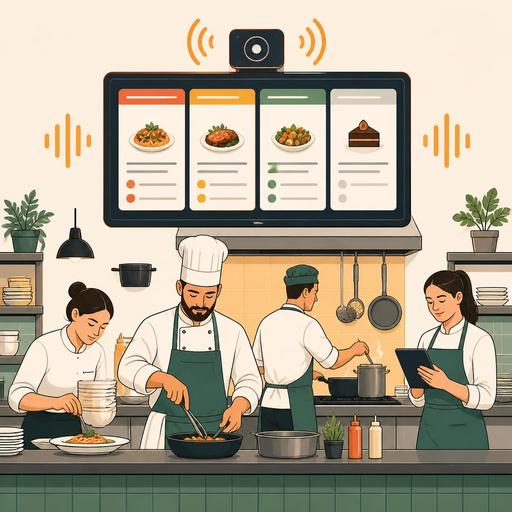
Balancing Speed and Fatigue With KDS Audio Alert Settings in Restaurants
KDS audio alert levels are not just a technical setting used to avoid missing orders in a restaurant kitchen; they are an operational decision with a direct effect on team tempo, attention quality, and staff fatigue. Especially during busy service hours, alerts that sound constantly, repeat in the same tone, or fail to distinguish priority eventually create mental load instead of producing benefit. A well-designed audio alert system, on the other hand, both prevents loss of speed and helps the kitchen team work with more control.
In many businesses, the problem is not the presence of the technology, but that the settings haven't been considered in line with the service flow. Sounding an alert of the same intensity for every new order, presenting a product about to be ready and a product running late with the same level of importance, or managing takeaway and dine-in orders with a single sound logic creates an unnecessary sense of alarm in the kitchen. As a result, the team either overreacts to every sound or, after a while, starts not to hear the sounds at all. Both situations damage service quality.
Why should KDS audio alerts be set correctly?
Speed in the kitchen doesn't increase just by making more sound. The real need is for the team to clearly understand what they should focus on at which moment. The audio alert system should be supportive for this; it must not turn into a noise source that creates pressure.
For example, imagine that during the lunch rush, orders coming from the register, the online order channel, and the table are all gathered on the same screen. If every order is announced with the same sound, there's no perceptual difference between a simple 2-item table order and a large takeaway order nearing courier dispatch. This makes prioritization difficult. A well-structured KDS flow, by contrast, should answer the following questions:
- When a new order arrives, who will take action?
- How will an order with a lengthening wait time be distinguished?
- Which alert concerns the whole kitchen, and which concerns only the relevant station?
- Is the same sound level necessary during busy and quiet hours?
This approach turns sound from an "alarm" into an operational guidance tool. Especially in restaurants using digital order management, sound levels, screen flow, and station-based notifications should be considered together.
4 common audio alert mistakes that increase staff fatigue
Kitchen teams often think the source of fatigue is the physical pace; yet constantly interrupted attention also creates a serious load. The following mistakes are very common:
1. Using the same tone for every event
If new orders, order updates, cancellations, delays, and ready notifications are all delivered with the same sound, the team perceives every sound at the same level of importance. After a while, critical events become routine. This creates "alarm blindness."
2. Keeping the sound level fixed all day
11:00 a.m. and 8:30 p.m. are not the same operation. While a loud alert during quiet hours creates unnecessary stress, a low volume during peak hours can cause some orders to be missed. The sound level should be able to change according to the shift flow.
3. Sending the same notification to all stations
Having the grill, salad, dessert, and packaging areas all hear a sound at the same time on every order does not create efficiency. Constantly interrupting staff who aren't involved disrupts the work rhythm. When station-based filtering isn't done, the sound density rises unnecessarily.
4. Triggering the delay alert too late
A loud alert given after an order has already become problematic creates panic rather than producing a solution. A better method is a tiered alert logic that flags small delays early.
How do you set audio alert levels without losing speed?
The ideal structure is not a single loud-sound rule, but a tiered and context-aware alert design. Although it varies according to the restaurant's service model, an applicable framework can be set up as follows:
- Keep the new-order alert short and clear. Long, harsh, and repetitive sounds may seem effective at first but increase mental fatigue over the course of the day.
- Differentiate the delay alerts. The new-order sound and the delay sound should differ so the team can instantly tell the priority apart.
- Enable station-based notifications. The hot kitchen, cold prep, the bar, and packaging should receive alerts suited to their own flow.
- Define a peak-hour profile. The sound level can rise a little during busy hours; however, the repeat frequency should be kept under control.
- Balance sound with visual support. When color, time labels, and the status screen are used correctly, a loud sound isn't needed for every problem.
For example, in a burger restaurant a short notification may be enough for a dine-in order coming from the register, while a more prominent second-level alert makes sense for a takeaway order nearing the courier delivery time. In a coffee chain, on the other hand, the drink-prep sequence may be more critical for the barista station; it's unnecessary for the kitchen screen to produce sound at the same intensity. In a fine-dining business, more limited use of sound with a more dominant visual flow may be preferred. In other words, the right setting changes according to the type of business.
Practical application: a setting plan you can test in 7 days
The best way to set up the audio alert system correctly is for the team to run short tests under real working conditions. With a simple one-week plan, you can gain important insights:
Day 1: Note the current problems
During which hours do the sounds become disturbing? Which station says it gets "too many," and which says "too few" alerts? Gather the views of the chef, the shift supervisor, and the packaging staff separately.
Days 2-3: Categorize the alerts
Separate new orders, revisions, delays, and ready notifications. Where possible, use a different tone or different intensity for each category.
Days 4-5: Simplify station-by-station
Turn off sounds going to irrelevant screens. Instead of everyone hearing everything, the goal should be for everyone to hear their own work on time.
Day 6: Test a peak-hour scenario
During the busiest service, ask the team this question: "Which alert truly helped me, and which one interrupted my attention unnecessarily?" This feedback is more valuable than the technical settings.
Day 7: Create a standard
If a separate profile is needed for weekdays and weekends, define it. Using different alert logics for the opening, lunch, evening, and closing flows is healthier in most businesses.
Consider KDS settings together with the order flow and reporting
The topic of audio alerts falls short when handled on its own. Because the source of stress in the kitchen is sometimes not the sound itself, but a disorderly order flow. If it isn't visible which channel orders come from, how they drop to which station, how often revisions occur, and at which hours bottlenecks form, the problem you're trying to solve with sound settings is actually a process problem.
At this point, the role of digital infrastructure is significant. When order management, the kitchen display, and operational visibility are brought together in one place, the business manager can ask the following questions more healthily: In which product group do the most delays occur? In which shift do unnecessary revisions increase? Do takeaway orders or dine-in orders create more interruptions in the kitchen? This way, it becomes possible to optimize audio alerts not at random, but according to the real flow.
On platforms focused on restaurant digitalization, like Restomas, considering the KDS, order management, and operational flow together is valuable for this reason. The goal is not to add more technology; it is to enable the team to work more clearly with less fatigue.
Conclusion: a good KDS sound is not louder, it's smarter
A good audio alert arrangement in the kitchen is not one that keeps staff constantly on edge; it is one that moves the right person to act at the right moment. If the team says at the end of the day "there was a lot of noise but the work didn't get easier," the problem most often lies not in the existence of the system, but in the levels and priorities being designed incorrectly. With small setting changes, it is possible to reduce the risk of missing orders while also lowering staff fatigue.
If you'd like to make the KDS and order flow in your restaurant more balanced, you can evaluate Restomas's digital operations tools in a simple and controlled way according to your own service setup.
