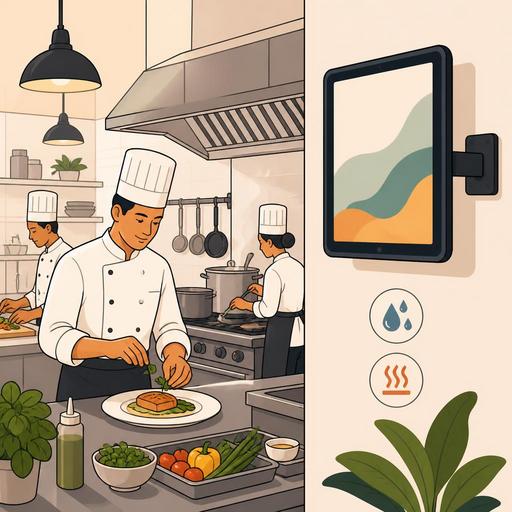
Choosing a Digital Screen for the Industrial Kitchen: An IP Protection Guide
Choosing a digital screen for an industrial kitchen is not merely a matter of screen size or resolution. The truly decisive issue is how well the device can withstand the realities of the kitchen. Steam, splashing water, grease particles, harsh cleaning chemicals, and constantly changing temperatures can quickly turn a poorly chosen screen into a source of problems. At this point, IP ratings are not a technical detail for restaurant owners and operations managers, but a direct tool for operational risk management.
A digital screen may be used as a kitchen production display, an order-tracking panel, a prep-area monitor, or a staff information screen. But whatever the usage scenario, when the physical conditions of the area where the device will be placed are not read correctly, failures, image loss, touch-sensitivity problems, and unplanned device replacements become inevitable. Especially in restaurant digitalization, screens are now critical components not just for displaying information, but for speeding up the flow and reducing the error rate.
What is an IP rating, and why is it so important for kitchen screens?
IP is a classification that expresses a device's level of protection against solid objects and liquids. It is usually written with two digits. The first digit indicates protection against solid elements such as dust, particles, and contact; the second digit indicates resistance to water. In restaurant kitchens, both of these headings have a real-world equivalent: flour, spices, grease buildup, steam, washing, splashing, and regular cleaning.
For example, in a screen near the prep counter, thinking only "there may be water splashes" is incomplete. In the same area there is also grease aerosol, heavy steam, and frequent wiping. For this reason, instead of proceeding based only on price or brand when selecting a screen, you need to decide based on which risks it will be exposed to.
Although the IP rating alone doesn't tell the whole story, it is a very strong filter for an initial screening. Because consumer-grade screens used in kitchens are often designed with an office-environment assumption. Yet the kitchen is not a controlled area for electronic equipment, but a demanding work site.
Which IP level should be considered for different areas in the kitchen?
Not every kitchen area is the same. There is a serious difference between the conditions a screen near the grill line and one near dry storage will face. For this reason, a single IP level should not be applied blindly across the entire business.
1. Behind the register or the service pass-through area
In these areas, direct washing or heavy steam is more limited. However, there may be dust, touch, daily cleaning, and occasional liquid contact. A basic level of protection may be sufficient here; nevertheless, it is important that the front surface of the device be easy to clean and that the connection ports be protected.
2. The prep counter and cold station
Chopped products, splashing water, gloved use, and frequent surface cleaning are prominent in these areas. How the touchscreen responds to wet or slightly dirty fingers should also be evaluated. Not just image quality, but durability under daily use comes to the fore.
3. Points near the hot line, fryer, and dishwashing area
These are the highest-risk areas. Steam density, temperature fluctuation, grease particles, and an aggressive cleaning routine directly affect device lifespan. A higher level of protection should be considered in these areas; if possible, the screen's location should also be replanned. Sometimes the right solution is not to buy a more expensive screen, but to move the screen a few meters to a safer spot.
Why isn't looking only at the IP code enough?
One of the mistakes restaurant owners frequently make is to think the issue is settled the moment they see an IP code in a product description. Yet for the right choice, a few additional questions are needed.
- Which surface does the protection apply to? On some devices only the front panel is protected; the back may not be as durable at the same level.
- What is the mounting style? The risk profile of screens installed on a wall, an arm, a counter, or flush-mounted differs.
- Are the connection ports protected? If the power input, USB, or network port is left exposed, the level of protection may drop in practice.
- Is it compatible with the cleaning procedure? The cloth, chemical, and wiping frequency the business uses must be compatible with the device material.
- Is the operating temperature range specified? In positions near high heat, this information becomes critical.
For example, imagine an order screen near the hot line. Suppose a model that looks suitable in the catalog has been chosen. If the device's ventilation structure is prone to drawing in grease, or if its back panel is unprotected, fan clogging, image darkening, or connection problems may occur within a few months. Even if the screen technically "works," a piece of equipment that doesn't inspire confidence at the kitchen's pace is a failure operationally.
A practical screen-selection checklist for restaurant managers
To manage the purchasing process without drowning in technical terms, the checklist below is quite functional:
- Clarify the screen's location. Define the point of use, such as the hot line, prep area, service exit, or near the dishwashing area.
- Write down the types of risk. List the real conditions, such as steam, water splashes, grease, dust, heavy touch, and chemical cleaning.
- Evaluate the daily cleaning routine. Will the screen be wiped every shift, at the end of the shift, or only during deep cleaning?
- Choose the mounting style. A screen mounted high on a wall may carry less risk than a countertop screen.
- Check the connection and cable protection. Exposed cables can turn even a sturdy screen into a weak link.
- Test the touch-use scenario. Gloved use, fast command entry, and readability are decisive in the kitchen.
- Create a backup plan. Decide in advance how the order flow will continue if the screen fails.
This list reduces unnecessary hardware costs, especially in newly opening restaurants and businesses digitalizing their existing kitchens. Because although placing the highest-protection device at every point seems wise, it often leads to budget inefficiency. The right approach is to choose the right equipment according to the risk.
How should screen durability be considered together with the digital order flow?
Instead of seeing the kitchen screen as an independent piece of hardware, it should be treated as part of the order and production flow. If orders from the QR menu, table-based requests, special notes, and kitchen routing flow in digitally, the uninterrupted operation of the screen directly affects service speed. For this reason, screen selection should not be considered separately from the software flow.
For example, during busy hours, not just the product name but also information such as variations, ingredients to remove, allergen notes, or service priority becomes visible on the kitchen screen. If the screen doesn't show this information clearly, has glare, or creates touch lag, the problem isn't just a device problem; order accuracy is also affected. This creates a chain that extends all the way to the customer experience.
On platforms that digitalize restaurant operations, like Restomas, when menu management, the order flow, and service organization are designed within a single order, more informed decisions are also made on the screen side. Because it becomes clear which information will be shown at which station. This way, instead of the "let's buy the most expensive screen" approach, the question "what is the right protection and the right visibility for this station" comes to the fore.
The final decision: durability, positioning, and operational fit must be evaluated together
Although choosing a digital screen for kitchen conditions looks like a technical purchasing item, it is in fact an operational design decision. When the right IP rating is not chosen, screens fail more often, cause problems during cleaning, lose readability, and create distrust within the team. When the right choice is made, the screen turns into an invisible but reliable part of the kitchen flow.
For this reason, when making your decision, consider these three together: the environmental conditions, the screen's physical location, and its role in the digital ordering process. If these three elements are planned together, the device investment becomes not only more durable but also more efficient.
Restomas, while helping restaurants design their digital ordering and operational flow in a more orderly way, also makes it easier to make hardware decisions suited to that flow.
