Cold Storage Alerts and Digital Inventory Habits for U.S. Restaurants
Cold storage alerts and digital inventory habits for U.S. restaurants can make the difference between a small recoverable issue and a full day of product loss. For restaurant operators in the United States, refrigeration problems rarely happen at a convenient time. A walk-in cooler can drift overnight, a prep cook can leave a reach-in door cracked during lunch rush, or a food truck generator can underperform during a summer event. When operators combine temperature alerts with practical digital inventory routines, they gain faster visibility, cleaner decision-making, and fewer last-minute surprises.
This is not just about buying a sensor and hoping for the best. The operational win comes from connecting alerts, inventory counts, prep workflows, and manager follow-up into one repeatable system. Whether you run a neighborhood diner, a fast-casual salad concept, a hotel breakfast operation, or a multi-unit QSR brand, the goal is the same: know what is in storage, know when conditions change, and know who acts next.
Why cold storage visibility matters in real U.S. restaurant operations
In a busy American restaurant, cold storage is tied directly to revenue. If the walk-in at a burger shop rises overnight, you may lose ground beef, sliced tomatoes, cheese, sauces, and prepped produce before the morning shift even clocks in. In a coffee shop, a reach-in issue can affect milk, cold brew, pastry fillings, and grab-and-go parfaits. In a hotel restaurant, one refrigeration failure can disrupt room service, banquet prep, breakfast buffet replenishment, and bar garnishes at the same time.
The challenge is that many teams still discover problems too late. Someone opens the cooler in the morning, feels warm air, and starts guessing. Product may already be mixed across shelves, labels may be inconsistent, and no one has a clean record of what was received, prepped, transferred, or used the day before.
Cold storage alerts improve response time, but alerts alone do not fix execution. Staff still need a simple workflow for checking product, isolating questionable items, logging waste, updating par levels, and adjusting purchasing. Operators should also verify current food safety requirements with local health department guidance and qualified advisors, since holding standards and documentation expectations can vary by jurisdiction.
Set up alert workflows that match the way your restaurant actually runs
The best cold storage alert system is the one your team will follow at 6:15 a.m. before deliveries arrive and again at 8:45 p.m. during close. Start with role clarity instead of technology alone.
Assign who gets which alert
- Opening manager: receives overnight cooler and freezer alerts before the first delivery window.
- Kitchen lead or chef: receives alerts tied to prep coolers, line refrigerators, and thawing areas.
- General manager or owner: receives escalation alerts if an issue is not acknowledged within a set time.
- Multi-location supervisor: receives summary visibility across units instead of every individual alert.
For example, a three-unit wing concept in Texas may want each store manager to handle local reach-in issues, while the area director only gets notified if the walk-in remains out of range for too long or if a unit records unusual waste. A food truck operator may need alerts tied to commissary storage overnight and mobile refrigeration during service.
Define the first five actions after an alert
- Acknowledge the alert.
- Physically verify the unit condition.
- Check whether the cause is mechanical, human error, or loading-related.
- Separate affected product and document what may be at risk.
- Update inventory and purchasing decisions before the next rush.
This matters because a door left open for ten minutes during truck delivery is different from a compressor issue that lasted for hours. Your workflow should help managers respond calmly instead of making expensive assumptions.
Build digital inventory habits that reduce spoilage and guesswork
Digital inventory is most useful when it becomes part of the daily operating rhythm, not just an end-of-month exercise. Strong habits start with consistency.
Use simple category-based counts
Many U.S. operators get better results by counting in practical categories first: proteins, dairy, produce, sauces, desserts, beverages, and alcohol where applicable. A fast-casual bowl concept might count chicken, steak, tofu, cut greens, cooked rice, dressings, and bottled drinks by station. A sports bar might track wings, fryer oil, beer kegs, bottled mixers, garnish fruit, and backup freezer product separately.
Category-based counting helps managers spot unusual movement faster. If dairy usage looks high at a brunch restaurant, the issue may be overpouring, spoilage, or a reach-in problem near the coffee station. If frozen appetizer counts swing at an airport concession, the cause may be transfer errors between shifts or unexpected flight-delay traffic.
Record waste in the same workflow as counts
Do not keep waste notes on paper and inventory counts in a separate system. When a cooler issue affects product, the waste entry should immediately connect to the item count, the prep plan, and the next purchase order decision. That is how operators avoid double mistakes: throwing product out and then over-ordering the same item the same afternoon.
For chains and larger operators, this visibility also supports menu decisions. If one location repeatedly loses prepped seafood because of weak storage discipline while another handles the same item well, the problem is likely operational, not just purchasing-related.
Use timestamps and shift ownership
A count without a timestamp often becomes an argument. A digital system should show when the count happened, who entered it, and whether it was tied to opening, mid-shift, or closing. This is especially helpful in diners, college-area cafes, and late-night QSR units where multiple handoffs happen every day.
Connect storage alerts to ordering, prep, and guest-facing service
The biggest benefit comes when cold storage data changes what the restaurant does next. If a freezer alert affects dessert inventory, the host stand, servers, and online ordering menu may need a quick update. If a prep cooler issue reduces available proteins, the line may need temporary menu throttling during lunch.
Here are practical examples:
- Fast-casual pickup store: If chicken inventory is compromised, pause that item on direct online ordering and delivery apps before the pickup shelf fills with delayed orders.
- Full-service neighborhood restaurant: If the bar reach-in fails, switch to backup service procedures and update bartenders before happy hour tabs begin stacking up.
- Hotel restaurant: If banquet dairy inventory is affected, notify banquet operations early so the team can revise prep before service deadlines.
- Food truck: If mobile cold holding weakens during an outdoor event, reduce menu complexity and protect the highest-volume items first.
Operators should also make sure digital menus, QR ordering flows, and POS item availability stay aligned with real inventory. Nothing frustrates guests faster than placing a takeout order for an item that the kitchen already knows is unavailable.
If your restaurant adds service charges, tips, or delivery fees to guest checks, keep those workflows separate from inventory decisions. The operational systems may connect through the POS stack, but accounting treatment, tip reporting, and tax handling should be reviewed with qualified advisors and current official guidance.
What to standardize across locations and what to keep local
Multi-location brands need a shared playbook, but not every unit should operate identically. Standardize the core process:
- alert thresholds and escalation paths
- count categories and naming conventions
- waste logging steps
- manager response checklists
- daily and weekly review cadence
Then allow local flexibility where it makes sense. A suburban family restaurant may have different delivery timing than an urban cafe with limited back-of-house space. An airport concession may need tighter same-day replenishment habits than a standalone steakhouse. A stadium venue may prioritize event-day backup storage and rapid post-event counts.
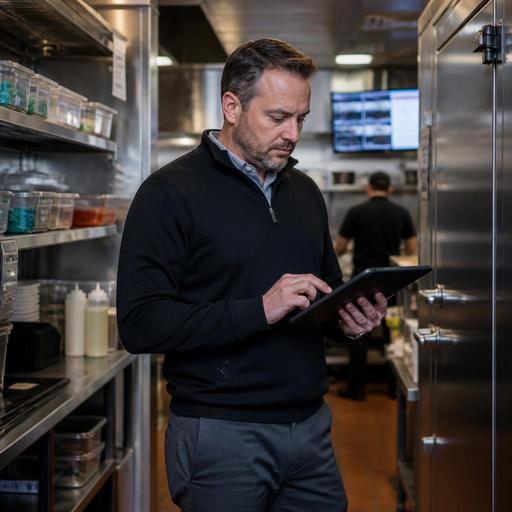
Accessibility and usability matter too. If your team uses tablets or phones for counts and alerts, make sure screens are readable, steps are clear, and workflows are usable by staff in real kitchen conditions. If your operation has ADA-related obligations for guest-facing digital tools, such as online ordering or QR menu experiences, review current accessibility expectations with qualified professionals.
A practical weekly routine for owners and operators
To make cold storage alerts and digital inventory habits stick, review them every week:
- Look at all unresolved or repeated temperature alerts.
- Compare product waste by category and storage unit.
- Check whether counts were completed on time by shift.
- Review 86'd items, menu outages, and delivery app pauses.
- Adjust pars, prep levels, and ordering patterns based on actual movement.
- Coach the specific units or managers where issues repeat.
This weekly review is where technology turns into operating discipline. Over time, you will spot patterns like a brunch cooler that gets overloaded every Saturday, a freezer door habit on closing shift, or a recurring mismatch between prep production and online demand.
Restaurants do not need more disconnected tools; they need cleaner handoffs between storage monitoring, inventory visibility, ordering, and service. Restomas helps operators bring those daily workflows into one digital rhythm without making the process harder for the team.
