Self-Service Kiosks in Restaurants: Benefits, Risks, and Best Uses
Self-service kiosks in restaurants can improve ordering speed, reduce repetitive front-counter work, and give guests more control. But they are not automatically the right answer for every concept, service model, or guest profile. In some restaurants, kiosks shorten lines and increase order accuracy. In others, they create confusion, slow down hospitality, or add one more system for staff to manage. The practical question is not whether kiosks are good or bad. It is where they help, where they hurt, and how to use them without damaging guest experience or operations.
Where self-service kiosks help most
Kiosks tend to work best in environments where the ordering process is repeatable, menu choices are structured, and guests already expect a fast, low-contact flow. Quick-service restaurants, coffee chains, food courts, airport units, stadium concessions, and high-volume takeaway counters often fit this model well.
In these settings, guests usually know what they want or can decide from a short visual path. A kiosk can guide them through sizes, add-ons, combos, modifiers, and payment without requiring a staff member to repeat the same explanation dozens of times per shift. For the restaurant, that can mean fewer verbal miscommunications and a more consistent ordering sequence.
Concrete examples include a burger shop that offers fixed meal bundles, a cafe with standard milk and syrup modifiers, or a chicken concept with a clear choice of protein, side, sauce, and drink. In each case, the kiosk acts like a structured menu conversation. It can prompt common upsells naturally, such as adding fries, dessert, or an extra shot, without making the guest feel pressured by a queue behind them.
Kiosks can also help multilingual environments. In busy tourist areas or transport hubs, a digital ordering interface can present menu items in different languages, show photos, and make modifiers easier to understand. That reduces stress for both guests and staff, especially when the menu contains many configurable items.
- Best fit: high-volume, repeatable orders, limited-service concepts, takeaway-heavy operations
- Operational advantage: clearer order capture, better queue handling, more consistent upsell prompts
- Guest advantage: more privacy while choosing, less pressure at the counter, visual ordering support
Where kiosks can hurt the guest experience
The biggest mistake operators make is assuming that every service bottleneck is an ordering problem. Sometimes the real issue is kitchen timing, pickup confusion, poor menu design, or lack of staff training. Adding a kiosk to a weak process does not fix the weakness. It can simply digitize it.
Kiosks can hurt when hospitality is part of the product itself. In full-service dining, chef-led concepts, premium cafes, wine bars, and restaurants where guests expect recommendations or personal interaction, a kiosk may feel cold or out of place. If guests want help choosing a wine, understanding portion size, asking about allergens, or adapting a dish, a screen is rarely the best primary interface.
They can also create friction for certain guest groups. Families ordering for several people may find complex customization tiring on one screen. Older guests may prefer speaking to a person. Tourists may appreciate language support but still need reassurance. Guests with accessibility needs may struggle if the kiosk height, interface, payment step, or navigation is poorly designed.
Another risk is visible abandonment. If guests step up to a kiosk, hesitate, and then look around for help, the restaurant has not reduced labor pressure. It has simply moved the labor from the counter to troubleshooting. During peak periods, one confused guest at a kiosk can affect the next several in line.
Finally, kiosks can weaken brand tone if the digital menu is badly written. Generic item names, unclear modifiers, hidden fees, or missing allergen guidance make the experience feel mechanical. A digital interface needs just as much menu management discipline as a printed menu or staff script.
Operational trade-offs owners should evaluate before installing kiosks
Before investing in self-service kiosks, owners should map the full service flow from entry to pickup. The kiosk changes only one part of the journey. If that change creates pressure elsewhere, the result may be disappointing.
For example, a lunch concept may reduce counter queues but increase congestion at the pickup shelf. A bakery may speed coffee orders but overload pastry replenishment. A fast-casual bowl concept may collect more modifications than the line can assemble smoothly. In each case, the kiosk works technically, but the operation still suffers.
Key questions to ask include:
- Is ordering truly the bottleneck? Watch where guests actually wait: menu decision, cashier, payment, prep, or pickup.
- Can the menu be navigated clearly on a screen? Long, messy category trees create hesitation and abandoned orders.
- Will the kitchen handle more direct customization? Kiosks often increase modifier usage because guests see every option.
- Who supports guests on the floor? Someone must still guide first-time users and solve payment or item questions.
- How will orders flow into existing systems? Integration with POS, kitchen displays, and order management matters more than the hardware itself.
Restaurants should also think about menu governance. If prices, availability, sold-out items, or limited offers are not updated quickly, the kiosk becomes a source of frustration. This is why centralized digital menu control matters. When operators can adjust categories, item descriptions, modifiers, and availability across channels, they reduce inconsistency between what the guest sees and what the kitchen can deliver.
How to implement kiosks without losing hospitality
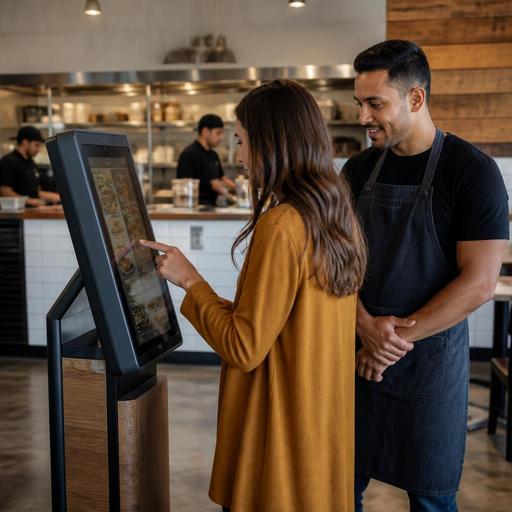
The strongest kiosk deployments do not replace hospitality; they redesign it. Instead of using staff only as cashiers, they reposition staff as hosts, expediters, and problem-solvers. That shift can improve service if it is intentional.
A practical model is to keep multiple ordering paths. Let guests choose between kiosk, QR menu ordering, or a staffed counter depending on the concept. A busy lunch guest may want speed, while a first-time diner may want guidance. Offering both options respects different behaviors without forcing the entire room into one system.
Menu design also matters. Keep categories obvious, item names plain, and modifier steps short. Use photos selectively where they help decision-making, especially for unfamiliar dishes or combo structures. If there are allergy notes, spice levels, or common substitutions, show them clearly before payment rather than after confusion begins.
Staff training should cover more than technical troubleshooting. Team members need to know when to step in, how to spot hesitation, and how to keep guests from feeling abandoned. A simple greeting such as I can help you order here or take your order at the counter preserves hospitality while encouraging kiosk adoption.
- Place kiosks where queues remain visible and easy to manage
- Assign one staff member during peak times to support digital ordering
- Review which items create the most abandoned or corrected orders
- Simplify modifiers that repeatedly slow down the flow
- Keep pickup communication clear with names, numbers, or screen status
A smarter approach: use kiosks as part of a wider digital service system
Kiosks work best when they are part of a connected restaurant digitization strategy rather than a standalone device purchase. The real value comes from how they connect with menu management, order routing, kitchen operations, and guest communication.
For example, a restaurant might use kiosks for front-counter ordering, QR menus for dine-in browsing, and a unified order management flow to send every order into the same operational logic. That setup helps staff see demand from multiple channels without juggling disconnected information. If an item sells out, the restaurant should be able to update availability quickly so the kiosk does not continue selling what the kitchen cannot produce.
This is also where platforms like Restomas fit naturally into the conversation. Restaurants need reliable digital menu control, organized order flow, and a guest experience that stays clear across channels. Whether a business uses kiosks heavily or only in specific dayparts, consistency in menu data and service logic is what keeps the system useful.
For most operators, the right decision is not kiosk or no kiosk. It is choosing the right level of self-service for the concept. A quick-service brand may benefit from kiosk-first ordering. A cafe may use one kiosk only for rush-hour takeaway. A full-service restaurant may skip kiosks entirely and focus instead on QR menus, reservations, and smoother table-side ordering support.
The goal is simple: remove friction where guests want speed, and keep human interaction where guests want confidence. If you are evaluating digital ordering tools, Restomas can help you connect menus, ordering flows, and day-to-day restaurant operations in a practical way.
