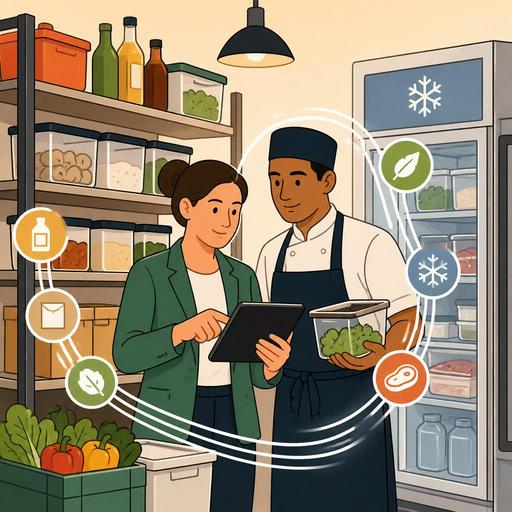
The Digital System That Cuts Restaurant Inventory Counts to 30 Minutes
Shortening the time it takes to count inventory in a restaurant does not mean simply counting products faster in the kitchen; it also means clarifying purchasing decisions, making waste visible, and managing operations without disrupting service hours. In many businesses, inventory counting still runs on paper lists, cluttered storage shelves, and notes entered into the system after the fact. This setup causes the count to drag on, the same product to be checked twice, and a tired team to make mistakes at the end of a shift. Yet when the counting flow is standardized with the right digital methods, the team can complete the same work in much less time and with fewer errors.
The critical point here is to move beyond the "let's count faster" mindset and instead build a system that makes counting easier. If the restaurant's stock cards are not organized, if product units are inconsistent, or if there is no link between sales and stock consumption, even the fastest team cannot count efficiently. Digitalization is therefore not just a screen; it is product definition, category structure, task sharing, and control logic.
Why counts drag on: the real problem isn't speed, it's scattered data
The fundamental reason inventory counting takes hours is most often not the slowness of the staff. The real problem is that the data is not ready before the count begins. For example, if the same product appears as "tomato" in one place, "kg tomato" on another list, and under a different name on the supply invoice, the team tries to figure out what to count in which unit out in the field. This drags the time out.
Similarly, if the warehouse layout and the counting list do not follow the same logic, staff jump from one shelf to another and then have to come back again. When frozen products, dry goods, and beverages are not separated into a single flow, counting also becomes physically tiring. Especially in counts done before a busy service or after closing, this disorder turns directly into errors.
- Inconsistent product names: The same ingredient being recorded under different names.
- Mixed units of measure: Unclear relationships between liters, units, kilograms, and portions.
- Warehouse-counting list mismatch: The shelf order not matching the screen order.
- Manual data entry: Double work caused by transferring from paper to the system after the fact.
- Task ambiguity: Repeated counting because it isn't clear who will count which area.
In short, what shortens the count is not just using a mobile device, but organizing product data according to the operational flow. This is exactly where the digital system's first contribution begins.
How do you build the digital infrastructure for a 30-minute count?
The foundation of a fast count is the correct classification of products and the clarification of units of measure. The restaurant manager should first simplify the stock cards. For example, "330 ml can of cola" and "cola syrup" should not be held ambiguously under the same category; they should be separated according to the logic of purchasing, storage, and consumption. This way, the staff member doing the count does not have to make decisions in the field.
The second step is to design the counting screen according to the physical flow. Cold storage, dry goods, the bar, the prep station, and the service area should proceed under separate headings. When staff can follow on the screen where to start and in what order to proceed, unnecessary back-and-forth decreases. This saves serious time, especially in multi-section kitchens.
The third step is making the relationship between sales and stock visible. In setups with POS integration, it is easier to track which raw materials the sold products affect. This way, the count answers not only the question "what's left on hand" but also "why is the expected figure different from the actual one?" This is where the value of platforms focused on restaurant digitalization, like Restomas, emerges: when menu, order, and operational data are not disconnected from one another, inventory control also becomes more applicable.
Practical setup steps
- Redefine the 50-100 most-used stock items with unique, clear names.
- Set a primary unit of measure for each product; add a conversion note if necessary.
- Order the counting areas according to the physical layout.
- Create a counting flow that can be entered from a mobile device.
- Review the post-count variance report by category.
Once this structure is in place, the team verifies rather than thinks during the count. The time savings mostly come from here.
A concrete example: two different counting scenarios in the same kitchen
Let's say the weekly count of a mid-sized restaurant is being done. In the traditional method, the sous chef enters the storeroom with a paper list, notes the bar's shortages separately, and writes down the half-used products in the kitchen as "approximate." Then the manager enters these notes into the system. During this process, open products are interpreted differently; for example, a half-tin of oil, an open sack of flour, or containers of prepared sauce cannot be recorded in a standard way.
In the digital method, the same restaurant classifies products by area in advance: dry storage, cold room, freezer, bar, and prep. The person responsible for each area enters their own section from a mobile screen. Standard entry rules are defined for open products; for example, a half case, a product remaining by the liter, or an open ingredient measured in grams is recorded in a set format. The manager can see which areas are still incomplete before the count is finished and can immediately go back to the categories where variances arise.
What makes the difference here, as much as the technology itself, is standardized decisions. If staff don't reinvent the method at every count, the process naturally gets shorter. Moreover, because previous count records are on hand, it also becomes visible which products consistently show variances. This makes counting not just a control tool, but a management tool.
How do you design a workflow that reduces staff workload?
In most businesses, inventory counting is seen as a task the team doesn't want to do but is obligated to. The reason for this is that the count is usually squeezed into the end of busy hours and that it isn't clear who does what and how. Yet a well-designed digital flow does not increase staff workload; it reduces ambiguity.
First, a single person responsible should be designated for each area. Although having two people count the same shelf seems safe, it usually drags the time out. A better method is for a single person to enter the data, with a second quick verification on critical items. For example, a control step can be added for meat, seafood, premium beverages, or high-cost products.
You also don't have to keep the counting frequency the same for all products. Fast-consumed products, those with fluctuating prices, or those with a high waste risk can be counted more often; low-risk items can be counted less frequently. This way, instead of scanning the entire stock from scratch every time, the team focuses on priority areas.
- Daily mini-count: Critical products such as the bar, meat, chicken, coffee, and milk.
- Weekly main count: All categories, including dry goods, beverages, cleaning supplies, and packaging.
- Monthly audit: Unit consistency, stock card cleanup, and variance analysis.
Thanks to this layered structure, even large counts take less time; because problems don't accumulate over the course of the month.
How do post-count reports turn into action?
A fast count alone is not enough. If post-count variances stay in the report but are not reflected in purchasing, recipe control, or portion standards, the operational benefit is limited. For this reason, after the count is complete, the manager needs to look at three questions: In which category do variances consistently arise? Does this variance stem from the prep process, service behavior, or a recording gap? Which products need a stock card or recipe update?
For example, if there are regular variances in beverages, the problem may be free complimentary items, incorrect checks, or portioning as much as storage security. If there is a variance in sauces and prep products, the gram weight written in the recipe and the gram weight applied in the kitchen may have diverged. If a variance arises in packaging products, the takeaway flow should be checked. When digital systems make these variances visible by category, the manager acts on data rather than guesswork.
The important thing here is to use the report as a process-improvement tool, not a fault-finding tool. If staff see counting as a punishment mechanism, entries will again be superficial. When the team sees that an accurate count reduces purchasing pressure, prevents service disruptions, and makes kitchen planning easier, they adapt to the system more easily.
A practical transformation plan you can start today
If inventory counting still takes too long, don't try to change the entire system overnight. In the first week, organize only the most problematic categories. In the second week, create a digital counting list ordered by warehouse layout. In the third week, add a mini-count routine for critical products. In the fourth week, evaluate count variances together with purchasing and recipe control.
This approach reduces the team's resistance to the new order and makes it easier for the manager to see which step truly provides benefit. Ultimately, the goal is not just to save time; it is to build a more predictable, more controllable, and less error-prone restaurant operation.
Restomas, while simplifying the restaurant's digital structure from the menu to ordering and the operational flow, can help you create a more orderly management foundation that supports inventory discipline.
