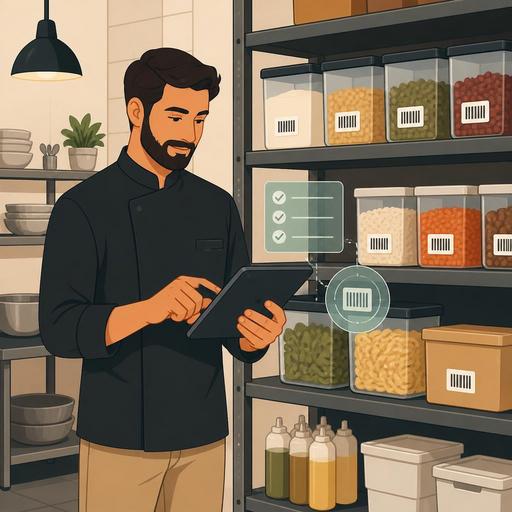
The Digital System That Cuts Restaurant Inventory Counts to 30 Minutes
The digital system that reduces restaurant inventory counting time to 30 minutes doesn't only mean counting faster; it also means clarifying purchasing decisions, making waste visible, and managing shift closings with more control. In many businesses, the reason a count takes a long time is not the work itself, but scattered product cards, non-standard unit usage, an incomplete division of tasks, and manual processes that run disconnected from sales data. When the right digital methods are set up, counting stops being a burden the staff dread and turns into a regular operational rhythm.
Why does the count drag on: the problem is usually not in the stock, but in the flow
If an inventory count takes four hours in a restaurant, the problem is most often not the quantity of products on the shelves, but how the count is designed. Keeping the same product in kilograms in one place, in units in another, and in cases on yet another list creates confusion within the team. Lists prepared separately for the storeroom, the bar, and the kitchen that don't talk to each other also lead to recounting.
Another problem with manual spreadsheets is that they aren't current. A sauce newly added to the menu, or a drink whose consumption rises during a campaign period, is most often added to the stock list late. When that happens, the staff open a blank row during the count, jot a note, and then someone enters these into the system. When these extra steps add up, the time quickly grows.
The impact of a long count on the business is not just lost time. A late-closing shift, tired staff, delayed order planning, and an inaccurate cost calculation produce a chain of problems. Especially in busy restaurants, conducting the count without slowing the operation is a critical management skill.
Digital methods that bring a 4-hour count closer to 30 minutes
There is no single magic tool to drastically reduce counting time; several right methods need to work together. The most effective approach is to make counting a natural part of the digital stock structure.
- Create standard product cards: For each product, define a single name, a single primary unit, and a clear conversion rule. For example, the relationship among case, kilogram, and portion for tomatoes should be defined.
- Divide the counting areas: Define the main storeroom, the cold room, the prep station, the bar, and the service points as separate counting zones.
- Use a mobile counting flow: Digital forms worked through on a tablet or phone, instead of a paper list, eliminate the need for double entry.
- Match it with sales data: Stock tracking linked to POS data makes it easier to compare theoretical consumption with the physical count.
- Define a variance alert: Instead of holding long meetings for every variance, automatically flag deviations above certain thresholds.
For example, in a business that works mostly with burgers, the patty, bun, cheddar, fries, and packaged sauces are the fastest-moving products. If the daily consumption flow for these products is visible in the digital system, then during the night count the team focuses only on the critical items instead of counting the entire storeroom from memory, end to end. This way, the scope of the count narrows intelligently.
Restaurant-focused digital solutions like Restomas produce value here; because they help you think of the menu, order flow, and operational data together with stock logic under the same roof. This takes counting out of being a stand-alone accounting task and makes it part of daily business management.
Hands-on setup: a fast and reliable inventory count in 7 steps
- First, clean up the product master list. Don't keep the same product under different names. Records such as "Cola 1 L," "1L cola," and "large cola" should be unified.
- Assign a counting unit to each product. The staff should not be doing conversion math during the count. The system should solve this in the background.
- Order the storeroom with route logic. If the counting list follows the shelf order, the team doesn't backtrack and doesn't waste time.
- Separate critical products as group A. Meat, seafood, imported drinks, alcohol, coffee beans, and high-waste-risk products should be tracked separately.
- Assign responsibility by shift. The entire count should not be left to a single person. The bar should verify its own area, and the kitchen its own prep stock.
- Show the theoretical and physical stock difference on the same screen. This visibility catches errors quickly.
- Clarify the post-count action rule. When a variance is found, what to do should be determined in advance: a recount, a recipe check, or a correction to the purchasing record?
The basic idea here is this: what speeds up the count is not counting faster, but perfecting the pre-count preparation. In well-structured digital systems, the staff spend time verifying rather than thinking.
Concrete restaurant scenarios: which business gains how?
Quick-service restaurants
In this type of business, product movement is high and small deviations can grow on every shift. Creating a fast counting screen for fries, buns, beverage syrup, packaged products, and sauces makes a big difference. When the counting points are defined in advance, the night closing team checks only the relevant areas.
Cafes and third-wave coffee shops
In cafes, the problem is most often scattered stock tracking across a large number of small items: coffee beans, types of milk, syrups, dessert components, takeaway supplies. Digital product cards and recipe-based consumption tracking make it easier, in particular, to understand which products run out faster than expected.
A la carte restaurants
In these businesses, the distinction between prep stock and service stock is important. When marinated products, sauce bases, and semi-finished items aren't defined correctly, the count drags on. Digital tracking at the semi-finished level lets the head chef see the real picture faster.
The most common mistakes and how to prevent them
Many restaurants think they've gone digital but have actually just moved the paper list onto a screen. This isn't enough. If the process is the same, the problems stay the same too.
- Mistake 1: Leaving the count to the end of the month. Solution: Set short but regular intervals.
- Mistake 2: Not updating recipes. Solution: Record the stock impact in the system the moment the menu changes.
- Mistake 3: Delaying purchasing entries. Solution: Standardize the goods-receiving process with digital approval.
- Mistake 4: Interpreting every variance as theft or waste. Solution: First check portioning, recipe, and record-keeping discipline.
- Mistake 5: Holding the staff responsible only for the result. Solution: Provide the team with the right tools and a clear flow.
What successful businesses have in common is that they use the count not as an audit penalty but as a decision-support mechanism. Restaurants that can regularly produce answers to questions like which product deviates and why, at which station the records break down, and which menu item eats up more stock than expected, manage profitability more clearly.
A practical action plan to start today
If your current count takes a long time, don't try to change the entire system overnight. First, choose the 20 most-moved products. Standardize the names for these products, clarify the unit conversions, and define the counting zones. Then, for a week, do a short digital count at the same time. This pilot will clearly show you which area is slowing things down.
In the second stage, match product consumption with sales data. Especially for menu items with clear recipes, the difference between theoretical consumption and the physical result is a strong indicator for measuring your operational quality. In the final stage, define action rules based on counting variances. This way, the team knows what to do at every deviation and the process doesn't stay dependent on individuals.
When the inventory count speeds up, you don't just save time; purchasing becomes more accurate, kitchen planning eases, and management decisions rest on firmer ground. Restomas can help simplify this transformation for restaurants that want to combine the digital structure spanning from the menu to the order flow with stock discipline.
