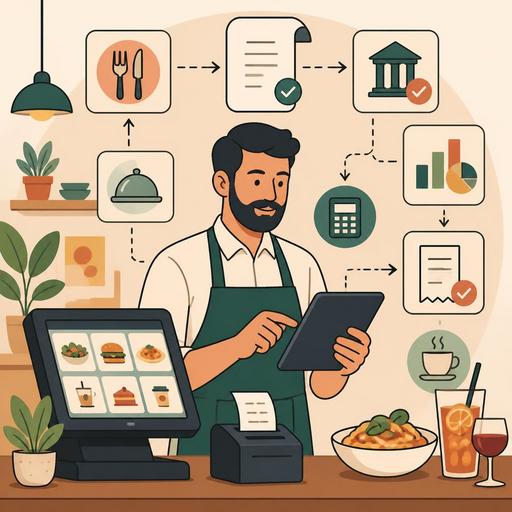
A Guide to Digitalizing VAT and Excise Tax Tracking in Restaurants
VAT and excise tax management in restaurants is not solely the concern of the accounting department; it sits at the very center of daily operations such as menu definitions, product cards, the sales flow, check structure and POS integration. A product opened with the wrong tax rate, an incomplete document flow, an incorrect category mapping, or details overlooked in a campaign setup can later turn into record discrepancies that are difficult to correct and into unwanted penalty risks. For this reason, instead of seeing tax compliance as merely an end-of-day report taken at the register, it should be built into the restaurant's digital infrastructure from the very start.
Especially in businesses that serve alcoholic beverages, in restaurants that manage takeaway and table service flows together, and in concepts whose menus are updated frequently, setting up tax definitions correctly becomes even more critical. The goal here is not to interpret tax legislation; it is to make the points prone to producing errors within the business visible and to bring them under control with digital systems.
Tax risk often begins not in the kitchen, but in the product definition
In many businesses, a tax-related problem starts not at the moment of sale, but when the product is first entered into the system. Products that look similar on the menu but may be subject to different tax treatments, hastily created product cards, or items defined under different names at the branch level can create serious confusion in reporting.
For example, the same beverage being opened with a short name at one branch and a detailed name at another; being linked to the correct category in one place and to a general category somewhere else. These seemingly small differences create inconsistencies in end-of-period comparisons. Similarly, failing to clearly distinguish the main product from a complimentary item or add-on in promotional sales can also complicate tax calculations.
For this reason, the first step is to define all products in sales with a single, standardized structure. Restaurant managers should regularly review the following questions:
- Does every product have a single standard name in the system?
- Are product categories clear enough to make tax tracking easier?
- Are distinctions such as alcoholic beverage, hot drink, takeaway product, and dine-in product reflected correctly in reports?
- Do campaigns or menu sets run on a separate logic within the system?
- Is the same product defined with the same rules across branches?
Digital menu management and POS integration provide an important advantage here. Because when the product card, the check, and the sales report are not disconnected from one another, the chain of errors is noticed earlier. Especially in structures where the QR menu and the POS work in sync, having the product shown on the menu and the product processed at the register fed from the same data set makes control easier.
The operational points that produce the most errors in VAT and excise tax tracking
The areas that cause problems in tax compliance are most often not very technical; on the contrary, they lie within the daily workflow. If the restaurant owner or operations manager establishes a regular control mechanism for the topics below, they can catch problems that would otherwise grow over time at an early stage.
1. Menu updates and new product additions
When changes such as a seasonal menu, a weekly special, a happy hour setup, or a limited-time cocktail menu are entered into the system quickly, product card details may be skipped. A product that looks correct on the flavor side may be defined incompletely on the tax and reporting side.
2. Distinguishing takeaway from table service
In some businesses, the same product is both served in the restaurant and sold as takeaway. Even though it may be thought of as a single product operationally, there may be cases where it needs to be separated for reporting and document flow purposes. When this distinction is not clearly established in the system, it becomes difficult to reliably track which sale came through which channel.
3. Cancellation, refund, and complimentary processes
If incorrectly opened checks, complimentary items offered for customer satisfaction, or products returned from the kitchen are not processed with the correct codes, they may appear as normal sales in the sales report or, conversely, create unnecessary discrepancies. Especially during busy service hours, it is necessary to standardize which transaction staff perform and for what reason.
4. Different practices in multi-branch structures
Even if the head office sets a rule, branches may have different habits for opening products, defining discounts, or entering cancellations. This produces data that cannot be compared across branches of the same brand. In structures without centralized product management, this risk grows.
The control system restaurants need to set up for digital compliance
You do not need to build an expensive and complex structure to achieve digital compliance in tax processes. What matters is creating a control system that works with the same logic from product definition through to reporting. The flow below offers a framework that many restaurants can apply:
- Establish a product card standard: Before any new product is opened in the system, its name, category, sales channel, and related accounting mapping should be checked.
- Define authorization limits: Not every staff member should be able to open a product; tax-related areas should be managed with restricted permissions.
- Code your cancellation and complimentary reasons: Use a standard list of reasons instead of free text.
- Build a head-office-based rather than branch-based menu logic: Especially in chain structures, the product card should be managed centrally.
- Monitor in real time, not just at end of day: Track sales, cancellation, and discount activity not only at period end, but with a daily dashboard logic.
Here, the real contribution of a digital restaurant infrastructure is not merely collecting data, but making scattered operations visible on a single screen. When menu management, the order flow, and the POS connection work on the same plane, how each product is sold and how it is reported can be tracked much more clearly.
Practical steps that reduce penalty risk through concrete scenarios
To avoid leaving the topic abstract, let's proceed through a few realistic scenarios.
Scenario 1: A newly launched cocktail menu is quickly added to the system over the weekend. The bar team enters the names, while the register team opens these products under different short codes. As a result, the product shown on the QR menu does not match the product in the POS report one-to-one. In this case, weekly sales analysis and accounting control become difficult. The solution is to add a product card approval step before the menu goes live.
Scenario 2: A branch manager offers some products on the house for customer satisfaction, while another shift supervisor applies a discount in the same situation. Both transactions appear reasonable in terms of guest relations; however, they produce different results for reporting. The solution is to set a written operational standard for complimentary items, discounts, and cancellations, and to train staff accordingly.
Scenario 3: A campaign menu is sold in takeaway orders, but in the system the campaign is processed as separately distributed products instead of a single line item. This creates confusion in both stock and financial reports. The solution is to define set menus and campaign products with a separate structure from the start.
Scenario 4: In a multi-branch restaurant, the head office publishes a new pricing and category structure, but some branches continue to use the old product cards. As a result, the same product begins to appear in different records. The solution is to maintain centralized menu synchronization and a change log.
What should the business owner do today?
If you want to make VAT and excise tax tracking in your restaurant more secure, start not by memorizing legislation, but by simplifying operations. The short checklist below is a good starting point:
- Review all new product cards added in the last 30 days.
- Report cancellation, refund, complimentary, and discount activity separately.
- Check whether the same product names and categories are consistent across branches.
- Verify whether the QR menu, the order screen, and the POS records use the same product structure.
- Bring the accounting team and the operations team together over the same report at least once a month.
Tax compliance in restaurants is not a topic to be remembered only during audit periods. Thanks to solid product definitions, a standardized sales flow, and digital tracking, the margin for error drops, the team works with more control, and the manager looks at the financial statements with greater confidence. Especially in businesses where the menu changes frequently, multiple sales channels are used, and branch expansion is growing, this approach provides serious operational discipline.
Solutions like Restomas, which handle menu management, order flow, and restaurant digitalization within a single structure, can strengthen businesses' control capabilities by supporting a more orderly flow of the operational data that is subject to tax.
