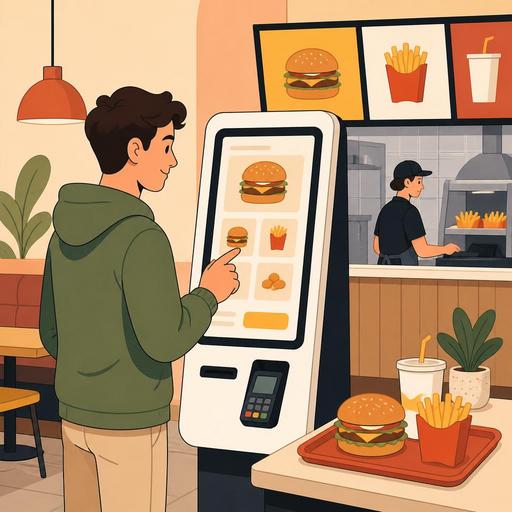
Speed and Profitability With Self-Service Kiosks at Fast-Food Restaurants
The use of self-service kiosks at fast-food restaurants is no longer a technology displayed in the window only by large chains; it is a concrete operational tool for businesses that want to simplify the order flow, reduce pressure at the register, and make menu performance more visible. Especially in terms of taking more orders at the same time during busy hours, presenting campaigns consistently, and steering the customer toward a more controlled ordering journey, the kiosk system offers notable advantages. However, for this investment to truly pay off, it requires not just placing the device in the restaurant, but planning details such as menu design, kitchen flow, POS integration, and the distribution of staff roles together.
Why are self-service kiosks so well-suited to the fast-food model?
By its nature, fast-food operations are built on speed, standardization, and repeat ordering behavior. The customer usually roughly knows what they want; the business, in turn, wants to convert this decision into an order as quickly as possible. The self-service kiosk steps in at exactly this point. It moves the ordering process, which runs through verbal communication at the register, into a visual, step-by-step flow.
For example, in a burger-focused business, the customer first selects the main product, then clearly sees the meal size, drink choice, and add-on products on the screen. An upsell suggestion that a cashier might skip due to the rush is shown to everyone as standard on the kiosk screen. This both ensures consistency and reduces the dependence of sales opportunities on individuals.
Moreover, the kiosk does not completely eliminate decision-making time; rather, it moves that time out of the register queue and onto the screen. This way, the social pressure on the customer from those waiting behind is reduced. Many fast-food customers, especially during crowded hours, find it more comfortable to review the options on a screen rather than rush their order at the register.
The real impact of the kiosk: not just speed, but order quality
A self-service kiosk investment is most often evaluated only under the heading of "reducing the queue." Yet the real difference is seen in the accuracy of the order and the structure of the basket. Problems experienced in verbal orders, such as misunderstandings, missing products, or skipped campaign information, become more controlled at the kiosk.
Standout operational contributions
- Clearer order entry: Product variations, sauce selection, add-on ingredients, and meal upgrades proceed systematically.
- More consistent campaign presentation: Every customer is shown the same campaign language and the same visual flow.
- Stronger cross-selling: Complementary products such as fries, drinks, dessert, or extra sauce are suggested at the right moment.
- Less pressure on the register: Instead of only taking orders, the cashier can focus on guidance, payment support, and the flow of the dining area.
- More measurable menu performance: It becomes more visible which screen, which product, and which combination is selected most often.
Let's consider a concrete example: at a chain offering a classic meal of chicken burger, fries, and a drink, the customer sees options such as "upsize your meal," "add spicy sauce," and "get a 6-piece nugget on the side" one by one on the kiosk screen. Presenting these suggestions with the same quality on every order at the register is difficult. The kiosk, on the other hand, makes this standard.
4 critical issues to resolve before installing a kiosk
Many businesses focus on device selection; yet a significant portion of failed kiosk projects stem not from the hardware, but from process design. Before installing a kiosk, the following four areas should be clarified:
- Menu simplification: Menus that are too broad, cluttered, and full of similar products create decision fatigue at the kiosk. Best-selling products, profitable combinations, and quick-to-prepare options should be prioritized.
- Kitchen flow: If order-taking capacity increases at the front while a bottleneck forms in the kitchen, the kiosk produces stress rather than benefit. Prep stations, screen ordering, and the pickup area should be rethought.
- POS and order integration: The order taken at the kiosk must flow flawlessly to the register, the kitchen display, and the reports. Systems that work separately create data confusion.
- The role of dining-room staff: The kiosk does not completely eliminate the server or cashier. Especially during initial use, you need a team to guide the customer, step in when there's a problem, and oversee the flow.
Here the fundamental logic of restaurant digitalization emerges: a screen alone is not the solution. If menu management, order management, and operational data don't speak within the same structure, technology remains fragmented. For this reason, when planning a kiosk, its compatibility with other digital components such as the QR menu, the order flow, reservations, or the POS connection should also be taken into account.
What mistakes do fast-food chains make with kiosks?
Although self-service kiosks are identified with big brands, chains too make frequent mistakes. For small and mid-sized businesses, what matters is to spot these mistakes early and build a leaner model.
1. Turning the screen into a digital brochure
The kiosk interface is not for moving an exact copy of the printed menu onto the screen. A large number of categories, long product names, and a jumble of campaign blocks tire the customer. The screen flow should be designed to make decision-making easier.
2. Trying to sell every product
Not every product visible on the kiosk carries equal value. Some products extend prep time, some disrupt operations, and some are weak in terms of margin. For this reason, the kiosk menu should be designed not just with catalog logic, but with operational and profitability logic.
3. Leaving staff out of the game
The approach of "we have a kiosk now, so we need fewer staff" creates problems in the field. The need for guidance increases, especially with older customers, tourists, families with children, or during busy hours. The best result comes from a model where the kiosk and human support work together.
4. Not collecting data and only monitoring the device
The kiosk usage rate alone is not meaningful. What really needs to be examined is which products are sold together, on which screen abandonment occurs, at which hours bottlenecks form, and how the kitchen delivery process is affected. This data is the foundation of menu optimization.
An applicable kiosk roadmap for restaurant owners
If you're considering a self-service kiosk, it is better to treat the project as a controlled test rather than a major transformation. The approach below delivers safer results in the field:
- First analyze the busy hours: Which problem will the kiosk solve most? The register queue, order errors, or campaign visibility?
- Create a pilot menu from the best-sellers: Prioritize the products with the clearest order flow, not the entire menu.
- Identify upsell points: Show steps such as upsizing the meal, extra sauce, a drink upgrade, or adding a dessert in a natural sequence.
- Match kitchen capacity: As things speed up at the front, there should be no slowdown at the back.
- Reposition staff: Putting one employee in a "kiosk guide" role makes a serious difference during the transition period.
- Read the reports weekly: Adjust the menu based on the most-selected combinations, abandoned steps, and low-performing products.
For example, a single-location but busy burger restaurant could start a pilot with one kiosk during lunch hours first. As much as how much of the orders come through the kiosk, the kitchen prep sequence, whether bottlenecks form at the pickup area, and how add-on sales change should be tracked together. If this data can be read on a single panel, decision-making becomes much easier.
At this point, what restaurants need is not just a screen that takes orders, but a structure that can make menu changes quickly, manage campaigns centrally, and handle the order flow together with other digital touchpoints. Because one day the customer uses the kiosk, another day they order from the QR menu, and another day they want takeaway. From the business's perspective, what matters is creating a consistent menu and a controllable operation across all these channels.
Conclusion: the kiosk is not a device, but a service-design decision
A self-service kiosk at a fast-food restaurant, when set up correctly, does not just provide a modern look; it increases order quality, brings discipline to menu management, and gives the team some breathing room during busy hours. However, its success depends much more on process design than on the number of screens. If it isn't clear which products will be highlighted, through which steps the customer will be guided, how the kitchen will handle this flow, and how the data will be read, the kiosk can quickly turn into an expensive decorative element.
For restaurant owners, the best approach is to evaluate a kiosk investment not as a "technology purchase," but as operational experience design. Seen this way, the kiosk delivers far stronger results together with the QR menu, order management, POS integration, and centralized menu control.
If you'd like to consider your self-service kiosk plan together with your entire menu and order operation, you can take a look at Restomas's solutions focused on restaurant digitalization.
