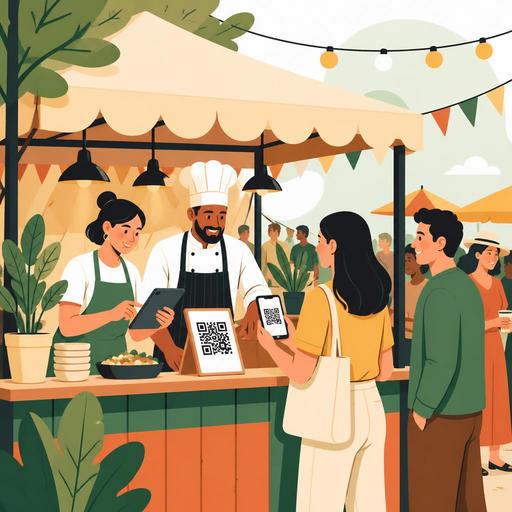
A Digital Preparation Guide for Restaurants Opening a Festival Stand
Selling at local events may sound appealing, but without proper digital preparation for a festival stand, crowds, queues, stock confusion, and communication breakdowns can quickly overshadow profitability. A festival site is different from a restaurant's fixed layout: there is more limited space, a shorter decision window, higher impulse demand, and far more operational pressure. That is why a successful stand setup requires not only delicious products but also a digitally streamlined flow that covers everything from ordering to delivery. A well-prepared checklist both strengthens internal team coordination and improves the experience from the customer's first contact with your stand to their last bite.
Why does a festival stand need a separate digital operations plan?
The system that works in a restaurant's own dining room may not run with the same efficiency at a festival site. Stable internet, an established service flow, a familiar team setup, and a standard kitchen layout are often missing at a festival. Instead, you need to make decisions faster, shorten the menu, and make the order flow visible.
For example, while a broad menu can be an advantage in the restaurant, at a festival it can lengthen order times. The longer it takes to explain a product at the register, the longer the queue grows. Likewise, offering too many variations in the kitchen increases the risk of mistakes for a team working in a small space. For this reason, digital preparation does not simply mean using technology; it means redesigning operations to fit festival conditions.
The core goal here is this: the customer understands the product quickly, places the order easily, the team sees the order clearly, and delivery is completed without confusion. A QR menu, order management, simple on-screen flows, and a product-based preparation plan all support this goal.
Simplify your menu and order flow before opening the stand
The most common mistake at a festival stand is carrying the restaurant menu to the site exactly as it is. Yet at a festival, the customer's decision-making time is very short. In a crowded environment, people first look for clarity: what is being sold, how long it takes to prepare, and which product is delivered quickly?
For this reason, you need to arrange your digital menu specifically for the festival. Product names should be short and clear, the number of variations kept under control, and add-on options retained only if they genuinely contribute to sales. If you use a QR menu, featuring your best-selling or fastest-to-prepare products on the first screen makes a serious difference.
What to check when preparing a festival menu
- A small but strong product selection: Focus on products that are quick to prepare, easy to carry, and maintain their quality under heavy demand.
- A clear category structure: Main items, beverages, and add-ons should be easy to tell apart.
- Allergen and ingredient information: Especially at street events, customers should be able to see the essential information easily while making a quick decision.
- A simple visual language: Use short, clear product descriptions instead of complex explanations.
- Flagging products with high stock risk: The team should be able to update items likely to sell out during the day in real time.
Let's consider a concrete example: you sell six different burgers in your restaurant. If three of them use similar bread, sauce, and sides at the festival, going out with two main options and one signature product can be more efficient without creating production chaos. This way, both the preparation time shortens and the explanation at the register speeds up.
Test your payment, connectivity, and backup scenarios in advance
One of the biggest sources of stress on festival day is a breakdown in the payment flow. A card-reader connection problem, weak mobile internet, a delay on the register screen, or an order reaching the kitchen late can create a queue within minutes. That is why one of the most critical items on a digital preparation checklist is testing the systems before going to the site.
Especially if you will be working over a mobile connection, you should not rely on a single solution. A primary internet line, backup mobile access, and, where possible, a basic operations plan that can run offline should be defined in advance. It must be clear how the kitchen team will see an order once it is placed, how delivered orders will be marked, and who will decide in the case of a cancellation or change.
- Test each device to be used at the event site separately.
- Rehearse the flow of taking payment, creating an order, and closing an order.
- Define the manual backup plan to apply if the internet goes down.
- Make a charging and power-bank plan for phones, tablets, and portable devices.
- Make sure everyone on the team uses the same order naming.
Digital order management provides a significant advantage here. Collecting orders on a single screen, showing which product is being prepared, and being able to mark delivered orders reduces the burden of verbal communication, especially during peak hours. That, in turn, means less confusion in a small stand space.
Put the festival team through a short but clear operations briefing
The success of a festival stand depends not only on setting up a system but on the team using that system in the same way. When assigning temporary roles, a structure in which everyone knows a bit of every task but one person is responsible for each critical area is healthier. For example, one person should own the order flow, one delivery, and one stock and preparation tracking.
Instead of giving long training on the morning of the festival, a hands-on 20-30 minute rehearsal the day before is more effective. In this rehearsal, the answers to these questions should become clear: Who opens the order? When a product runs out, who updates the menu? When a customer makes a special request, who is notified? How is a delivered order closed in the system?
Topics that must be covered in the short team briefing
- The products expected to sell the most and their preparation priority
- The simplified service flow to apply during peak demand
- The person responsible for updating the menu when stock runs out
- The tone of communication when there is a customer complaint or the wait time grows
- Cleaning, hygiene, and order checkpoints
For example, if cold beverages, the main product, and the delivery area are all assigned to the same person, a bottleneck can form. By contrast, separating products by preparation station on the digital order screen and defining team roles accordingly eases the workflow.
Win the customer experience at the point of contact, not in the queue
At a festival, the customer experience is often shaped not by table service but in the first 30 seconds. Someone passing in front of the stand first wants to understand what you sell and then how quickly they can get it. That is why digital tools should be used not only for operations but also to make decisions easier.
The QR menu offers an invisible yet powerful advantage here. Rather than waiting in front of a menu board in a crowd, letting the customer browse the products on their phone and comfortably see ingredient and price information shortens the decision time. If one of the products is in limited quantity, being able to update this in real time also reduces disappointment.
In addition, the impact of social media is high at a festival site. Your stand's location, your featured product, or your daily special menu can be shared through short stories. However, digital marketing here should be used not only for visibility but also to steer operations. For example, clear messages such as "try it before it sells out this afternoon" can help spread demand over time. Of course, the speed and order you promise must genuinely be met in the stand experience.
Collect post-festival data and be ready for the next event
A festival stand is more than a one-day revenue opportunity; it is an important field test for the restaurant. Which product sold faster, at what hours did demand rise, which products slowed operations, and what questions did customers ask the most? The answers to these questions help you prepare more strongly for the next event.
The great advantage of digital systems becomes apparent here: the order flow, product-based demand, intraday menu changes, and peak hours can be analyzed more easily. This way, at the next festival you can see more clearly which products to feature, which team structure works better, and where bottlenecks form.
In short, a successful festival stand is built not only on a good recipe but on a simple menu, a clear division of roles, a tested payment flow, and visible order management. For restaurants looking to make a strong first impression at local events, digital preparation is no longer an optional extra but a core part of operations.
To make your festival stand operations more organized and visible, you can explore Restomas's approach to QR menus and order management.
