How Does Calorie Information on a Restaurant Menu Affect Sales?
Showing calorie information on a restaurant menu looks like a double-edged issue for many businesses: on one side there is the fear that "the guest will order less," and on the other there is the opportunity to offer transparency, trust, and more informed choices. In reality, the impact depends far less on whether calorie information appears on the menu and far more on how it is presented, which audience it addresses, and how the menu layout supports it. When done correctly, calorie information does not automatically reduce sales; on the contrary, by making decisions easier it can strengthen satisfaction, repeat visits, and conversion in certain categories.
Why isn't calorie information an enemy of sales on its own?
The most common concern among restaurant owners is this: "When the guest sees the calories, they give up on the high-calorie product." While this scenario is possible for some products, the matter is not that simple. The information shown on the menu does not have to be merely a deterrent; it can also be an element that reduces uncertainty. Especially for guests focused on a healthy lifestyle, those who exercise, those following a special diet, or those who want to manage their meal plan, calorie information speeds up the ordering decision.
Consider a café, for example. A guest is hesitating between a large sandwich and a bowl. Without calorie information, they might postpone the order, ask the server extra questions, or default to the standard product they consider safest. With calorie information, the decision is made faster. The critical point here is not that the guest leaves the restaurant; it is that they find the option suited to them inside.
Moreover, calorie information does not necessarily undermine sales of high-calorie products. Some guests, on the contrary, make a deliberate choice, saying "today I'm going to treat myself." In this case, the product is purchased not with a sense of guilt but with clear information. This can also reduce dissatisfaction that might otherwise arise later.
The real determining factor: menu context and target audience
The impact of calorie information varies according to the restaurant's positioning. At a third-wave coffee shop, during a busy lunch rush dominated by office workers, calorie information can be useful. At a burger restaurant, however, aggressively highlighting calories on every product can make the experience needlessly technical. The right question here is: at what moment, and for what purpose, does the guest want to see this information?
It helps to think of the target audience in three basic groups:
- Those who make controlled choices: guests who plan their meals, follow a diet, or live a fitness-focused life.
- Those who are undecided but curious: those who say "something lighter, please" but do not want to compromise on taste and satiety.
- Those who are experience-focused: guests who keep calorie information secondary and prioritize flavor and enjoyment.
For this reason, a category-based approach is more effective than a single, uniform presentation across the entire menu. Making calorie information visible for salads, bowls, breakfast plates, fit snacks, sugar-free drinks, or protein-heavy options can improve decision quality. For desserts, specialty burgers, or sharing platters, presenting the information in an accessible but non-dominant way may be more balanced.
Why can presenting calorie information the wrong way harm sales?
The problem is often not the presence of calorie information but the language of the presentation. Displaying only calorie figures on the menu in a harsh, mechanical way can push the product's appetizing aspect into the background. When the guest looks at the menu, they want to see the flavor first and the useful information second. When this balance is disrupted, the product can be perceived like a "list of prohibitions."
For example, providing only the product name and a high-looking calorie value for a pasta dish can weaken the order. However, if the same product is presented together with portion information, a description of the ingredients, and lighter alternatives, the guest does not feel cornered. Similarly, presenting lower-calorie options with labels like "diet," "guilt-free," or "no cheating" can backfire, because this language creates a perception of a bland or insufficient product among some guests.
A better approach is to position the products as follows:
- Describe the flavor first. Let the ingredients, texture, cooking technique, and serving style stand out.
- Make calorie information a supporting element. Let it be a decision-easing detail, not the main message.
- Offer alternatives. Provide options such as sauce on the side, a smaller portion, extra protein, or a low-calorie pairing.
- Leave the comparison to the guest. Use neutral information instead of judgmental language like "the lightest" or "the most innocent."
Practical menu strategies that can boost sales
Calorie information should be seen not as a revenue-reducing obligation but as part of menu engineering. There are several applicable methods for this.
1. Create balance within categories
Instead of a single "light" option in each category, offer several products across different calorie ranges. This way the guest neither gives up entirely nor gets squeezed into only the cheapest option.
2. Make customization options visible
Options such as extra sauce, sauce on the side, changing the side dish, adding extra protein, or choosing a portion size allow the guest to tailor the product to themselves. This approach helps preserve the sale without losing the main product.
3. Rethink combos and pairings
Instead of placing only fries and a sugary drink next to high-calorie main products, offering alternatives such as a salad, a sugar-free drink, or soup can create more order combinations. This way the guest can say "let me get something more balanced" instead of "let me not get anything at all."
4. Present information in layers on the QR menu
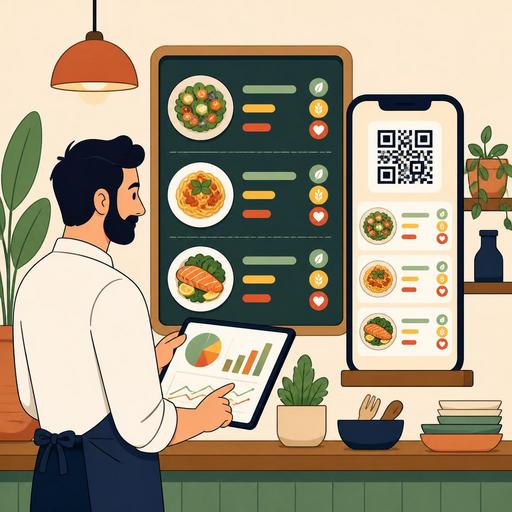
Digital menus provide an important advantage here. It can be difficult to cram every detail into a physical menu; but on a QR menu, the product's short description can appear on the first screen, while calorie and additional nutritional information can be shown in a detail area. This way the guest who wants the information can access it, while the guest who does not want it does not find the menu experience overwhelming.
At this point, digital menu management is practical, especially for businesses that update their menus frequently. When a recipe changes, a portion is revised, or a new product is added, updating the information from a single central point reduces the burden of constantly reprinting menus. At the same time, signals such as which products are viewed more often and which categories attract more interest are useful in improving menu decisions.
Managing the calorie-information rollout by testing is the most sound approach
There is no single universal answer on this topic; therefore the healthiest method is to observe your own business's guest behavior. Instead of changing the entire menu overnight, running controlled tests is wiser.
For example, you can first roll out calorie information only on the lunch menu, in the fit category, or on the online/QR menu side. Then look at the following questions:
- For which products did the order rate change?
- Which alternatives did guests prefer more?
- Did the distribution of side products within the average basket change?
- Did the number of questions asked of the server decrease?
- Did feedback such as returns, dissatisfaction, or "it was heavier than I expected" decrease?
The goal here is not only to look at the number of sales. Customer experience, order speed, ease of decision, and menu confidence are also important. Because even if the distribution of some products changes in the short term, in the long run a more reliable and transparent menu structure can strengthen loyalty.
Especially for businesses aiming to grow into a chain or to establish an operational standard, working on calorie information also encourages recipe standardization. If a product's calories are going to be presented clearly, the recipe, portion, and presentation need to be more consistent. This provides an indirect benefit in terms of kitchen discipline and branch standards.
Conclusion: Calorie information does not reduce sales; it reduces uncertainty
Showing calorie information on a restaurant menu, when done right, is not a move that automatically reduces sales. The real impact emerges together with the tone of the information, the menu design, product variety, and customization options. If the guest feels guided and informed rather than judged, they order more comfortably. This can positively affect conversion for some products, basket structure in some categories, and overall satisfaction.
The best approach is to treat calorie information not as a standalone label but as part of transparency, menu engineering, and the digital menu experience. Presenting this information in a flexible, up-to-date way without disrupting the guest experience, using digital menu infrastructures like Restomas, enables a more controlled transition for restaurants.
