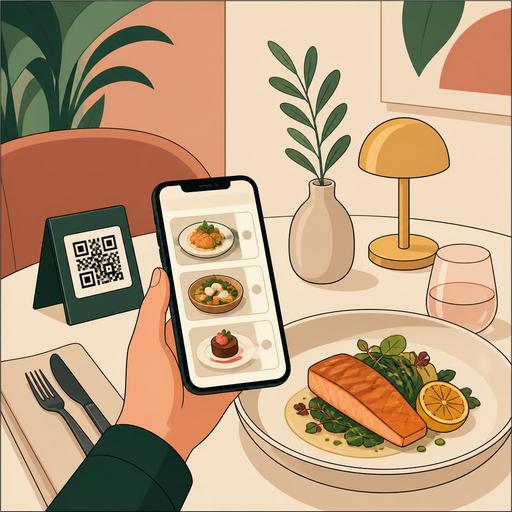
How Do Food Photos in a QR Menu Affect Sales?
The question how food photos in a QR menu affect sales is today no longer merely an aesthetic matter; it has become a direct matter of revenue, operations, and customer experience. As soon as guests sit down at the table, they now open the menu on their phones, quickly scan the options, and often make their decision within a few seconds. The visuals used in this brief moment can determine a product's appetite appeal, portion perception, premium feel, and sense of trust. A good photo does not just bring more orders; it also reduces wrong expectations, lightens the service team's explanation burden, and makes the products you want to feature on the menu visible.
But the critical point here is this: good food photography does not consist of glossy images shot with expensive equipment. An effective visual strategy for a QR menu must be considered together with the right product selection, consistent lighting, realistic presentation, a composition readable on a mobile screen, and menu management. Especially in restaurants that use a digital menu, a photo is no longer a decorative element in a printed menu; it is an active sales tool that manages the moment of decision.
Why does a visual change decision speed and order choice in a QR menu?
While in a printed menu the guest usually decides by reading the product name and description, behavior differs in a QR menu. On a phone screen, the user first scans, then stops, then reads the detail. In other words, the visual often works before the description. This takes the photo out of being a marketing element and makes it part of the decision architecture.
For example, let's consider a brunch business. The phrase "poached eggs with avocado" may be appealing for some guests, while it may remain vague for others. The same product, when presented with a photo shot from above that clearly shows the plate's colors and makes the bread's texture and the egg's runny structure visible, becomes much more understandable. The guest grasps not only what they will order but also what they should expect.
Similarly, for premium products, visual quality raises perception. For products such as grilled sea bass, a dry-aged burger, a special cocktail, or a signature dessert, well-shot photos can help the price be accepted more easily in the mind. That is because the guest evaluates the price not only with text but together with the presentation quality they see.
- It reduces ambiguity: The guest understands the product's content and presentation more clearly.
- It speeds up the decision: It lowers selection fatigue, especially in crowded menus.
- It enables featuring: The products you want to sell become more visible.
- It supports price perception: It strengthens the sense of value in premium products.
- It reduces wrong expectations: It lowers refunds, dissatisfaction, and "this isn't what I expected" moments.
Which dishes should be photographed, and which should be left as text?
A common mistake restaurant owners make is trying to put a photo on every product on the menu. This approach usually crowds the menu, weighs down the screen, and dilutes the visual effect. In a QR menu, the aim is not to show everything but to strategically make visible the products with the highest sales impact.
The products that should be prioritized are generally the following:
- Signature products: The dishes you most want the business to be remembered for.
- High-margin products: Options that support profitability.
- Hard-to-describe products: Dishes whose name alone is not clear enough.
- Newly added products: Seasonal or campaign options that need to draw attention.
- Products with strong presentation: Visually appetizing dishes, desserts, and beverages.
For example, in a coffee shop, a photo of filter coffee may not be essential; but a layered cold beverage, a specially presented dessert, or sharing plates can work much more powerfully with a visual. In a kebab restaurant, instead of photographing standard side dishes, specially served main plates and products that clearly show the portion difference can be more effective.
This is where menu management comes in. In a digital menu infrastructure, it is important to organize product visuals by category, to update quickly when a seasonal product arrives, and to control the visibility of sold-out products. The effect of a photo increases when the right product is shown at the right moment.
A good food photo requires the right standard, not an expensive studio
Many businesses feel inadequate because they have not had a professional shoot done. Yet what a QR menu needs is not always magazine-cover-quality production. The real need is to create a visual language across the entire menu that is consistent, realistic, and trust-inspiring.
Applicable shooting standards
- Use natural or soft light: Harsh shadows and yellow light can make food look worse than it is.
- Keep the background simple: Tabletop clutter should not get in front of the product.
- Show the portion close to reality: Exaggerated styling draws attention in the short term but loses trust in the long term.
- Maintain a consistent angle logic: Some products can be shot from above, some at 45 degrees; but there should be no randomness within the menu.
- Think about the mobile screen: The main element of the plate should be immediately distinguishable on a small screen.
- Be product-focused rather than decorative: Excessive use of props weakens the food itself.
Let's give a concrete example: if the layers of bread, meat, cheese, and sauce are not clearly visible in a burger photo, the user only sees "a burger." But if the same product is shot slightly from the side and presented so its height is clear, it is perceived as more filling, richer, and more valuable. Similarly, in a dessert, if the chocolate flow, the gloss of the fruit, or the texture of the ice cream is not visible, the product's appeal drops.
What matters is that the photo is consistent with the real product that comes out of the kitchen. That is because a QR menu image creates a promise. If the plate served does not fulfill this promise, the problem lies not in the photo but in expectation management.
Menu flow and operations determine the result as much as photo quality
Food visuals affect sales; but this effect does not occur on its own. If a guest sees a very appetizing product photo and leans toward ordering, then the menu flow, the product description, the variation selection, and the ordering process must be smooth. Otherwise the interest created by the photo can fade before it converts to an order.
For example, if the spiciness level, the gram weight, the accompanying items, or the add-on options are not clear, a strong photo only enlarges the question mark. For this reason, in a QR menu, there should be short but explanatory product information next to every visual. Instead of writing "truffle-mayo burger," clarifying the meat type, the bread structure, the accompanying item, and the add-on options works better.
Also, products that have a visual must be ready on the stock and operations side too. If the most-clicked or most-interesting product frequently runs out, the photo produces disappointment instead of creating a sales opportunity. For this reason, digital menu management, the order flow, and product availability should be addressed together.
Restaurants can set up a simple internal control system here:
- Track the most-viewed products with visuals weekly.
- If the conversion to orders is low for these products, review the description and the price positioning.
- For products with a strong photo but a long preparation time, check kitchen capacity.
- Deactivate sold-out products instantly; do not leave old visuals on the menu.
This approach takes the photo out of being merely a design element and turns it into a measurable operations tool.
A photo-improvement plan restaurant owners can apply in 30 days
To keep the subject from staying abstract, let's draw an applicable framework. If you want to improve the visuals in your QR menu in a sales-focused way, you can take the following steps within a month:
- First week: List all the products on the menu and select the 10-15 products that require a visual.
- Second week: Set a shooting standard; clarify the background, plate selection, angle, and lighting setup.
- Third week: Upload the photos, update the product descriptions, and review the category order.
- Fourth week: Track which products draw more interest; re-shoot or replace low-performing visuals.
The aim in this process is not to do a one-time shoot but to manage the menu like a living sales screen. At moments such as the summer menu, the winter menu, a campaign period, a new product launch, or a special-occasion menu, the visuals must also stay current. This is exactly where the advantage of a digital menu emerges: editing can be done quickly without waiting for printed material.
In conclusion, food photography in a QR menu is not just a matter of looking good. The right visual makes the guest's decision easier, makes the product's value visible, reduces the explanation burden on the team, and makes menu performance more manageable. Especially for businesses that use a digital menu, the photo is one of the most visible bridges between the kitchen and sales.
With Restomas, you can make your QR menu more manageable in terms of visuals, descriptions, and product flow, turning guest decisions into a clearer experience.
