How Do Food Photos in a QR Menu Boost Sales?
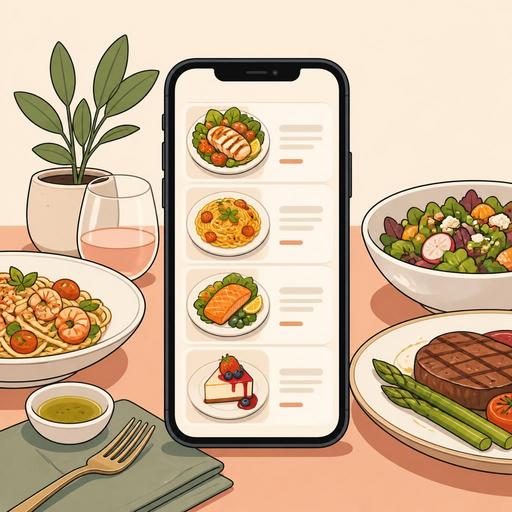
Food photos in a QR menu influence the customer's ordering decision more than you might think. Because in a digital menu, the guest looks at the image on the screen before physically seeing the dish; they interpret the portion size, the quality of the ingredients, the style of presentation, and even whether the price is reasonable through that first impression. For this reason, QR menu photography is not only an aesthetic matter but also a matter of sales, customer experience, and operational consistency.
Many businesses use menu photos just to "look nice." Yet the real point is that the image sets the right expectation. If a photo is appetizing but far from reality, it creates disappointment; if it is shot in poor light, careless, or with a cluttered frame, it makes the product's quality look lower than it is. The right approach is to build a visual system that clearly conveys the product's strengths, makes quick decisions easier, and supports the menu flow.
Why do food images affect the ordering decision so much?
In a QR menu, the customer's attention span is short. Especially during busy hours, people do not read long descriptions; they first look at the trio of product name, price, and photo. A good image reduces the uncertainty in the customer's mind. The answers to questions like "Is this burger large?", "Is the pasta sauce rich?", and "Is the dessert big enough to share?" are often sought in the photo before the description.
The critical point here is that the photo does not merely whet the appetite but lowers the cost of deciding. If the customer understands what to get more quickly, the threshold to order drops. The impact of the image is especially pronounced for the following product groups:
- Signature items: The dishes the business wants to highlight
- Newly added items: Options the customer is not yet familiar with
- High-margin items: Products that support profitability
- Visually strong items: Products decided by sight, such as dessert, a breakfast plate, a burger, a cocktail, or pizza
For example, in a breakfast business the words "spread breakfast" alone may not be enough. But a photo showing the items laid out across the table in an orderly way and in natural light helps the customer grasp the richness of the product more quickly. Similarly, in a burger restaurant, if the melted cheese, the height of the layers, and the side that comes with it are clearly visible, the customer may find the price more meaningful.
What should a good QR menu photo look like?
Successful food photography starts not with expensive equipment but with the right intent and standard. The restaurant owner's goal should not be to produce a "studio work of art" but to represent the product honestly and attractively. Four core principles stand out for this.
1. Closeness to reality
There should be no obvious difference between the product in the photo and the product that arrives at the table. Images that are over-styled, made to look larger than they are, or disconnected from the service standard may bring clicks in the short term but create a loss of trust in the long run.
2. Consistent style
If some products on a menu appear in warm light, some in cool tones, some very close up, and some from far away, the menu does not look professional. The background, lighting, plate choice, and framing should be as consistent as possible.
3. A quickly readable composition
Complex scenes do not work on a menu that appears small on a phone screen. The main element of the product should be clear at first glance. Garnishes, sauces, and accessories should support the product, not scatter the focus.
4. Alignment with operations
The photo should show the presentation the kitchen can genuinely deliver every day. If a dish looks good only in a special shoot but the same quality cannot be achieved at the moment of service, the problem is not the photo but the lack of standards.
At this point, digital menu management becomes important. Because product photos, descriptions, and category ordering must be considered together. For example, showing products with strong photos at the top of the QR menu, quickly updating the visuals of seasonal products, or removing an out-of-stock product along with its photo makes the customer experience clearer.
An actionable food-photography plan for restaurants
To get professional results, not every business needs agency-level production. Building a more realistic and sustainable system is often more valuable. The following plan offers an actionable framework for small and medium-sized restaurants:
- Select the products first: Instead of shooting the whole menu at once, identify the best-selling, most profitable, and most misunderstood products.
- Create a presentation standard: Clarify which plate will be used, where the garnish will sit, how the sauce will be added, and how the portion will look.
- Use natural or fixed light: Harsh shadows and warm light distort the texture of the food. If possible, prefer window light or fixed white light.
- Think vertical and close to the screen: Shoot the photo for a phone screen, not a desktop. If the product looks small, it loses its impact.
- Try multiple angles: A top-down angle for pizza, a slight side angle for a burger, and a close-up showing texture for a dessert may give better results.
- Do not overdo the editing: Color correction can be applied, but the product's real tones should not be distorted.
- Update based on menu performance: Track the click and ordering behavior of products whose photos have changed.
Consider a concrete example: a cafe shoots its cold drinks with a single type of glass and background, but its cheesecake images come out dark and cluttered. The customer chooses drinks easily but stays undecided on desserts. In this case, simply improving the visual standard of the dessert category can contribute to cross-selling. Similarly, in a kebab restaurant, photos that correctly show the portion size can reduce the customer's need to ask extra questions.
The most common mistakes and their impact on sales
Some mistakes made in food images reduce sales potential regardless of product quality:
- Excessive filter use: By distorting the real color of the meat, the rice, and the greens, it reduces trust.
- A crowded frame: What the product is cannot be understood at first glance.
- Using old photos: If the menu has changed but the image has stayed the same, expectations are upset.
- Forcing a photo onto every product: Being selective in some categories can be better. A weak photo can have a worse effect than no photo at all.
- Mismatch between stock and menu: If the product shown in the photo is unavailable that day, the customer is disappointed.
What matters here is not to think of the photo in isolation. The image works together with the product name, description, price, and category position. For example, if the "crispy chicken burger" image is strong but the description is insufficient, the customer may hesitate about sauce, spice level, or weight. Being able to update this information together in a digital menu infrastructure completes the impact of the image.
How can you optimize QR menu performance with photos?
A good photo is not an asset to be taken once and forgotten. The menu is a living sales tool. For this reason, restaurants should evaluate visual performance at certain intervals. The following questions are useful:
- Which products are viewed a lot but ordered little?
- Which products have a strong description but a weak photo?
- When the season changes, which dishes' visual language should be updated?
- Do new products attract enough attention on the menu?
For example, while lemonades, iced coffees, and light plates come to the fore in summer, soups, hot drinks, and oven products can be made more visible in winter. This agility is important for businesses using a QR menu. An update that would take weeks on a printed menu can be managed faster on the digital side. Likewise, when reservations, the order flow, and product management are digitalized, it becomes easier to keep menu visuals aligned with operational realities.
In conclusion, QR menu photography is not just about taking nice photos of a plate; it is a systematic effort that makes the customer's decision easier, sets the right product expectation, and turns the menu into a more efficient sales tool. Restaurants that establish the right visual standard both look more professional and strengthen the relationship the guest builds with the menu.
With Restomas, you can manage your QR menu, product images, and digital menu flow in a more organized and up-to-date way.
