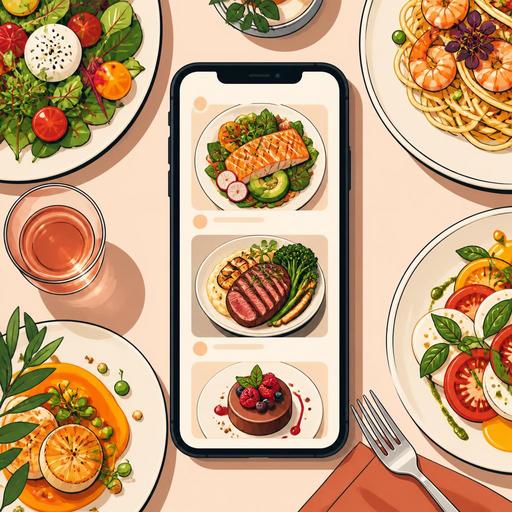
How Do Food Photos on a QR Menu Steer Sales?
QR menu photography is a critical tool not just for making a dish look good, but for speeding up the customer's ordering decision, managing expectations correctly, and creating more balanced menu performance. A product glanced at briefly on a physical menu is examined longer on a screen with a digital menu; this amplifies the image's effect. Especially in decisions made when hungry, the photo's lighting, framing, portion perception, and background arrangement shape ordering behavior as much as the product name does.
Many businesses think of food images only in terms of "making them look nice." Yet a well-designed visual strategy works together with menu engineering. While some products become much clearer with a photo, others can look smaller, greasier, messier, or more ordinary than they are due to a poor shot. In the end, the problem isn't food quality; it emerges from the digital storefront being weak.
Why do photos on a QR menu directly affect sales behavior?
When the customer opens the QR menu, part of the first contact they used to have with a server now happens through the screen. At this point, the photo can even take precedence over the product description. Especially in categories where the decision is made visually, such as burgers, pizza, desserts, breakfast plates, coffee-based drinks, and sharing platters, the right shot lets the customer picture the product in their mind more quickly.
For example, writing "grilled chicken bowl" may not be enough on its own. But a frame showing the freshness of the ingredients, the balanced fullness of the portion, and the appetizing look of the sauce gives the customer a much clearer idea of the product. This clarity matters; because ambiguity delays the order, while clarity makes the decision easier.
The critical point here is that the photo's role is not to apply sales pressure, but to reduce the decision load. When the customer understands more easily what they'll get, they move through the menu more comfortably. This can both shorten the ordering time and increase the discovery of add-on products.
The difference between a good food photo and a "misleading" food photo
The most common mistake restaurant owners make is placing flashy photos shot for social media directly onto the QR menu. Yet a social media image is designed to grab attention; a QR menu image is designed to represent the product accurately. Although the difference seems small, it's significant in terms of customer satisfaction.
- A correct photo honestly shows the product's real portion and serving style.
- A misleading photo causes the customer to perceive a gap between the plate that arrives at the table and the image on the screen.
- A correct photo highlights the dish's main selling point; for example, melting cheese, a crispy texture, fresh greens, or a layered structure.
- A misleading photo pushes the product itself into the background with unnecessary props and heavy filters.
For instance, if the fruit, sauce, and portion balance of a waffle product look exaggerated on the screen but arrive plainer in service, the customer not only feels disappointed; the business's credibility is also damaged. For this reason, the goal in QR menu photography is not "perfect," but an appetizing and consistent presentation.
Which products must have a photo, and which should be used selectively?
Not every menu item needs a photo. In fact, using too many visuals can make the digital menu look cluttered and complicate the customer's decision. For this reason, photo use should be considered on a category basis.
Priority product groups for photos
- Signature products: The dishes and drinks that differentiate the business.
- High-margin products: Items whose visibility you want to increase in sales.
- New products: Options the customer isn't yet familiar with.
- Products better conveyed visually: Mixed breakfasts, specialty burgers, layered desserts, sharing platters.
By contrast, a photo may not be mandatory for plain soft drinks, standard sides, or some items the customer already knows well. The goal here is not to increase visual density, but to use visual impact strategically.
As a practical approach, restaurants can first select the 10-15 products they most want to sell. After establishing a visual quality standard for these products, it's healthier to expand to other categories. This way, the QR menu both looks more orderly and the photography budget is used more efficiently.
Shooting and placement principles for a food photo that works for sales
A good food photo doesn't have to start with expensive equipment. But shots taken without certain principles can produce weak results even with a professional camera. Especially on a QR menu, since screen size is limited, clarity and simplicity are much more important.
- Center the main product: The customer should understand at a glance what they're ordering.
- Use natural or soft light: Harsh shadows can make food look drier or more tired than it is.
- Keep the background simple: Clutter on the table reduces the product's impact.
- Choose a consistent angle: Using a similar angle for all main dishes provides menu cohesion.
- Show the portion honestly: Don't create a misleading sense of size with a close-up.
- Don't overdo the color editing: Excessive saturation distorts the perception of reality.
For example, for a pizzeria a top-down shot shows the slice distribution and topping ratio well, while for a burger brand a slight diagonal angle can better convey the layers. A cafe serving coffee and desserts, on the other hand, can get stronger results with close-ups that highlight foam texture, sauce flow, or a cross-section view. In other words, there's no single correct shooting style; there's a shot suited to the product's purchase motivation.
How do you improve photo performance in QR menu management?
Taking the photo is the first half of the job. The real value emerges when the images are used in the right place within the menu flow and with the right products. Here, digital menu management provides a big advantage; because images that stay fixed for weeks on a printed menu can be tested, updated, and reordered by category on a QR menu.
For example, a restaurant can give visuals only to signature products on the home screen while using a plainer structure in subcategories. Or it can add new photos during certain periods to highlight seasonal products. In the summer menu, cold drinks and light dishes can be featured more, while in the winter period, hot desserts and soup images can be brought to the fore.
An operational balance is also needed here. If there's no ongoing consistency between the plate coming out of the kitchen and the photo on the menu, even the best image causes harm in the long run. For this reason, it's important for the chef, the service team, and the menu manager to set a shared presentation standard. The garnish, plate size, sauce amount, or serving equipment in the photo must be applicable in daily operations.
The QR menu infrastructure's ability to offer quick updates gains importance at this point. Being able to revise the image simultaneously when a new product is added or the presentation changes manages customer expectations more accurately. When menu descriptions, category ordering, and product photos are handled together, the digital menu stops being merely a list and turns into a powerful sales interface.
An applicable photo plan for restaurant owners
Instead of clichéd advice, it's more valuable to set up an applicable system. For this, a small but disciplined plan may be enough.
- Choose 10 products at first: Identify the items you most want to sell or that most need to be well represented.
- Write a presentation standard: Clarify which plate, which garnish, and how it will be served.
- Plan a single shoot day: Keep the light, background, and angle standard the same within the same day.
- Place strategically on the QR menu: Give priority not to every product, but to those with high decision impact.
- Collect feedback: Learn from servers and customers which products are found clearer.
- Update regularly: Refresh visuals that have changed in presentation, become seasonal, or fallen flat.
In conclusion, QR menu photography is not an aesthetic detail; it is part of the digital sales experience. A good photo can attract more attention; but what really makes the difference is matching the right product with the right expectation. For restaurants, the most powerful approach is to align visual quality with operational reality.
With Restomas, you can strengthen the digital experience by managing the product images, category flow, and menu updates on your QR menu within a more orderly structure.
