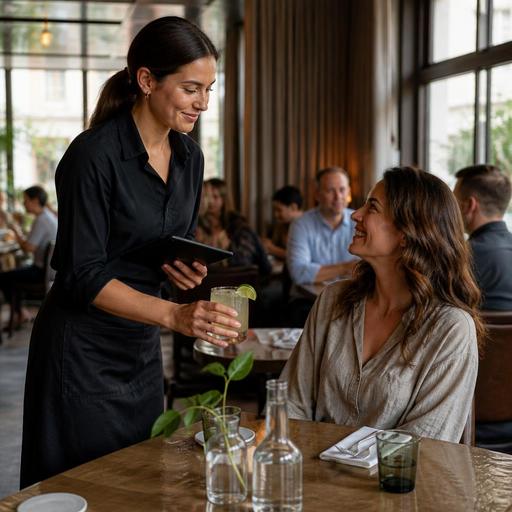
How Restaurants Remember Guest Favorites Without Feeling Intrusive
Personalized restaurant service is not only about greeting regulars by name. It is about building simple systems that help your team remember what matters to guests: a favorite table, no ice in sparkling water, extra spicy noodles, dressing on the side, or a child who always wants pasta first. When a restaurant can remember guest favorites consistently, service feels warmer, smoother, and more professional without becoming intrusive.
For restaurant owners and managers, the challenge is not whether personalization matters. The real question is how to deliver it reliably across shifts, service styles, and staff changes. A server may remember a loyal guest’s usual order, but that memory disappears on a day off, during turnover, or when the dining room gets busy. The practical solution is to turn guest preferences into an operational habit rather than leaving them to chance.
Why remembering guest favorites improves service quality
Guests usually notice small details more than grand gestures. A host who knows a returning couple prefers a quieter corner, or a server who remembers that one guest avoids dairy, creates a feeling of recognition. This does not require a luxury concept. Casual dining restaurants, cafes, bakeries, and neighborhood bistros can all benefit from the same principle.
Remembering preferences helps in several ways. First, it reduces friction during ordering. Guests do not need to repeat the same modifications every visit. Second, it supports upselling that feels helpful rather than pushy. If a guest often orders a certain roast coffee, your staff can naturally suggest a seasonal pastry that pairs well. Third, it strengthens trust. Guests are more likely to return when they feel the restaurant pays attention.
There is also an internal benefit. Personalized service becomes easier to train when it is based on visible notes and repeatable workflows. Instead of telling staff to “be more attentive,” managers can show them exactly where to find preference details and how to use them at the right moment.
What guest preferences are actually worth tracking
Not every detail needs to be saved. The goal is not to collect excessive information. The goal is to remember the preferences that improve hospitality and reduce repeated service mistakes. Focus on useful, service-related details that help the team act better next time.
Examples of practical guest favorites to track
- Seating preferences: patio, window seat, bar seating, quiet corner, high chair needed.
- Food modifications: no onions, gluten-free bread preference, sauce on the side, extra spicy, no cilantro.
- Beverage habits: sparkling water without ice, oat milk cappuccino, specific wine style, double espresso after the meal.
- Service timing: guests who are on a lunch break and want a faster pace, or diners who prefer a slower, more relaxed experience.
- Occasion patterns: business lunch regular, weekly family dinner, pre-theater visit, post-gym smoothie stop.
These details are valuable because they can be used directly by hosts, servers, kitchen staff, and managers. They also help avoid awkward mistakes. For example, if a regular guest always asks for dressing on the side, the kitchen can get it right before the plate leaves the pass.
Keep preference notes short, factual, and useful. “Prefers booth near window” is better than vague comments. “No shellfish; asks before specials” is more actionable than “particular about food.”
How to build a system without slowing down the team
The biggest mistake restaurants make is treating personalization as a memory test. In reality, the best personalized restaurant service comes from simple documentation and clean communication. Your system should be easy to update in seconds and easy to read during service.
A practical workflow for remembering favorites
- Capture the preference at the right moment. Add notes when a guest makes a repeat request, not after every minor comment.
- Store it in one shared place. Reservation notes, guest profiles, POS-linked order history, or digital ordering records work best when the whole team can access them.
- Make notes visible before interaction. Hosts should see seating preferences before assigning a table. Servers should see dining notes before greeting the table.
- Review only what is relevant. Staff should not read long guest histories during a rush. Keep notes short enough to scan quickly.
- Update when preferences change. Guests evolve. A note from a year ago may no longer be useful.
For example, imagine a cafe with many weekday regulars. One guest usually orders a flat white with oat milk and a toasted sandwich without tomato. If that pattern appears repeatedly in digital order history or staff notes, the cashier can confirm the order quickly and accurately. The service feels personal, but the process remains operationally efficient.
This is where digital tools help. A restaurant using reservations, QR menus, and order management in one connected flow can reduce the gap between guest preference and staff action. Instead of relying on a single employee’s memory, the business creates continuity across shifts.
How to personalize service without crossing privacy lines
Restaurants should be careful not to make guests feel watched. Good personalization feels attentive. Bad personalization feels invasive. The difference is usually in what you track, how you use it, and whether it serves the guest experience.
A safe rule is to remember details that guests have clearly shared through their orders, reservations, or direct requests. If a guest repeatedly orders decaf after dinner, it is reasonable to remember that. If a guest casually mentions a personal issue unrelated to service, that does not belong in staff notes.
Use these boundaries with your team
- Track service preferences, not sensitive personal details.
- Use neutral language in notes.
- Do not surprise guests by revealing too much memory at once.
- Let personalization support convenience, accuracy, and comfort.
- Train staff to confirm politely instead of assuming.
For example, a server might say, “Would you like the dressing on the side again?” That feels helpful. Saying, “You always order the same thing every Thursday after your gym session,” can feel uncomfortable even if it is accurate.
Managers should also decide who can add and edit guest notes. Clear standards prevent inconsistent wording and reduce the risk of storing unnecessary information.
Turning guest memory into repeat business and better operations
Remembering guest favorites is not only a hospitality tactic. It also supports smoother operations and stronger retention. When staff know common modifications in advance, ticket errors decrease. When hosts understand seating preferences, table allocation becomes more intentional. When managers review repeat order patterns, they gain insight into which items create loyalty.
There is also a marketing angle. Personalized restaurant service creates the kind of experience guests mention in reviews and private recommendations. People often tell friends about places that “just get it right.” That kind of word of mouth is hard to buy and easier to earn through consistent detail management.
Restaurant owners can start small. Choose one touchpoint this month: reservations, repeat dine-in guests, or regular pickup customers. Define which preferences matter, where they will be stored, and who will use them. Then train the team with a few realistic examples from your own service.
If you already use digital menus, reservation workflows, or integrated ordering tools, look for ways to connect them. A guest who reserves online, orders through a QR menu, and returns for another visit leaves useful service signals across the journey. When those signals are organized well, personalization stops being guesswork.
The best restaurants do not remember everything. They remember the right things, use them respectfully, and turn them into reliable service habits. That is what makes guests feel welcomed again, not just recognized once.
Restomas can help restaurants organize digital menus, reservations, and order flows in ways that make thoughtful guest service easier to deliver consistently.
