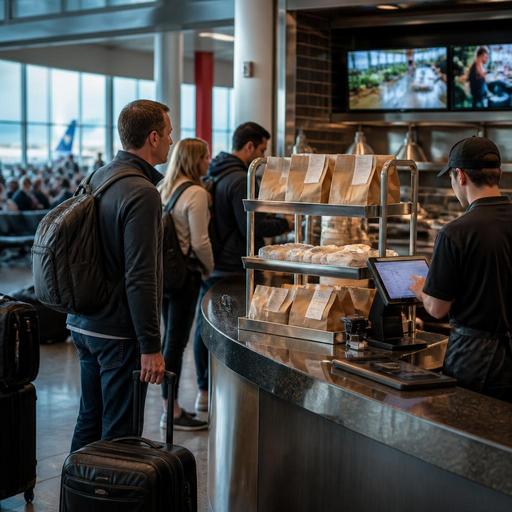
How U.S. Airport Restaurant Menus Can Reduce Delays and Confusion
For U.S. airport concession operators, airport restaurant menus do more than list food and drinks. In a terminal, the menu is a speed tool, a guest communication tool, and an operations tool that has to work under pressure. Travelers are scanning gates, watching boarding times, carrying bags, and often ordering fast. That means your menu has to help guests decide quickly, help staff ring checks accurately, and help the kitchen execute without bottlenecks.
Whether you run a grab-and-go coffee counter in Dallas, a burger concept in Atlanta, a sports bar near a concourse in Denver, or a hotel-connected airport restaurant serving delayed passengers near Chicago, the same challenge appears: guests need clarity fast. A strong menu setup can reduce line hesitation, limit modifier mistakes, support QR ordering, and keep pickup and dine-in workflows cleaner during rush periods.
Design menus for rushed travelers, not leisurely diners
Airport guests do not read menus the same way neighborhood restaurant guests do. A traveler with a rolling bag and a boarding group announcement in the background wants quick scanning, obvious categories, and confidence that the order will arrive on time. If the menu forces too much reading or too many choices, the line slows down.
In a U.S. terminal setting, start with the highest-demand decisions first. At a breakfast counter, that may mean coffee, breakfast sandwiches, yogurt, and pastry bundles at the top. At a fast-casual bowl concept, it may mean a short list of signature bowls before a full build-your-own flow. At a bar and grill, it may mean clearly separated sections for quick bites, full meals, beer, cocktails, and takeout-friendly items.
Practical menu structure moves
- Lead with speed-friendly items: Put items with the shortest decision time and most reliable ticket times first.
- Group by use case: Separate grab-and-go, made-to-order, bar service, and family or group options.
- Show modifier limits clearly: If a breakfast sandwich allows one bread choice and one protein choice, say so plainly.
- Highlight travel-friendly packaging: Mark items that are easy to carry onto a plane or eat at the gate.
- Keep naming simple: A traveler understands “Turkey Club Wrap” faster than a highly branded internal menu name.
For example, a Phoenix airport taco counter may sell more efficiently by featuring three preset combo choices before listing custom add-ons. A New York terminal coffee kiosk may reduce hesitation by showing hot coffee sizes, cold brew, and breakfast pairings on one clean screen rather than spreading choices across multiple boards.
Build guest clarity across boards, QR menus, and ordering channels
In airports, the same menu often appears in several places: overhead boards, counter displays, QR menus, direct online ordering for pickup, third-party delivery where allowed, and POS terminals. When those versions drift apart, staff spend time explaining pricing, availability, and substitutions. That creates longer waits and more voids.
Operators should treat menu consistency as a daily workflow, not a one-time design project. If a turkey panini is unavailable at 4 p.m., the kitchen display system, QR menu, pickup workflow, and cashier view should all reflect that change as quickly as possible. If a late-night menu starts at a certain hour, every ordering surface should switch together.
Guest clarity also matters for access. QR ordering can work well in busy terminals, but it should not be the only path. Some guests need a staffed ordering option, a printed backup, or a menu format that is easier to read. Keep ADA-minded access in mind with font size, contrast, logical category structure, and alternative ordering support. Accessibility expectations can vary by situation, so operators should review current guidance and verify location-specific requirements with qualified advisors or official sources.
What to standardize across channels
- Item names and descriptions
- Modifier choices and limits
- Availability and sold-out status
- Pricing display and any required fee presentation
- Pickup instructions and estimated readiness timing
- Allergen and dietary notes used in your operation
This is especially important in multi-location airport groups. If you operate one sandwich concept in multiple terminals or across several airports, central menu governance can keep branding consistent while still allowing terminal-specific differences such as breakfast hours, alcohol service timing, or local item mix.
Support compliance workflows without making the menu harder to use
Airport concession menus often touch multiple compliance areas at once: alcohol service, payment disclosures, accessibility, food labeling, and labor-related service workflows. The key is to build menu operations that support compliance while keeping the guest experience simple.
For larger U.S. chains, menu labeling rules may apply in some situations, including calorie display expectations under federal law. If your concept is part of a chain or falls within rules that apply to your business model, verify the current FDA framework and any airport authority or local requirements before changing menu presentation. The operational lesson is straightforward: keep one source of truth for item data so calorie information, descriptions, and modifier logic stay aligned across menu boards and digital channels.
Alcohol menus in terminals also need discipline. A sports bar in an airport concourse may offer beer, wine, and cocktails, but staff need a clean menu layout that avoids confusion at the register and supports age-check workflows. If local law, airport lease terms, or terminal rules affect alcohol service hours, to-go rules, or service areas, confirm those details with legal counsel, your licensing team, or official guidance.
Payment presentation matters too. In the United States, operators should be careful about how service charges, automatic gratuities where permitted, and sales tax are communicated to guests. A traveler in a rush should not be surprised at the payment screen. Tipping workflows should be easy for guests and clear for staff, especially where counter service, bar tabs, and mobile ordering overlap. Because tax and labor rules vary by state and city, confirm current requirements for tip reporting, service charges, disclosures, and payroll treatment with qualified advisors.
Use menu engineering to protect throughput during peaks
Airport traffic comes in waves. Morning departures push coffee and breakfast sandwiches. Midday can bring salads, burgers, and grab-and-go coolers. Weather delays may suddenly fill a bar with stranded passengers ordering in bursts. Your menu should help the kitchen survive these swings.
Start by identifying items that slow the line or jam the expo station. If a made-to-order flatbread ties up your oven during a pre-boarding rush, consider moving it lower on the menu during peak times, shifting it to a later daypart, or tightening the modifier list. If a food truck-style airport kiosk near ground transportation sells loaded fries that hold up the fry station, create a simpler version for rush hours and reserve the full build for slower periods.
Kitchen display workflows should mirror the menu structure. Quick beverages, packaged items, and hot food should route clearly so staff can stage orders on a pickup shelf without mixing completed items with long-fire tickets. Curbside pickup is less common in secure terminal areas, but order-ahead pickup shelves, gate-area handoff points where permitted, and clearly labeled takeout packaging are highly relevant in airports.
Peak-period actions operators can take now
- Reduce low-selling modifiers during rush windows.
- Create concise combo meals for breakfast and lunch peaks.
- Auto-hide sold-out items across QR menus and POS-connected channels.
- Separate fast pickup items from longer kitchen tickets.
- Train cashiers and servers on the exact wording for common guest questions.
- Review labor scheduling against flight-bank traffic, not just total daily sales.
A practical example: an airport coffee bar in Seattle can stage drip coffee, bottled beverages, and pastry bundles for immediate handoff while routing espresso drinks to a separate production queue. A burger concept in Orlando can use a QR menu and direct ordering flow to push guests toward high-speed combo options when the line reaches the concourse.
Turn menu data into cleaner operations across the terminal
The best airport menus are operational systems, not just design assets. They connect item data, POS buttons, kitchen display timing, payment flow, and staffing decisions. When that connection is weak, operators see the symptoms quickly: line stalls, refund requests, duplicate orders, confused guests, and stressed staff.
Review your menu weekly with terminal realities in mind. Which items cause the most questions? Which categories create the longest checks? Which sold-out moments create the most friction? Which menu board wording causes guests to ask the cashier for clarification? Use those answers to simplify.
For U.S. airport operators, clarity is a service standard. A traveler should be able to understand the offer, order quickly, pay confidently, and find pickup without asking three different employees. That takes disciplined menu structure, synced digital tools, and clear workflows across front of house and back of house. Restomas helps operators bring QR menus, order management, POS-connected updates, and kitchen workflow visibility into one practical system for faster airport service.
