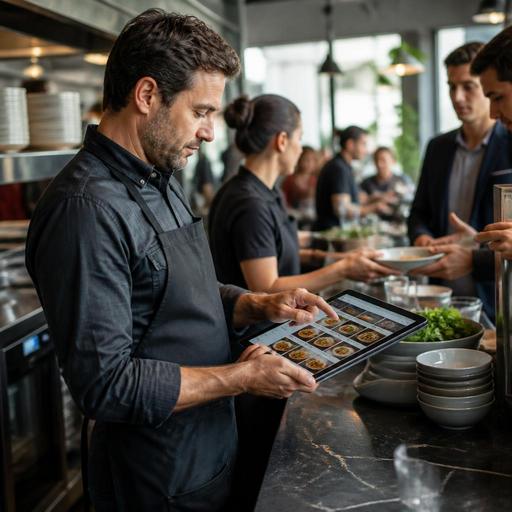
How Restaurants Can Auto-Hide Sold-Out Menu Items in Real Time
Auto-hiding sold-out menu items in real time is one of the most practical upgrades a restaurant can make to its digital menu workflow. When an item runs out but still appears on the menu, the result is predictable: guests order something unavailable, staff must apologize, the kitchen gets interrupted, and service slows down. A real-time sold-out process helps restaurants protect guest trust, reduce avoidable mistakes, and keep the floor, counter, and kitchen aligned during busy periods.
For many operators, the problem is not only stock shortage. It is the delay between knowing an item is unavailable and updating every place where guests can still see it. A dessert may be gone in the dining room, but still visible on the QR menu. A soup may be finished at lunch, but remain active for pickup orders. A key side dish may run out, yet servers continue offering a combo that depends on it. Digitization solves this when menu visibility and item status are connected to the same operational workflow.
Why sold-out automation matters beyond guest convenience
Guests do not experience menu errors as a technical issue. They experience them as disappointment. If a customer chooses a specific dish, imagines it, and then hears it is unavailable, the restaurant has already created friction. In quick-service settings, that friction can delay the line. In full-service restaurants, it can interrupt table flow and create extra back-and-forth with servers. In delivery and pickup, it can lead to substitutions, refunds, or negative reviews.
Real-time menu control also improves internal discipline. Instead of relying on verbal updates such as “tell the team we are out of grilled salmon,” the restaurant creates a system where availability changes are visible immediately. That is especially useful when multiple people take orders: floor staff, hosts, cashiers, online ordering channels, and self-service QR menus.
Concrete examples include:
- Breakfast cafe: The last croissants sell out at 10:15. The item is removed from the breakfast category immediately, so late-arriving guests choose from available pastries without asking.
- Burger shop: Brioche buns run out during the dinner rush. The kitchen marks the relevant burger items unavailable, preventing new orders until the substitute bun is approved and reactivated.
- Seafood restaurant: The catch of the day changes daily. Once the portion limit is reached, the special disappears from the digital menu instead of generating repeated staff explanations.
- Bakery with preorder and walk-in sales: A popular cake slice sells faster in-store than expected. Real-time updates prevent the online menu from accepting orders the production team cannot fulfill.
Where restaurants usually fail in sold-out management
Many restaurants still manage sold-out items informally. Someone in the kitchen mentions it to a server. A cashier tells the next guest. A manager says they will update the menu “in a minute.” This works only when the restaurant is quiet and the team is small. It breaks down during peak hours, shift changes, and multi-channel service.
The most common weak points are:
- No single source of truth: The POS, QR menu, delivery menu, and printed backup do not match.
- Manual relaying: Staff depend on memory and verbal communication instead of a visible status change.
- Modifier blind spots: A main item may still appear available even though one required component is gone.
- Delayed updates: Teams wait until complaints happen before removing the item.
- Unclear responsibility: Nobody knows whether the chef, cashier, floor manager, or owner should make the update.
These failures are operational, not cosmetic. Every unavailable item left visible on a menu increases the chance of wasted labor. Staff spend time apologizing, suggesting alternatives, correcting tickets, processing refunds, and calming frustrated guests. That time should be used for service and upselling, not repair work.
How to build a practical real-time sold-out workflow
A strong sold-out automation process does not need to be complicated. It needs speed, clarity, and consistency. The goal is simple: when availability changes, the guest-facing menu should reflect that change immediately or as close to immediately as possible.
- Define who can mark items unavailable. Usually this should include the shift manager and one kitchen lead. In some fast-service models, the cashier or counter supervisor may also need access.
- Set item-level rules. Decide whether an item should be hidden completely, marked as unavailable, or shown only during certain hours. Some restaurants prefer hiding to reduce disappointment; others prefer visible “sold out” labels for transparency.
- Include modifiers and dependencies. If a combo depends on fries, or a pasta depends on a specific sauce, availability logic should account for that. Otherwise the main item stays live while fulfillment becomes impossible.
- Sync all ordering surfaces. QR menus, online ordering pages, and staff-facing systems should update together whenever possible.
- Create substitute paths. If one fish is unavailable, staff should know the approved replacement suggestion. If one dessert is gone, the menu can guide guests toward a similar in-stock option.
- Review after each peak period. At the end of lunch or dinner, check which items sold out, how quickly they were updated, and whether any avoidable orders slipped through.
For example, a casual dining restaurant might set a rule that the kitchen lead marks low-stock specials once only a few portions remain, while the manager removes the item entirely when it is gone. A cafe might use timed menus so breakfast sandwiches disappear automatically after service hours, reducing the need for manual intervention.
How sold-out automation improves guest experience and staff performance
When unavailable items disappear quickly, guests make decisions faster because they are choosing from real options, not theoretical ones. That creates a cleaner menu experience. It also improves staff confidence. Servers do not need to memorize a changing list of missing items, and cashiers do not need to interrupt ordering with corrections.
There is also a subtle branding benefit. A restaurant that keeps its digital menu accurate feels organized. Guests may not praise menu synchronization directly, but they notice when ordering feels smooth. By contrast, repeated stock apologies make the business feel less prepared, even if the food is excellent.
From a staffing perspective, real-time availability reduces stress during rushes. New employees are less likely to make avoidable mistakes if the menu itself reflects current stock. Managers spend less time firefighting. Kitchens receive cleaner tickets. Front-of-house teams can focus on hospitality instead of damage control.
This is where platforms such as Restomas can fit naturally into operations. When digital menus, order flows, and restaurant management tools are connected, updating item availability becomes part of the routine rather than an emergency response. The key is not the technology alone, but the discipline of using one connected system instead of scattered updates across channels.
Action steps restaurant owners can take this week
If sold-out confusion happens regularly in your business, start with a short operational reset rather than a major overhaul. Small process changes can create immediate improvement.
- Audit your top problem items. List the dishes, sides, drinks, or desserts that run out most often.
- Map every place guests can order. Include dine-in QR menus, online ordering links, staff tablets, and POS screens.
- Assign update ownership by shift. Write down exactly who changes item status during service.
- Decide your visibility rule. Hide sold-out items, label them clearly, or switch to alternatives based on your service style.
- Train staff on replacement language. Give them a short script for suggesting the closest available option.
- Review menu engineering. If an item sells out too early too often, adjust prep levels, purchasing, or menu placement.
Sold-out automation is not just about removing an item from view. It is about making the menu a live operational tool. When your digital menu reflects real kitchen availability, guests order with more confidence, staff work with fewer interruptions, and the restaurant runs with less friction. If your team is already using digital ordering or QR menus, this is one of the clearest areas where better menu management can deliver immediate day-to-day value.
With Restomas, restaurants can manage digital menus more dynamically and keep guest-facing availability aligned with real service conditions.
