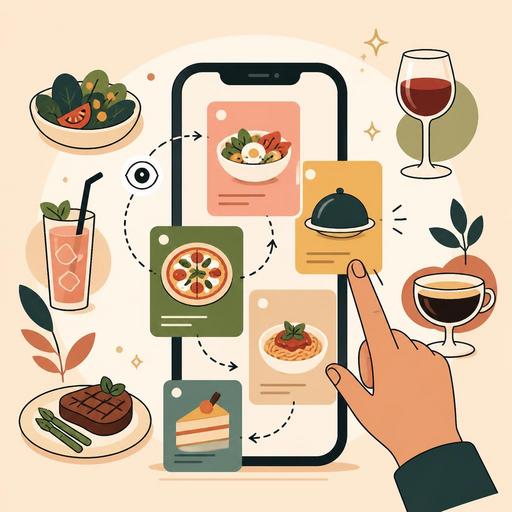
How to Design Category Order in a Restaurant Menu
Category ordering in a restaurant menu directly affects what the guest sees first, which options they compare, and how quickly they make their ordering decision. Especially today, as QR menus and digital menus have become widespread, category flow is not just a design matter; it is also a question of operations, profitability, and customer experience. Eye-tracking research shows us that people scan menus through specific focal points rather than reading them line by line. For this reason, the right category order works like an invisible server that guides the guest without tiring them.
The key lesson from eye-tracking research: the guest doesn't read the menu, they scan it
The most common mistake made in menu planning is ordering categories with an in-kitchen logic. Yet the guest scans the menu not according to kitchen stations, but according to hunger level, expectation, budget, and ease of decision. The common point that eye-tracking studies indicate is this: the user first wants to understand the overall structure, then turns to the section most relevant to them, and finally compares a limited number of options.
That is why, when preparing category ordering, you need to focus on this question: When the guest opens this menu, what decision will they make in the first 10-15 seconds? For example, in a quick-service burger restaurant the guest's first question is "What should I eat?", while in a third-wave coffee shop it might be "Should I have a coffee, and will I add a dessert too?" The same ordering does not work for every business.
There is also an important difference between a physical menu and a digital menu. On a printed menu the eye sees several areas at once, while on a mobile screen the user usually scrolls from top to bottom. This makes category ordering even more critical. Placing your strongest category at the very bottom is often a waste of the most valuable display space.
When creating category order, think about the ordering flow, not the kitchen layout
A good category order makes the guest's decision journey easier. A poor order, on the other hand, creates unnecessary mental load. Especially in long menus, the user first spends effort finding the right section, then tries to understand the options. This double load delays the order and sometimes steers them toward lower-value, "safe" choices.
The approach that works in practice is to evaluate categories through these three filters:
- Demand intent: Which product do guests most often come to your business for?
- Profitability and contribution margin: Which category, when presented correctly, supports the average check?
- Ease of decision: Which category serves as the clearest entry point into the menu?
For example, in a kebab restaurant where the order is "Drinks - Desserts - Salads - Grills," the guest scrolls unnecessarily before reaching the section they are actually looking for. Instead, a flow like "Grills - Wraps - Starters - Drinks - Desserts" may be more natural. In a brunch spot, an order such as "Breakfast Plates - Egg Dishes - From the Oven - Coffees - Cold Drinks - Desserts" fits the morning visitor's mindset better.
The critical point here is to build the category order not according to the business's internal organization, but according to the order in which the customer places their order.
There is no single correct order for every restaurant: example structures by business type
Category architecture should be considered on a concept-by-concept basis. The examples below are not templates to be copied one-to-one; they should be used to illustrate the decision logic.
1. Quick-service restaurant
Here the goal is fast decision-making and basket growth. For this reason, the main product group should be at the very top. Complementary products should follow.
- Main products
- Combo meals
- Snacks
- Drinks
- Desserts
If combo meals truly sell strongly, "Combo meals" can be moved to the first position. However, this decision should be based on order data, not intuition.
2. A la carte restaurant
Here the experience is more rhythmic. The guest gives more thought to the relationship between the starter, the main course, and the drink.
- Signature dishes or main courses
- Starters
- Salads / warm appetizers
- Drinks
- Desserts
Many businesses place starters at the very top. This is not always wrong; however, if the guest visits you specifically for the main course, your strongest category should not lose its visibility.
3. Cafe and coffee-focused business
In cafes, the purpose of the visit changes depending on the time of day. The morning, midday, and evening flows can differ from one another. Businesses using a digital menu can take advantage of this by updating the category order according to the time of day.
While "Breakfast - Hot coffees - Cold coffees - Bakery items" may make sense in the morning hours, "Cold drinks - Coffees - Desserts - Snacks" may perform better in the afternoon.
How do you detect an incorrect category order?
You don't need an academic laboratory to understand that a menu isn't working well. When field observation and digital data are used together, powerful results can be obtained. Especially businesses that use a QR menu and order management infrastructure can interpret more clearly which category is viewed how often, which products are added to the basket more frequently, and where abandonment occurs.
The following signs indicate that there may be a problem with the category order:
- If guests frequently ask servers for directions like "Where are the main courses?"
- If high-margin categories are being viewed but not converting into orders
- If popular products are noticed less because they sit lower on the menu
- If, on long menus, users browse a few categories and leave without ordering
- If staff constantly have to verbally highlight certain products
Let's consider a concrete example: in a pizzeria where "Starters" is at the top and pizzas are in third place, the user first encounters a low-intent category. In this case, the product group expected to sell the most is exposed to unnecessary friction. When the category order in the same business is changed to "Pizzas - Specialty Pizzas - Starters - Drinks - Desserts," the ordering journey becomes more natural.
The most practical way to test category ordering on a digital menu
The biggest advantage of digitalization is that you don't have to prepare the menu once and use it for years without touching it. Category order is a living structure. It should be updated according to season, time of day, customer profile, and campaign period.
You can proceed with the following steps without overcomplicating the testing process:
- Map out the current order: Clarify the logic by which the menu is currently arranged.
- Choose the main objective: Fast decisions, basket growth, or signature-product visibility?
- Change one variable: Update only the category order, not everything at once.
- Gather staff feedback: See whether the questions servers hear most often are changing.
- Track ordering patterns: Examine which category has become more visible and which products are being selected earlier.
Here, it is important that the menu management infrastructure be flexible. Being able to update categories quickly, highlight products, and try different flows at different branches makes the theory applicable in the field. At this point, digital menu and restaurant management tools like Restomas turn the menu from merely a published list into a managed decision space.
Conclusion: a good category order exists not to look prettier, but to enable clearer decisions
Ordering menu categories is not an aesthetic arrangement; it is behavioral design. The most valuable lesson taught by eye-tracking research is that the guest does not view everything on the menu with equal attention. For this reason, which category comes first and which comes later affects sales performance, service speed, and customer satisfaction.
The best approach is to move from the question "How did we build the menu?" to the question "How does the guest move through the menu?" If your category ordering makes this journey easier, the menu requires less explanation, the staff's burden decreases, and the order flow becomes smoother.
Regularly reviewing your menu's category structure is one of the most practical steps in turning a digital menu into a real operational tool; you can manage this process more flexibly with Restomas.
