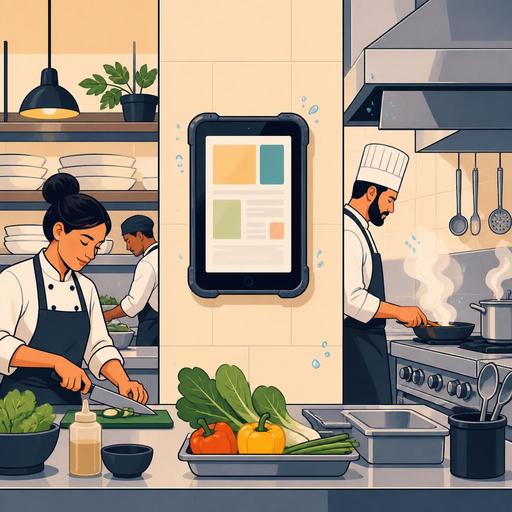
A Guide to Choosing the IP Rating for Digital Screens in Industrial Kitchens
Choosing the IP rating for a digital screen in an industrial kitchen is not just a technical purchasing decision; it is directly related to operational continuity, food safety, staff flow, and maintenance cost. Because steam, oil, splashing water, large temperature differences, and an intensive cleaning routine all operate together in a restaurant kitchen, using an office-type screen in the kitchen often turns into a short-lived and costly mistake. Reading the IP rating correctly is a critical step, especially for businesses planning to set up a kitchen display system, an order-tracking panel, a prep-area monitor, or a delivery-station screen.
IP, that is Ingress Protection, expresses a device's level of protection against the entry of dust and liquid. It consists of two digits: the first digit shows protection against solid objects and dust, while the second shows resistance to water. However, the most common mistake restaurant owners make is seeing only a high number and assuming the device is suited to every condition. Yet where the screen will be placed, how it's cleaned, the mounting angle, how staff use it, and the protection of cable/connection points are at least as important as the IP label.
What does the IP rating tell you, and what does it not guarantee?
A screen marked IP54, IP65, or IP67 indicates that it offers a certain level of protection under specific test conditions. But this label alone does not mean it "works flawlessly in the kitchen." Because the IP rating doesn't give a full picture of the device's heat management, screen brightness, touch sensitivity, resistance to chemical cleaning agents, or performance under prolonged steam exposure.
For example:
- IP54 offers limited protection against dust and resistance to water splashing from any direction. It can be sufficient in a relatively sheltered service-pass area in front of the register.
- IP65 provides full protection against dust and resistance to low-pressure water jets. It's a safer choice near a prep area or on regularly wiped surfaces.
- IP67 offers, alongside full protection against dust, higher protection against scenarios of temporary submersion in water. But this doesn't mean the device is ideal under constant high heat and oily steam.
The fundamental point here is this: the IP rating must be evaluated together with the usage scenario. A screen working right next to the hot line and a screen at the takeaway prep counter do not have the same needs.
How to make a zone-based screen choice in the kitchen?
Instead of thinking of the restaurant kitchen as a single uniform area, dividing it into risk zones yields better results. This way you don't buy unnecessarily expensive equipment, and you don't end up having to invest again because of an inadequate device choice.
1. The hot line and around the cooking line
If a screen is used near the stove, grill, fryer, and steam-emitting equipment, the risk isn't only water; oil aerosols, sudden temperature changes, and intensive cleaning are also in play. In this area, it's important that the screen's front surface be easy to wipe, that connection points be protected, and that the fan structure not collect dirt where possible. In such areas, a protection level of IP65 and above is a safer starting point for most businesses.
A concrete example: a screen with open connection ports placed next to the fryer can begin to experience responsiveness problems within a few weeks due to oily particles. Although the problem may at first glance seem software-related, the root cause is often hardware unsuited to the environmental conditions.
2. Prep and assembly stations
In salad, cold prep, pizza assembly, or dessert output areas there's a splash risk but conditions may not be as harsh as the hot line. While IP54 may be sufficient in some scenarios here, in businesses that do intensive cleaning IP65 may be a more long-term choice. Especially in operations where staff use the screen with gloved and wet hands, the screen's touch structure and surface material should also be checked.
3. The takeaway and expedition area
In areas where delivery orders are gathered, screens are generally exposed to lower environmental risk. But another need comes to the fore here: visibility and speed. The ability to read order statuses from a distance, a non-glare screen surface, and a clear task flow are often more decisive than the IP level. Even so, the protection rating shouldn't be neglected in areas near the door, prone to humidity, or frequently wiped.
The effects of a wrong IP choice on restaurant operations
A wrong screen choice doesn't only cause device failure; it also disrupts the service flow. If the kitchen screen responds slowly, if orders are marked with a delay, or if the screen becomes unreadable due to steam at certain hours, the problem reflects directly on the guest experience. Especially in businesses taking multi-channel orders, that is when dine-in, takeaway, QR menu, and phone orders drop into the kitchen at the same time, screen reliability becomes even more critical.
The following outcomes are common:
- Order delays: When staff don't trust the digital flow, they revert to verbal confirmation, which creates extra traffic in the kitchen.
- Failure after cleaning: Because of a wrong protection level, the regular hygiene procedure damages the device.
- Maintenance cost: Cheap but unsuitable screens require replacement in a short time.
- Staff resistance: Screens that are hard to use or break down frequently create reluctance toward the digital system within the team.
For this reason, screen selection should not be considered independently of the software infrastructure. No matter how good a system that digitizes order management and kitchen flow is, if the hardware in the field isn't compatible with the environment, the expected efficiency can't be obtained.
7 critical questions to ask before purchasing
Before reading the technical brochure, ask your own operation these questions:
- How close will the screen be to the hot line?
- Is daily cleaning done with a dry cloth, a damp cloth, or in conditions near pressurized water?
- Will the device be mounted on the wall, on a swing arm, or on the countertop?
- Will the connection ports remain exposed or be protected?
- Will staff use the screen with gloved, wet, or oily hands?
- Is the area exposed to steam condensation during the day?
- Will the screen be used only for display, or for intensive touch input?
The answers to these questions often lead to a sounder decision than the "let's get the highest IP" approach. Because a protection level higher than needed sometimes raises the budget unnecessarily, while the truly critical mounting and usage details can be overlooked.
In restaurant digitization, hardware and software must be considered together
Digitization in restaurants isn't only about placing screens; it's about making the right information visible at the right point, at the right time. For example, orders coming from the QR menu dropping clearly into the kitchen, order statuses being tracked station by station, the task flow being simplified during busy hours, and standards being maintained across branches are only possible when hardware and software are planned together.
A practical approach here might be:
- First map your kitchen flow station by station.
- Evaluate the environmental risk at each station separately.
- Define the screen requirement not only by size but by protection level and usage style.
- Make sure your order management software runs simply and quickly on these screens.
- Test cleaning, visibility, and staff habits by doing a pilot installation.
For example, a restaurant can use a highly protected fixed screen at the hot line while preferring a second screen suited to lighter conditions in the takeaway area. When a structure is built that manages the QR menu, table order, and takeaway flow from a single center at the same time, choosing each screen according to the risk of its area makes operations more resilient.
In conclusion, when choosing a digital screen at kitchen temperatures, the IP rating is not a checkbox matter but part of operational design. The right choice means fewer interruptions, a cleaner workflow, and staff adapting to the digital system faster. For restaurant owners, the most correct step is to realistically analyze the kitchen conditions before purchasing the screen and to build the digital order flow in harmony with these physical realities.
Restomas can help you create a setup suited to the field's usage scenarios when planning restaurant digitization, from the QR menu to the order flow.
