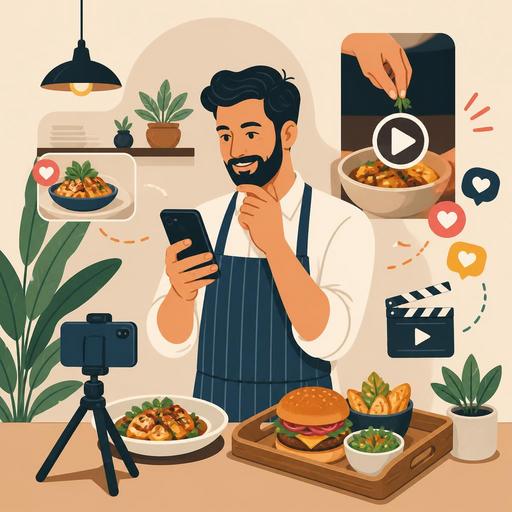
An Instagram Reels Content Calendar for Restaurants: A 30-Day Plan
An Instagram Reels content calendar enables restaurants to act systematically toward goals of visibility, engagement, and sales, rather than posting at random on social media. Especially in the food-and-beverage sector, the short-video format becomes a powerful marketing tool because it can tell the story of the kitchen flow, the service experience, the menu, and the atmosphere of the venue in just a few seconds. However, to get results, a "nice video" alone is not enough; the right topic plan, shooting discipline, a content flow aligned with operations, and measurement are all needed.
The real value of a Reels strategy for a restaurant is not merely getting more views. The aim is to make a potential customer say "I should try this place," to give an existing customer a reason to return, and to make content production sustainable within the team. The way to achieve this is through a clear 30-day content calendar.
Why is Instagram Reels a powerful tool in restaurant marketing?
The restaurant experience is closely tied to visual and auditory elements. The sound coming off the grill, the pour of coffee, the steam of a product fresh out of the oven, the final touches before service, and the rhythm of the kitchen during busy hours create a striking narrative in short videos. Reels is well suited to conveying this experience quickly and naturally.
Moreover, Reels content has the potential to reach not only existing followers but also new audiences. This is important especially for neighborhood restaurants, newly opened cafes, boutique patisseries, and businesses that want to stand out with a specific cuisine concept. The critical point here is to turn the real flow of the business into a content advantage, rather than producing every video like a "commercial."
- Product-focused visibility: Highlights the most-loved dishes.
- Building trust: Kitchen cleanliness, the prep process, and team discipline become visible.
- Speeding up decisions: The customer decides more quickly what to eat and when to come.
- Reservation and order support: Content produces results when combined with the profile link, the digital menu, and the reservation flow.
How should a 30-day Reels plan be set up?
The most common mistake is trying to come up with 30 different ideas over 30 days. Yet the efficient method is to gather content under a few main categories. This way both the shooting process becomes easier and the brand voice stays consistent. A practical distribution for restaurants might look like this:
- Product and menu content
- Behind-the-scenes and prep processes
- Team and service experience
- Videos that answer customer questions
- Campaign, event, and seasonal content
Thanks to this structure, you can shoot the raw footage of several videos on the same day and then post them in a planned way. When menu changes, busy hours, reservation days, and special campaigns are entered into the content calendar in advance, the social media operation does not fall victim to daily chaos.
Here, having an orderly digital menu, reservation, and order flow strengthens the content side too. For example, the product you highlight in a Reel being easy to find on the digital menu, the campaign information being clearly placed, and the reservation flow running smoothly all turn the interest from content into real demand.
A 30-day Instagram Reels content calendar for restaurants
You can apply the plan below exactly or adapt it to your concept. The aim is not to look different every day, but to feed the customer's decision journey.
- Day 1: A 10-15 second general atmosphere tour of the venue.
- Day 2: A close-up of how the most-ordered product is prepared.
- Day 3: The chef or master explaining "why we make this product this way."
- Day 4: The morning prep routine: receiving ingredients, mise en place, the first preparations.
- Day 5: The story of the 3 core ingredients used in one dish.
- Day 6: A frequently asked question: a short answer video to "What do you recommend most?"
- Day 7: A reservation reminder for the week's busy hours.
- Day 8: Table setup or presentation preparation before service.
- Day 9: A single-product comparison: spicy/mild, hot/cold, classic/new take.
- Day 10: Introducing a team member from the baristas, servers, or kitchen team.
- Day 11: A flow video of "how an order travels from the kitchen to the table."
- Day 12: An announcement of the dessert of the day or a limited-stock product.
- Day 13: A choice guide for two products customers find hard to decide between.
- Day 14: Preparation of a special weekend menu or brunch.
- Day 15: A short showcase of the equipment used: oven, coffee grinder, stone oven, and the like.
- Day 16: A video reply to a question that came in the comments.
- Day 17: An explanatory video about portion, ingredient, or allergen information.
- Day 18: The preparation of a takeaway order and how the product is protected on the way.
- Day 19: A highlight of a product made with a seasonal ingredient.
- Day 20: A "what should a first-timer order?" recommendation video.
- Day 21: A short, fast-paced clip from a busy service moment.
- Day 22: A beverage pairing: what goes well alongside which product?
- Day 23: A cooking or presentation tip from the chef.
- Day 24: A natural table experience showing how easy the QR menu is to use.
- Day 25: A scene of preparation for a reserved evening service.
- Day 26: The 3 most preferred products of the day.
- Day 27: The staff's favorite menu pick.
- Day 28: A short announcement if there is a special occasion, event, or live music.
- Day 29: A mini compilation of the content shared throughout the month.
- Day 30: A closing video that asks followers a question: "What would you like to see next month?"
What should you pay attention to when shooting content?
Good Reels content does not always require expensive equipment. What truly makes the difference is the clarity of the frame, the adequacy of the lighting, and the video focusing on a single message. Trying to explain a campaign, show a product, and introduce the team all in one video often scatters the message.
Practical shooting principles
- Make the first 2 seconds strong: Use dynamic visuals such as a steaming plate, a pouring sauce, or a product being cut.
- Choose a single topic: Each video should have a single purpose: product introduction, building trust, or a reservation call.
- Be natural: Reflect the real service and kitchen flow rather than over-staging.
- Prepare a short plan: Decide in advance which products will be shot on the shooting day, who will appear, and which hours are suitable.
- Produce new content based on comments: The best topic ideas often come from the questions customers ask.
For example, for a burger restaurant, instead of sharing only a close-up of the product, content that helps at the moment of decision is more functional, such as "the choice of bread," "the doneness of the patty," and "which product performs better in a takeaway order?" A coffee shop, meanwhile, can go beyond latte-art footage and focus on topics such as the bean profile, the morning rush, work-friendly hours, or a fast ordering experience.
How is Reels performance measured and connected to the business?
Evaluating Reels success only by view count falls short. More meaningful questions for restaurants are: which video increased profile visits? Which content laid the groundwork for reservation requests? After which product video was that product asked about more? Which content increased customer comments?
For this reason, the social media calendar should be considered together with the business's real operations. Is the product you highlight visible on the menu, is the stock available, is the service team ready for that product, can the reservation volume be managed? Digital infrastructure comes into play here. Being able to update the menu quickly, monitoring the reservation flow regularly, and tracking ordering behavior make it easier to develop content production with data rather than intuition.
To start, look at these three questions each week:
- Which video was saved or shared the most?
- After which content was a particular product asked about more?
- Which format gave a better return with less effort?
This way, you can build the next month's calendar more strongly. Reels should be seen not as a standalone "content task" but as a growth channel connected to menu management, reservation planning, and the customer experience.
Restomas can help restaurants turn social media traffic into a more measurable customer experience by making their digital menu, order, and reservation processes more organized.
