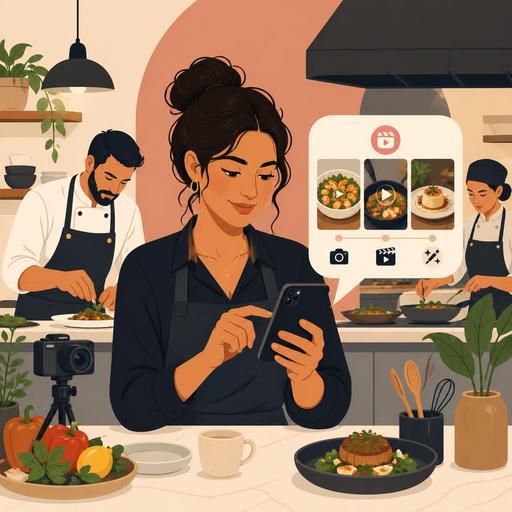
Instagram Reels Content Plan for Restaurants: More Reservations and Orders in 30 Days
An Instagram Reels content plan for restaurants has today become a critical tool not just for being visible, but for increasing reservations, delivery orders, and repeat-visit rates. However, many businesses fall into the same trap when producing Reels: they share only "good-looking" videos, but the content does not connect to operations, the menu, or the customer journey. A well-designed 30-day plan, by contrast, can build a sustainable content system without disrupting the kitchen's tempo, exhausting the staff, or making the brand feel artificial.
In this article, we will offer an applicable approach for restaurant owners, business managers, and cafe entrepreneurs: which content to film, what to post on which day, how to connect videos to reservations and orders, how to divide tasks within the team, and how digital infrastructure should support this process.
Why Is Instagram Reels So Effective in Restaurant Marketing?
The restaurant experience consists of visual, auditory, and emotional elements. The Reels format is perfectly suited to carrying exactly that: the steam rising off a plate, the sound of grinding coffee, the energy of the moment of service, the chef's final touch to a plate, the prep routine before a busy hour. While a photo shows a single moment, a short video conveys the rhythm and character of the business.
The important point here is not to think of Reels as merely entertainment content. When designed correctly, it contributes to the following areas:
- Acquiring new customers: The chance of appearing in the Explore and recommendation feeds increases.
- Building trust: Hygiene, prep discipline, and team quality become visible.
- Menu sales: It shows an undecided customer what to order.
- Driving reservations: It gathers demand, especially on weekends and special occasions.
- Brand memory: The venue's voice, tone, and style become distinctive over time.
In other words, the goal of a successful Reels strategy is not just to get views, but to turn views into business results.
Set Up This System First When Building Your 30-Day Content Plan
Before thinking about what you'll post every day for a month, you need to set up a simple system that makes content production easier. Otherwise, you start the first week enthusiastically, run out of content in the second week, and the team gets tired in the third week.
1. Define Four Core Content Pillars
For restaurants, the most practical structure is usually these four pillars:
- Product-focused content: Signature dishes, new menu items, beverages, desserts.
- Process-focused content: Kitchen prep, mise en place, pre-service setup.
- People-focused content: The chef, the barista, the service team, the founder's story.
- Customer-action-focused content: Reservations, campaigns, the lunch menu, event nights.
Thanks to this structure, instead of the question "What should we post?" every day, you move to "Which pillar will we post from today?"
2. Plan Filming Around the Service Flow
The best Reels content often comes not from extra production, but from opening the phone camera at the right moment. For example:
- Prep videos before opening,
- Close-ups of plates while the light is good before service,
- The atmosphere of the crowd as evening service begins,
- The chef's narration during quiet hours.
This approach makes content production not the enemy of operations, but a natural extension of them.
3. Define a Single Goal for Each Piece of Content
If you say a single Reels should tell the brand story, sell the menu, gather reservations, and introduce the team all at once, the message gets diluted. Instead, choose a single goal for each video: "highlight brunch today," "drive reservations this weekend," "remind people of the signature dessert," "build trust in kitchen quality."
An Actionable 30-Day Instagram Reels Calendar for Restaurants
The plan below does not have to be copied exactly; it can be adapted to your own concept. But what matters is preserving the balance: not only product videos, and not only entertainment.
- Day 1: A 10-second atmosphere tour of the venue.
- Day 2: The prep moment of the most-ordered item.
- Day 3: The chef's narration of "why do we keep this dish on the menu?"
- Day 4: The morning prep routine or the coffee opening process.
- Day 5: A short answer to a question customers frequently ask.
- Day 6: A weekend reservation call, together with the table experience.
- Day 7: A team member's favorite menu choice.
- Day 8: A close-up texture video: crispy, flowing, steamy details.
- Day 9: Before-and-after: a comparison of the raw ingredient with the final plate.
- Day 10: The lunch menu or the fast-service advantage.
- Day 11: The bar, coffee, or beverage prep ritual.
- Day 12: A short operational shot showing order in the kitchen.
- Day 13: A "what should a first-timer try?" recommendation video.
- Day 14: A visualization of a user review or frequently received feedback.
- Day 15: A new item trial or a limited-time menu announcement.
- Day 16: Pre-service table setup and ambiance.
- Day 17: A chef's tip: ingredient selection or a cooking detail.
- Day 18: An introduction to items suitable for delivery.
- Day 19: A short, warm introduction video from within the team.
- Day 20: A dessert or beverage pairing suggestion.
- Day 21: A behind-the-scenes "how is a table set?" video.
- Day 22: Popular hours and a reservation reminder.
- Day 23: A short flow showing the ease of using the QR menu.
- Day 24: The fresh product of the day or a sourcing story.
- Day 25: A frequently made order combination.
- Day 26: A celebration, gathering, or special-occasion experience at the venue.
- Day 27: A high-tempo montage of "what's happening in the kitchen today?"
- Day 28: A short experience flow from entrance to service, through the customer's eyes.
- Day 29: A teaser of next month's menu or event.
- Day 30: The month's recap and a question to followers: "What would you like to see in the next video?"
When using this calendar, create format variety instead of shooting the same angle over and over: close-ups, narrated videos, captionless atmosphere videos, short in-team conversations, POV shots, sped-up prep, and so on.
How Do You Connect Reels Content to Reservations and Orders?
This is where the point many restaurants overlook begins. The video gets viewed, but the customer can't take the next step. Yet the less friction there is between content and action, the higher the chance of conversion.
For example, if you share a Reels promoting weekend breakfast, the caption should not be merely a product description. The following elements should be clear:
- On which days and hours it is valid,
- Whether a reservation is required,
- Where to view the menu,
- How to reach it if it is suitable for delivery.
Here, the digital menu, reservation flow, and order management provide invisible but powerful support. For example, the items featured in the Reels must be easy to find in the QR menu, the campaign information must be up to date, and the reservation step must not be complicated. Otherwise, good content connects to a bad experience. The restaurant's digital infrastructure and its social media voice must tell the same story.
Common Mistakes When Creating Content and Better Alternatives
Relying Only on Trending Sounds
Trending sounds can provide visibility; but if every video follows the same template, brand identity weakens. Instead, use natural kitchen sounds in some videos. The sound of the grill, coffee steam, and the rhythm of a knife are often more persuasive.
Too Corporate, Too Little Real Content
Instead of videos that look perfect but carry no soul, show real operations in a controlled way. People respond to trustworthy sincerity more than to flawless studio footage.
Posts That Don't Match the Menu Reality
An item shown in the video being out of stock, the price not being current, or the item not being on the menu erodes trust. The social media calendar and menu management must move forward together.
Loading Everything onto One Team Member
Content production is not solely the social media manager's job. The chef can identify the moment to film, the service lead knows the customer flow, and the cash register side can tell you the most-asked-about items. The best content often emerges from a combination of team knowledge.
A Weekly Checklist for a Successful Reels Plan
For the 30-day calendar to be sustainable, do the following short check every week:
- Which product or experience are we highlighting this week?
- On which day will we make a reservation call?
- Which videos have been filmed, and which are just waiting to be edited?
- Are the menu and campaign information up to date?
- What format did the most-viewed content come in?
- Which questions did followers repeat in the comments?
Thanks to this review, the content calendar develops not from rote habit, but according to the realities of the business. For example, if lunch-service videos bring in more demand, you can grow that lane; if dessert videos get only views but don't drive orders, you can rework the call to action.
In conclusion, Instagram Reels is not merely a visibility game for restaurants. When planned correctly, it strengthens menu storytelling, increases customer trust, supports reservation flow, and consistently makes the business's character visible. What matters is not producing content every day; it is relating each piece of content to a business goal.
Restomas can help connect your social media content to a genuine customer experience by making your digital menu, order, and reservation flow more organized.
