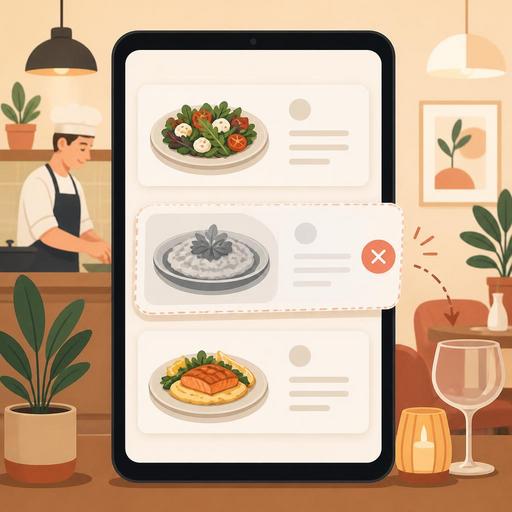
A Guide to Instantly Hiding Out-of-Stock Items from Your QR Menu
Automatically removing an out-of-stock product from the menu in a restaurant is not just a digital convenience; it is an operational control that directly affects customer satisfaction, kitchen flow, and service speed. Especially when the QR menu, takeaway screen, and cash register flow work together, a product going "sold out" should be visible instantly. Otherwise, the server takes the order at the table, the kitchen cannot prepare the product, the cashier has to make a correction, and the customer experiences needless disappointment.
In many businesses, the problem is not that a product runs out, but that this information reaches the teams and the customer too late. Imagine that during the busy hours of the day a dessert, a special sauce, gluten-free bread, or a particular beverage runs out. If this information is not reflected on the digital menu instantly, the same product continues to be ordered from several different tables or through online channels. This both increases the cancellation rate and damages the brand's perceived reliability.
Why is the sold-out feature not just a stock matter?
The feature of removing an out-of-stock product from the menu is often seen as merely inventory management. Yet its impact is far broader, because the menu is the digital form of the promise you make to the customer. A product shown on the menu is expected to actually be orderable. Products that appear but cannot be served can create the impression that the business is unprepared or disorganized.
For example, if avocado stock runs out early at a cafe serving breakfast, the avocado sandwich and the add-on combinations tied to it must be deactivated at the same time. If you only close the main product and leave the add-on ingredients open, the order flow becomes confused again. Similarly, when brioche bread runs out at a burger restaurant, multiple products that use that bread can be affected. For this reason, sold-out management is not just about closing products one by one; it is the work of managing product relationships, variations, and the service channel together.
- It prevents creating false expectations for the customer.
- It reduces the server being put in a difficult position at the table.
- It cuts down unnecessary back-and-forth between the kitchen and service.
- It reduces cancellations, refunds, and explanations of alternative products.
- It speeds up decision-making during busy hours.
For which products should an automatic removal rule be defined?
Not every product carries the same level of risk. For this reason, it is more sensible to start the sold-out feature with the line items that cause the most problems. Products that are prepared in limited quantities, have variable supply, or depend on a single main ingredient are the priority.
1. Products with limited daily production
Items such as cheesecake, croissants, the daily soup, a special dessert, or a smoked-meat plate are prepared in fixed quantities. Running out during the day is normal. When a stock threshold is defined for these products, they no longer keep appearing on the menu and creating empty expectations.
2. Product groups tied to a core ingredient
When salmon runs out, not only the grilled salmon but also the salmon salad, salmon bowl, and salmon sandwich can be affected. Here, rather than closing the products one by one, you need to build logic tied to the core ingredient. This creates a central point of control instead of a single point of failure.
3. Time-based service products
For products tied to a time window, such as breakfast, the lunch menu, happy-hour snacks, or the night menu, the sold-out feature should work together with scheduling. A product can become invisible both because of stock and because its service hours have ended.
4. Products that vary by branch
In businesses with multiple branches, the same product does not run out at every location at the same time. For this reason, the sold-out status should be managed at the branch level. A product that appears available centrally but is closed at a specific branch is especially critical on the QR menu and online ordering side.
What kind of flow should be set up so it works flawlessly in operations?
The sold-out feature only works if there is a clear chain of responsibility within the team. The "someone closes it when it runs out" approach is often inadequate. It must be defined who intervenes, from which screen, and at what moment.
- Identify the trigger: Will the product running out completely, dropping to a critical level, or a specific variation running out be what prompts the sold-out decision?
- Clarify who is responsible: The head chef, the shift manager, or the cashier should know who will perform this action.
- Set up channel matching: When a product is closed, the QR menu, the server order screen, and online ordering channels (if any) should all show the same status.
- Prepare the alternative suggestion: What the team will recommend when a product closes should be determined in advance. For example, if filter coffee runs out, the suggestion should not be cold brew but another option at a similar price and experience.
- Define the discipline for reopening: When the product is available again, it should be reopened immediately; otherwise the sales opportunity is missed.
The important point here is to treat the sold-out action not just as a technical step but as a service scenario. Because how the product that is closed in the system will be handled in the field is at least as important as the moment it is closed.
How can a product shortage be managed without ruining the customer experience?
A product running out does not always have to create a negative experience. The real problem is the customer learning this information after the ordering stage. If the customer doesn't see the product on the QR menu at all, or encounters a clear status such as "temporarily unavailable," they usually accept it as normal.
For example, at a popular third-wave coffee shop, it is common for a single-origin bean to run out during the day. The right approach here is not to tell the customer "that coffee is gone" after they have ordered; it is to deactivate the relevant option on the menu and highlight another bean with a similar flavor profile. Likewise, in a tavern concept, if one of the daily hot appetizers runs out, having the menu's visibility close offers a much cleaner experience than the server apologizing at every table.
In terms of customer experience, these three principles are effective:
- Real-time visibility instead of delayed information
- A clear alternative instead of an empty apology
- A consistent menu status instead of a confused explanation
How does sold-out data become a decision-making tool in restaurant management?
The sold-out feature is valuable not only for solving immediate problems but also for spotting recurring operational issues. Which products constantly run out early? At which hours do critical ingredients run out? At which branch does the same category close more often? The answers to these questions are valuable for menu engineering and purchasing planning.
For example, if a business constantly puts certain desserts in sold-out status on weekend afternoons, three different interpretations can be made: production planning is inadequate, the product is more popular than expected, or the presentation flow is set up incorrectly relative to kitchen capacity. Similarly, if many products are frequently being temporarily closed, the problem may lie less in stock and more in supply, recipe standards, or shift preparation.
In a digital menu infrastructure, tracking sold-out movements drives better decisions in these areas:
- Simplifying the menu and weeding out products with low sustainability
- Revising prep quantities on a day-and-hour basis
- Creating a different product mix on a branch basis
- Measuring staff discipline in closing and reopening products
For this reason, in a good system, sold-out is not just a "hide the product" button; it is a feature that builds a bridge between menu management, order flow, and operational visibility. On platforms focused on QR menus and restaurant digitization, such as Restomas, these kinds of features help prevent small hiccups in the field from growing on the customer's side.
A practical starter plan you can apply right away
If out-of-stock products are still being managed by word of mouth in your business, you can make a small but effective start. As a first step, select not the entire menu but the 10 products that cause the most problems. Define a closing rule, a responsible person, and an alternative suggestion for these products. Then, for one week, note at what hours they close. In a short time, you will see more clearly which products systematically create problems.
As a second step, check whether closing a product is reflected the same way across all order channels. Finally, do not neglect team training: if the kitchen, service, and cash register don't speak the same language, even the best digital feature loses its impact.
A well-designed sold-out flow doesn't just keep the menu up to date; it makes service more honest, operations calmer, and the customer experience more reliable.
With Restomas, you can make your digital menu and order flow more controlled and turn out-of-stock management into a natural part of daily operations.
