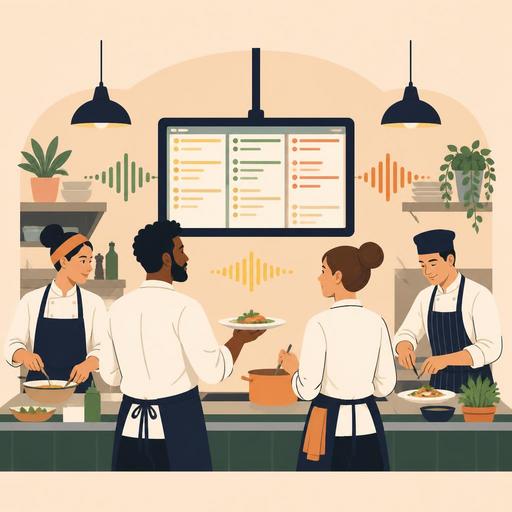
How KDS Audio Alert Settings Balance Speed and Fatigue in a Restaurant Kitchen
KDS audio alert settings are a critical but often overlooked detail that sets the rhythm of the kitchen during busy service hours. When the sound is too low, orders go unnoticed; when it is too loud and too frequent, the team experiences alarm fatigue. The result is not just discomfort; operational problems emerge, such as missed tickets, repeated checking, unnecessary shouting, disconnection between stations, and fluctuations in service time. For this reason, the topic is not merely a "sound on or off" decision; it is a matter of consciously striking a balance among speed, attention, and staff resilience.
Especially in businesses where delivery, dine-in, and takeaway orders flow in at the same time, the KDS screen is no longer a passive board but works like a live command center. However, giving an alert of the same intensity and the same tone for every new order can disrupt the priority of information in the kitchen. The right approach is to create sound layers based on order type, station, time of day, and workload. This way, the team works not only faster, but with less mental load.
Why is the KDS audio alert not just a technical setting?
In restaurant operations, sound is a behavior trigger. When an alert sound is heard, staff either look at the screen, interrupt their current task, or learn to ignore the sound. The problem begins right here: sounds that repeat too often and do not distinguish what matters eventually lose their meaning. In the kitchen, this is called "getting used to the noise" in everyday language; its operational equivalent is alarm fatigue.
For example, when a staff member working at the burger station hears the new order entry, the modified-item alert, and the late-ticket reminder all at the same tone at once, it becomes unclear which task should be handled first. By contrast, in a well-structured KDS flow, the new-order sound is short and clear, the delay alert is more distinct, and notifications going only to critical stations are selective. Such a structure also reduces the need to coordinate by shouting.
The goal here is not to create a silent kitchen. The goal is to distinguish the useful sound from the unnecessary sound. Because in the kitchen, speed increases not only by running more, but also by being interrupted less.
What problems do the wrong sound level and notification frequency cause?
In many businesses, KDS problems are assumed to be system malfunctions; yet the problem is often in the logic of the settings. The following symptoms indicate that the sound level or the notification design is wrong:
- Staff delaying looking at the screen even though they heard a new ticket arrive
- Impatience building up in the team because the alert sound is heard constantly
- The chef or shift supervisor trying to compensate for the system with verbal repetitions
- The same order being checked twice, while some orders go unnoticed
- The sound drowning out communication, especially at peak times, and disrupting coordination between stations
Consider a concrete example: in a cafe that serves coffee, desserts, and kitchen items together, all orders come in with a single sound. The barista, in the busy coffee-based flow, assumes every beep is for their own area; meanwhile, the kitchen notices the sandwich ticket late. The problem here is not staff carelessness, but the system's failure to distinguish the workflow. Similarly, in a delivery-heavy restaurant, if a separate delay sound has not been defined for orders close to courier pickup, the delay risk becomes invisible among all the tickets.
A 5-step setup model for balancing speed and fatigue in the kitchen
The most practical way to improve KDS audio alert settings is to proceed with a controlled model rather than changing the entire system at once.
- Separate order types. Dine-in, delivery, takeaway, and platform orders are not the same priority. Define at least different visual or auditory logic for each.
- Identify needs by station. The grill, fry, salad, bar, and dessert stations do not all need alerts of the same intensity. The sound should go to the point where the work is.
- Set up a second-level alert for critical moments. Use a light alert for a new order, and a more distinct alert logic when a delay or waiting threshold is exceeded.
- Separate peak-hour and quiet-hour settings. The same notification intensity for lunch service and before closing may not be efficient. Think in terms of a profile by shift.
- Collect feedback from the team. The best sound setting is found not at a desk, but in the field. Learn from staff which sound is unnecessary and which one comes too late.
This approach makes technology fit the human rhythm. Especially in systems that can monitor the digital order flow centrally, it is easier to see which order channel strains the kitchen and when. This makes it possible to adjust the sound settings according to operational reality rather than guesswork.
Practical scenarios for different restaurant types
Quick-service restaurant
In the quick-service model, the biggest risk is high-volume orders getting mixed up with one another. Here, short, sharp, and brief notifications generally work better. Long or melodic sounds are distracting. The delay alert, meanwhile, should kick in only after a certain waiting threshold; otherwise it produces constant background stress throughout the entire service.
A la carte restaurant
In an a la carte setup, not every ticket has the same urgency. Starters, mid-courses, and main dishes have different preparation windows. For this reason, the purpose of the sound is not just to say "an order has arrived," but to synchronize the kitchen without disrupting the flow of courses. Unnecessarily loud sound can also negatively affect the guest experience, especially in open kitchens.
Cafe and hybrid operations
In the cafe model, because the beverage and kitchen flows move together, the separation of stations becomes more critical. It is inefficient for the barista to hear a sound for every kitchen order. Likewise, having a staff member preparing toast or bowls interrupted only because of coffee tickets causes a loss of speed. Here, role-based notification logic makes a serious difference.
A clear checklist for managers to put this into practice
Improving KDS sound settings does not require a long transformation project. You can start with the following checklist:
- Throughout a shift, note which alerts actually triggered an action.
- Identify the sounds that staff most frequently ignore.
- Separate the new-order, delay, and critical-intervention sounds from one another.
- Prevent the same sound from going to all stations; consider role-based distribution.
- After the peak hours, hold a short 10-minute review with the team.
- Instead of turning the sound level up to maximum, create meaningful layers.
What matters here is not making a one-time adjustment, but developing the habit of regular review. Because the menu changes, the team changes, order channels increase, and kitchen behavior reshapes accordingly. The KDS must also adapt to this change. In a structure where order management, the QR menu, table flow, and kitchen screens come together in the same operational language, it becomes far easier to see and fix where unnecessary noise is being created.
In conclusion, although KDS audio alert levels may look like a small setting, they directly affect speed, error rate, team stress, and service consistency in restaurants. The right system is not the one that makes the most noise; it is the one that moves the right person to action at the right moment.
Restomas can help businesses that want to make their order flow more controlled and more sustainable for the kitchen team strike this balance.
