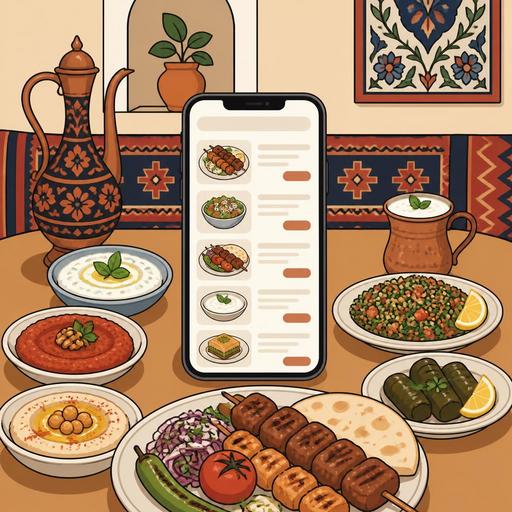
Switching to QR Menus at Kebab Restaurants: 6 Steps to Grow Traditional Flavor Digitally
Using a QR menu at kebab restaurants does not simply mean moving the printed menu onto a phone. When set up correctly, this transformation clarifies how portions are described, eases the order flow during busy hours, strengthens communication between the kitchen and the dining room, and speeds up the guest's decision-making. Especially in businesses with a wide variety of kebabs, pides, lahmacun, grills, and mezes, a digital menu can reduce confusion while making the character of the traditional kitchen more visible.
For many kebab restaurants, the basic question is this: "Our business is already traditional; will digitalization undermine its authenticity?" In fact, the opposite is possible. If the QR menu describes the product names, portion differences, spice levels, serving styles, and add-on options correctly, the guest makes more informed choices. The server team, too, can focus on higher-quality service instead of answering the same questions over and over. The critical point here is not to put technology in the window for show, but to make it fit the business's daily flow.
1. Reduce menu clutter and simplify according to kebab-restaurant logic
One of the most common problems at kebab restaurants is listing very similar products side by side on the menu without descriptions. When Adana kebab, Urfa kebab, eggplant kebab, beyti, ali nazik, mixed grill, and wrap options are all piled onto the same page, the guest becomes undecided. The first step in switching to a QR menu is to reorganize this clutter digitally.
For a good structure, you need to group products not just by type, but with a logic that makes the ordering decision easier. For example:
- Grilled kebabs
- Wraps and quick options
- Plated servings
- Mezes and starters
- Family sharing platters
- Drinks and desserts
The goal here is not to shorten the menu, but to make it readable. For example, clearly stating which items are included in a "Mixed Kebab" product reduces the later "Was this included too?" questions. Likewise, clearly indicating the difference between a wrap and a plate prevents mistaken expectations. Businesses that use digital menu management can update these arrangements more quickly according to season, time of day, or stock status.
2. Don't leave product descriptions as just a name
Even though many products in kebab culture feel familiar to customers, not every guest has the same level of knowledge. Especially in tourist-heavy areas, in new-generation shopping-mall restaurants, or in businesses with guests from different cities, the quality of descriptions directly affects the ordering experience.
On the QR menu, short but functional information should be provided for each product. The following details are quite valuable:
- The main type of meat: lamb, beef, hand-minced, chicken
- Cooking and serving style
- Spice level
- The side dishes that come with it
- Suitability for a wrap, plate, or sharing
- Allergens or ingredients to be aware of, if any
For example, instead of just writing "Beyti," it is healthier to state that the product is wrapped in lavash, sliced, and served, and whether it comes with yogurt. Comments such as "I thought it wasn't spicy" or "I was expecting something different" often stem from incomplete descriptions. The QR menu offers the advantage of presenting this information to every table at the same standard by writing it correctly just once.
Let's consider a concrete example: the needs of an office worker expecting fast service at lunchtime differ from those of a guest who comes with their family in the evening. The former wants a practical choice, while the latter cares about portion and sharing information. If product descriptions and category ordering within the digital menu are designed accordingly, both profiles place their orders more comfortably.
3. Keep customization options under control
At kebab restaurants, a significant portion of orders consists of non-standard requests: no onions, no spice, lavash on the side, grilled vegetables instead of rice, double portion, add yogurt, thin wrap, extra sumac onions. A printed menu falls short in conveying this flexibility. A QR menu, when used correctly, makes these requests more orderly.
However, the point to watch here is not to offer the customer endless options. Too many options can create confusion in the kitchen. For this reason, it is helpful to think of customizations on three levels:
- Standard choices: Frequently preferred differences such as spicy/not spicy, wrap/plate
- Paid add-ons: Items such as extra yogurt, extra meat, an additional meze
- Special requests that need a note field: Cases such as allergies, lighter cooking for a child, service timing
This structure both reduces the dining-room team's workload and transfers cleaner data to the kitchen. Especially in systems integrated with order management infrastructure, the likelihood of misunderstanding drops. Instead of a server jotting a note on paper and relaying it verbally to the kitchen, having the choice appear clearly in digital form makes operations more predictable.
4. Don't set up a QR menu without considering the rush-hour flow
For a kebab restaurant, the real test is not the quiet hours; it is the lunch rush and evening service. A QR menu may look great, but if it doesn't work during a busy moment, it won't deliver the expected benefit. For this reason, the digital menu design should be tailored to the business's service rhythm.
For example, in a neighborhood kebab restaurant with fast turnover at lunch, it is important to reach the main categories on the first screen. The guest doesn't want to browse at length on their phone. By contrast, in a business doing family service in the evening, mezes, sharing platters, and drink pairings may be more visible.
The following questions are a guide for the business owner:
- During which hours do queues form most often?
- What are the three questions servers are asked most frequently?
- For which products do incorrect orders occur more often?
- Which products can be closed off in real time depending on stock or prep status?
The answers to these questions ensure the QR menu is set up as an operational solution rather than a technical tool. For example, a meze that runs out during the day but continues to appear on the menu tires both the guest and the team. Being able to adjust products in real time in digital menu management provides serious convenience in this regard. Similarly, options such as a lunch menu or family set highlighted at certain hours can speed up the ordering decision.
5. Choose photos, language, and presentation tone according to the kebab restaurant's identity
Using visuals on a QR menu is beneficial; however, adding a random photo to every product is not the right approach. At kebab restaurants, appetizing but realistic images should be preferred. Over-filtered photos that make portions look bigger than they are or that misrepresent the serving style can lead to a loss of trust.
The same applies to the use of language. On the menu of a business serving traditional cuisine, a warm but clear tone works better than overly artificial and flashy expressions. Descriptions like "Adana kebab prepared from hand-minced meat, served with charred peppers and lavash" are both authentic and informative.
If the business hosts tourists, a multilingual structure is also valuable. The goal here is not just to translate, but to convey the cultural equivalent of the product correctly. Some products cannot be translated literally; they should be supported with a short description. Within restaurant digitalization solutions, having practical language management eases the workflow, especially in city centers and tourist areas.
6. Link the QR menu with ordering, reservations, and table management
The most efficient result comes when the QR menu is considered not on its own, but together with the business's other digital processes. Because the moment the guest opens the menu is, in fact, the center of the customer experience. From there, how the order is communicated, how the table is managed, and how the rush is tracked become decisive.
For example, in a busy kebab restaurant where tables with reservations, fast-turning lunch customers, and takeaway orders are managed at the same time, a beautiful menu design alone is not enough. The products shown on the menu need to be compatible with the order flow, support the table service arrangement, and, where possible, work in connection with other operational tools.
This approach provides the business with the following advantages:
- Consistency between menu updates and the service flow
- Reduced risk of incorrect orders and miscommunication
- Staff focusing on service quality instead of repeated explanations
- A more orderly and predictable customer experience
In short, digitalization at kebab restaurants is not about transforming traditional cuisine; it is about presenting it more clearly, more manageably, and more consistently. The QR menu is the visible part of this transformation, but the real value emerges through the right menu design, a strong operational flow, and clear communication. For kebab restaurant owners, the best starting point is to identify the points on the current menu that tire the customer and to make them simple, functional, and measurable in digital form.
Restomas can help food-and-beverage businesses, including kebab restaurants, set up their QR menu, order flow, and restaurant digitalization processes in a more orderly way.
