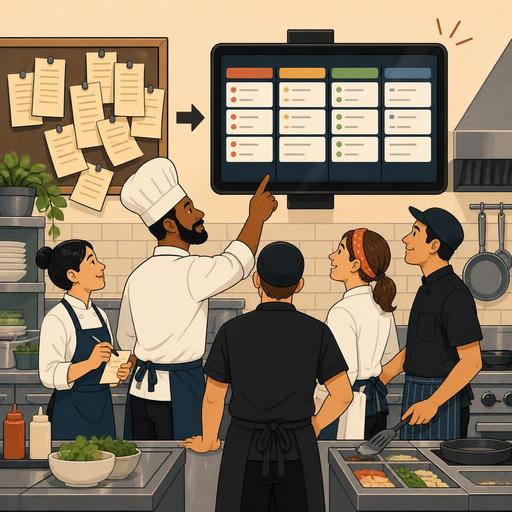
The First 30 Days of Moving from Paper Tickets to a Digital Screen in the Kitchen
Moving from paper tickets to a digital screen in the kitchen is not just a device change; it is a process of rebuilding the order flow, team communication, and service rhythm. Especially during peak hours, lost tickets, misread notes, re-asked orders, and disconnection between stations quietly erode profitability. For this reason, the first 30 days is the period in which you should focus on operations design rather than the technology itself. When planned correctly, using a digital screen increases visibility in the kitchen, clarifies prioritization, and makes the service standard more sustainable.
Why is the move from paper tickets to a digital screen most determined in the first month?
When many businesses switch to the new system, they realize the real problem is not the software but habits. In the paper-ticket setup, team members have worked for years with certain reflexes: holding the ticket, marking it with a pen, getting verbal confirmation, or carrying the ticket from station to station. The digital screen, on the other hand, runs the same job with a different logic; the order is visible in a single center, status tracking is done on the screen, and priority information becomes more visible.
This is exactly why the first 30 days is critical: the team tries to use the new tool together with old reflexes. This can create temporary confusion. For example, if the staff at the hot station are looking at the screen while the cold station is still waiting for verbal information, the system's advantage disappears. For this reason, the goal should not be "turning on the device" but getting the team to speak the same language.
At the start, the following three issues should be clarified:
- At which stage will the order drop to the kitchen?
- Who will update the preparation status, and by what rule?
- During peak hours, in which cases will verbal communication kick in, and in which cases will it not?
In transitions made without setting up this framework, the problem is usually interpreted as "the screen didn't work." Yet what is often missing is the operational rule set.
The first 7 days: test the flow, not the system
Throughout the first week, the aim is not to expect flawless performance but to observe the kitchen's real flow. When products with short preparation times and multi-component dishes appear on the same screen, it quickly becomes clear which stations clog up more. At this stage, what the manager should do is create an operational observation list as much as a technical checklist.
Practical control points for the first week
- Is the order information dropping to the screen clear enough for the kitchen to understand?
- Are the additional notes too long or vague?
- Are questions still coming from the dining room to the kitchen about the same order?
- Is the "ready" status marked on time?
- Are takeaway, table-service, and grab-and-go orders clearly separated in the kitchen?
For example, in a burger restaurant, if notes such as "no onion," "extra cheese," and "sauce on the side" were readable on the paper ticket but could be missed during the rush, having these notes flow more visibly on the digital screen makes a serious difference. But for this to work, the kitchen staff need to know which notes are critical. In the first week, menu modifiers, product variations, and special requests should definitely be reviewed.
At this point, it is important to address order management together with the menu structure. If POS integration or a digital order flow is being used, the data dropping to the kitchen must be clean. Even the best screen working with dirty data creates confusion in the kitchen.
Days 8-15: micro-rules that speed up team adaptation
The second week is the period in which staff really begin to get used to the system but the tendency to revert to old methods also persists. Here, short, clear, and repeatable rules work better than long training presentations. That is because no one reads a procedure file in the middle of service; the team proceeds with behavior patterns that are easy to remember.
An applicable method is to write station-based micro-rules. For example:
- When an order drops to the screen, the product is checked first, then the special note.
- An order whose preparation has begun is tracked through the system, not verbally.
- An order is not marked "ready" before it is completed.
- If there is a vague note, instant confirmation is sought from the dining-room team; production is not done on a guess.
- During the rush, the screen order is not disrupted; only the manager changes priority.
These rules look simple but they create a standard. They are especially beneficial during shift changes. If the morning team and the evening team have different work habits, the visibility the digital screen offers only produces value with shared discipline.
During this period, the chef or kitchen supervisor should not only look for mistakes; they should also observe where the team finds relief. For example, if an expediter who previously lost time collecting tickets can now track order status on a single screen, this gain should be made visible. As the team sees what the new system gains them, adaptation accelerates.
Days 16-23: re-tune the menu, stations, and service pace
The third week is the period in which you can move beyond system use and carry out operational optimization. At this stage, the digital screen becomes not just a tool that displays orders but a window that makes the bottlenecks in the kitchen visible. Questions such as which products constantly create waiting, at which hours the same station experiences pile-ups, and which special requests disrupt the flow find clearer answers.
For example, in a cafe that runs breakfast and lunch service together, if the egg station constantly creates delays, the problem may be the product sequence rather than staff performance. Similarly, if beverage preparation for takeaway orders is forgotten at the last stage, the order-type distinction on the screen may need to be made more prominent.
The following actions are valuable this week:
- Repositioning products with long preparation times on the menu
- Defining standard modifiers for frequent special requests
- Clarifying the handover of work between stations
- Operationally separating takeaway and dine-in orders
- Setting a minimum verbal-communication protocol for peak hours
Here, the biggest contribution of digitalization is taking problems out of personal interpretation and making them visible at the flow level. Being able to say "too much load is hitting this station at once" instead of "this person is slow" raises the quality of management.
Days 24-30: establish a lasting standard and choose the areas to measure
By the end of the fourth week, the goal is no longer to be using the system; it is to have built a consistent kitchen standard with the system. At this point, every business needs to determine a few basic indicators suited to its own reality. Here it is more accurate to focus on measurement based on field observation rather than on random numbers.
The areas you can start measuring are as follows:
- The time between the order dropping to the kitchen and preparation beginning
- Recurring errors stemming from special notes
- The need for verbal confirmation between stations
- The number of orders waiting even though they are ready
- The product groups that clog up most during peak hours
These data affect not only the kitchen but the dining-room operation as well. That is because when visibility increases in the kitchen, the service team also gives more accurate information, communicating in a more controlled way instead of telling the guest vague times. Ultimately, the customer experience often begins not in the dining room but in the quality of the kitchen flow.
Another critical step for the digital-screen transition to be lasting is training new staff. If the system runs only on the experience of the current team, order quickly breaks down when staff change. For this reason, short onboarding notes, station-based usage rules, and menu updates should be kept within a single operational logic. When tools such as the QR menu, order management, and POS integration also work with the same data structure, the disconnect between the dining room and the kitchen is significantly reduced.
What makes the transition successful is not technology but clarity of decisions
Moving from paper tickets to a digital screen in the kitchen is not an investment made just to look modern. The common feature of successful transitions is that the team knows what is being changed and why. In the first 30 days, businesses that focus not on technology but on the menu structure, station discipline, communication rules, and visibility get faster results. The digital screen is a powerful tool for seeing problems before they grow, reducing recurring errors, and making the service rhythm more predictable; but what makes the real difference is placing this tool correctly at the center of operations.
Restomas can help restaurants design, within a simple system, the digital structures that make the order flow, menu management, and kitchen operations more visible.
