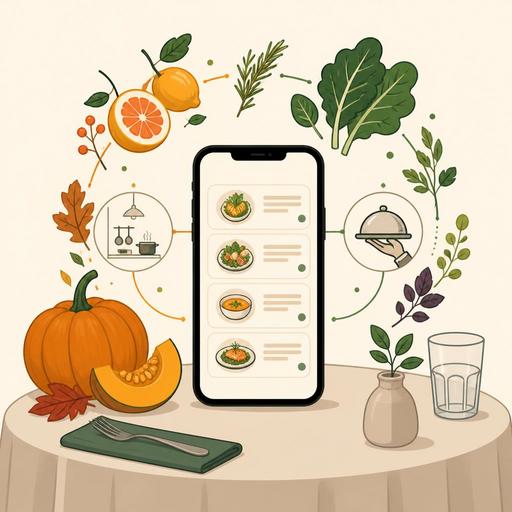
Managing Seasonal Menu Updates in Minutes in Your Restaurant
Managing seasonal menu updates quickly is today not only a creative kitchen task; it is at the same time a matter of operations, communication, and profitability management. Changing a few products as a new season begins looks easy in restaurants. The real difficulty is implementing this change across all touchpoints at the same time and error-free: the QR menu, table service, the takeaway screen, the kitchen flow, the stock plan, and the staff narrative. Especially for businesses with frequently changing plates, daily supply variations, and limited seasonal products, digital infrastructure becomes decisive here.
In many businesses, the problem begins not in designing the new dish; it begins with the old product continuing to stay on the menu, the price being updated on one channel and forgotten on another, or the service team learning of the change late. The result is unnecessary question traffic, wrong orders, refund risk, and small but accumulating losses in customer trust. For this reason, seasonal menu management means not just "renewing the menu" but spreading the change systematically.
Why does a seasonal menu change get hardest on the operations side?
At first glance a menu update looks like a design-focused job. Yet the areas it affects within the restaurant are far broader. For example, when you add cold starters to the summer menu, you don't only change the product card; the prep flow, the portioning equipment, the garnish standard, the presentation language, and the sales priority change too. As soups and hot plates gain weight in the winter menu, the kitchen sequence, the wait time, and the service rhythm differ.
The fundamental problem here is that, in most businesses, the change is carried out piece by piece. The chef updates the recipe, the operator sets the price, the service team learns the new products verbally, and the designer revises the menu afterward. This disconnected structure produces errors, especially during busy service hours. Digital menu management, on the other hand, reduces this disconnect by carrying a single update to multiple touchpoints.
- It prevents products that are no longer available from appearing on the menu.
- It makes it easier to quickly edit the description, allergen, and content information for seasonal products.
- It reflects price changes to all customers consistently.
- It lets the server team say "that product isn't available today" less often.
- It creates a clearer product language between the kitchen and service.
For quick updates, think of the menu not as a product list but as a living system
The most critical mindset shift in seasonal menu management is this: the menu is not a printed file or a fixed PDF. The menu is a system that lives together with stock, production, service, and customer expectations. Updates made without this perspective generally stay on the surface.
Let's consider a concrete example: a beachfront restaurant adds an artichoke main course in spring. The product can change a few times a week depending on supply status. When a printed menu is used, every change is either ignored or staff are forced to explain it verbally. In a business with a QR menu infrastructure, however, the product name, content description, availability status, and recommended pairings can be updated in a short time. This way the customer reaches the correct information while still at the table.
Similarly, when a third-wave cafe introduces pumpkin drinks in the fall, simply adding the new product isn't enough. The syrup, milk-alternative, and hot-cold variations need to be shown correctly. If menu management can be done centrally, the product cards become standardized; price and content confusion is reduced. Such systems support the consistent implementation of seasonal campaigns, especially in businesses with more than one branch.
Fields that must be defined in a living-menu logic
- Product status: Active, passive, limited stock, on sale only at certain hours.
- Description: Seasonal emphasis, main content, cooking or service style.
- Variations: Size options, extra ingredients, drink adaptations.
- Allergen and content information: Critically important, especially in new recipes.
- Sales guidance: Side product, paired drink, recommended add-on.
A 5-step implementation plan for error-free updates during seasonal transitions
Making quick updates doesn't mean rushing. On the contrary, a well-structured short process delivers the fastest result. The plan below can be applied from small cafe businesses to multi-branch restaurants.
- Finalize the product decision before the season. Which products are leaving, which are staying, which are being added for testing? First gather this in a single list.
- Prepare a standard info card for each product. Keep the product name, short description, price, allergen, photo if any, and sales note in the same format.
- Align all sales channels. Let the QR menu, register screen, takeaway flow, reservation notes, and service brief proceed in harmony with one another.
- Brief the team before the shift with a short briefing. Give clear answers especially to "why are we recommending it, how do we describe it, and what do we suggest when a product runs out."
- Observe in the first week and make micro-adjustments. The questions customers ask most, phrasing that causes hesitation in ordering, and products that create delays in the kitchen should be revised right away.
The strength of this plan lies in treating the change not like a single visual update but like a cross-functional operational process. Digital menu and order management infrastructures such as Restomas are especially beneficial at this point; because they make it possible to manage product information, visibility, and team flow not separately but in a connected way.
In the customer experience, clarity matters as much as speed
Restaurant owners often focus on the question "how fast did we update?" during seasonal menu changes. Yet what's actually felt on the customer's side is clarity far more than speed. Does the product they see on the menu genuinely exist? Is the description appetizing yet understandable? Does what the server explains match the information on the screen? If the answers to these questions are positive, digitization has worked invisibly for the customer.
For example, in a brunch venue, while fresh-fruit bowls are featured throughout the summer, cinnamon-flavored and hot options can take over in the fall. If old images, old descriptions, or combinations that are no longer offered remain on the menu, the customer struggles at the decision-making stage. A properly designed QR menu experience, by contrast, can convey the new season the moment the menu opens. Reordering categories, highlighting featured products, and removing sold-out products from visibility strengthen this experience.
There's one more important detail here: instead of "just adding" seasonal products, simplify the customer's decision journey. Adding a large number of limited-time products sometimes doesn't increase sales; on the contrary, it creates confusion. Fewer but clearly described season products often work more powerfully.
In businesses that are branching out, consistency can't be achieved without central control
While a menu update demands attention even in a single-branch business, in a multi-branch structure this need grows even larger. The same seasonal campaign appearing at one branch and being incomplete at another damages brand perception. Especially when shopping mall, street, and takeaway-focused branches have different sales dynamics, the menu core should stay common; local adaptations should be made in a controlled way.
In practice, the best approach is to divide products into three groups:
- Seasonal products common to all branches
- Products that change regionally or based on supply
- Limited products for testing at certain branches only
When this classification isn't made, teams produce their own solutions and the menu standard falls apart. Central digital management is valuable here not only for control but also for learning. Which product draws more interest at which branch, which description is more understandable, which combination prompts fewer questions? Such observations make the next seasonal transition stronger.
Conclusion: Seasonal menu agility is part of modern restaurant management
Being able to update seasonal menu changes within seconds or minutes is not, on its own, a technological show. The real value is turning this agility into error-free operations, a clearer customer experience, and better team coordination. No matter how frequently the menu changes, if the process is standard the business relaxes; the team explains less, the customer decides faster, and the kitchen runs more predictably.
Today, competitive advantage often comes not from creating a new plate but from being able to present that plate at the right moment, with the right information, on the right channel. When you manage your menu like a living system, the change of season stops being a scramble; it turns into your brand's rhythm.
Businesses that want to move their seasonal menu updates into a more organized and consistent structure can evaluate Restomas's digital menu and operations tools in a way suited to their own flows.
