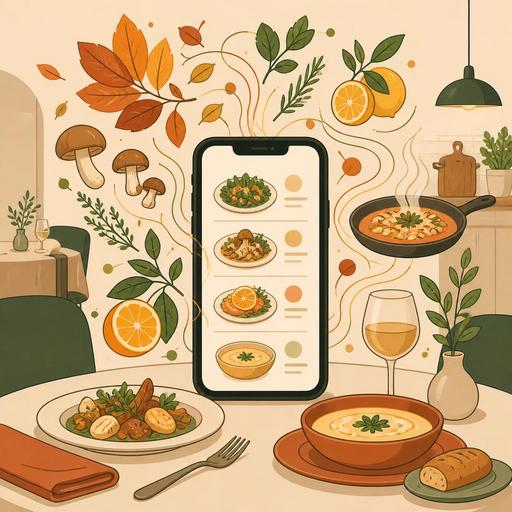
A Guide to Managing Seasonal Menu Updates Instantly
Why is managing seasonal menu changes instantly so critical?
Managing seasonal menu changes instantly is, for restaurants today, not just a matter of speed; it is at the same time a matter of profitability, operational order, and customer trust. Seasonally shifting ingredient availability, freshness expectations, daily production capacity, and price fluctuations require the menu to be treated not as a fixed document but as a living operational tool. Reprinting printed menus, staff mistakenly recommending old products, or a dish that's out of stock still being visible are problems that look small but directly damage the experience.
Especially for seasonal restaurants, beachfront businesses, breakfast spots, third-wave cafes, and chef-driven restaurants, the menu changes frequently. While cold drinks, light plates, and fresh fruit products come to the fore in summer, in winter soups, hot drinks, oven dishes, and richly flavored recipes find more room on the menu. The problem isn't the change itself; it's failing to reflect this change consistently across the kitchen, service, register, reservation, and digital order channels.
For this reason, a strong approach is to treat the menu update not as a standalone design task but as an operational synchronization process.
The most common menu mistakes during seasonal transitions
Many businesses focus only on adding new products when changing the menu. Yet the real risk is the inconsistencies left over from the old structure. For example, a pumpkin dessert is added to the menu but the allergen information isn't updated; cold brew coffee is removed but continues to appear on the QR menu; a new plate is added to the brunch menu but the kitchen prep time isn't planned accordingly. In the end, the problem emerges not in the menu itself but in the communication breakdown around the menu.
- An out-of-stock product remaining visible: The customer wants to order, and staff are forced to say "we're out."
- Price and content mismatch: When the price at the register differs from the digital menu, trust is lost.
- The service team continuing with the old menu language: If it isn't known how to describe the new product, a sales opportunity is missed.
- Kitchen prep not matching the menu: If mise en place isn't ready for a product that's on the menu, service slows down.
- Channel-based disconnect: The menu shown at the table, the menu shown on takeaway, and the social media announcement don't agree with one another.
Let's consider a concrete example: a cafe adds a cinnamon-pear cheesecake in the fall. The QR menu is updated, but the product ordering on the takeaway platform doesn't change, and staff don't know which coffee to pair the product with. Even though the product has technically been added, its sales potential isn't fully used. Proper management is not just "going live" but aligning all touchpoints at the same time.
The digital workflow you need to set up for updates within seconds
The way to gain speed in seasonal changes is not to start from scratch for every update. The real efficiency comes from setting up a repeatable workflow. A well-functioning digital menu process usually rests on a few fundamental steps.
- Define products modularly: Keep the main product name, description, price, allergen, variation, and image fields standard.
- Create season tags: Tags such as summer, winter, brunch, limited, daily, and sold-out speed up the update.
- Set up a single-panel publishing logic: Let the QR menu, order screen, and relevant digital channels be fed by the same data.
- Use instant passive/active management: Toggling a product's visibility on and off is safer than deleting it.
- Tie staff briefing to the process: When the menu changes, pass a short note or shift summary to the service team.
The value of digital infrastructure becomes clear here. For example, when a product expected from the market in the morning doesn't arrive, you need to be able to change the soup of the day or the salad garnish within seconds. If this change appears instantly on the QR menu, the server's burden of explaining it to each table is reduced. If order management is also tied to the same structure, the kitchen doesn't deal with an incorrect product ticket. The practical benefit of platforms offering centralized menu management, like Restomas, emerges exactly here: when a change is made from a single screen, the confusion in the field is reduced considerably.
You need not only to update the seasonal menu but to make it sellable
Adding a menu item to the system doesn't mean it will sell. For seasonal products to succeed, you need visibility, narrative, and pairing. A common mistake restaurant owners make is adding the new product to a lower spot on the menu and expecting the customer to discover it on their own.
A more effective approach is to feature season products prominently but plainly. For example, distinctions such as "Winter Selection," "Seasonals from the Chef," or "Today's Fresh Products" ease the customer's decision. Instead of long, ornate descriptions, it's more useful to use appetizing yet clear phrasing. A phrase like "seasonal pasta prepared with oyster mushrooms, thyme oil, and parmesan" carries both the product's character and its premium perception better than "creamy mushroom pasta."
Concrete actions can include:
- Position new-season products in the upper section of the menu.
- Present high-profit-potential products with a drink or dessert pairing.
- Create a sense of "available today" for daily limited products, but don't use artificial-scarcity language.
- If you use photos, show the current plate; old presentation photos damage trust.
- Give servers a one-sentence sales pitch for each new product.
For example, a restaurant adding a chestnut risotto to the winter menu can present it in a "Chef's Pick for Cold Days" area rather than just leaving it among the main courses. If a recommended red wine or hot starter is added alongside it, the basket value grows naturally.
How to set up team coordination to refresh the menu without disrupting operations?
A seasonal menu change tests the coordination between the kitchen and the dining room most of all. The chef puts out the new product, the business owner sets the price, the service team describes it, the register processes it correctly, and social media announces it. If one link in this chain is missing, a good idea turns into friction in the field.
For this reason, a short but disciplined checklist should be used before the menu transition:
- Kitchen: Is the recipe clear, is the portioning standard set, is the prep time realistic?
- Service: Are the taste, content, allergen information, and recommended pairing of the product known?
- Register and order flow: Are the product name, price, and variations correct in the system?
- Digital visibility: Do the QR menu, online order screen, and promotional announcement use the same language?
- Stock management: Is critical ingredient tracking being done for the seasonal product?
The goal here is not to hold big meetings; it's to make changes short, repeatable, and visible. For example, a 5-minute menu briefing before a shift is more effective than long explanations. When staff have tasted the new product and know how to recommend it, the seasonal menu stops being merely a decorative novelty and turns into an active sales tool.
Which menu items should be updated seasonally, and which should stay fixed?
Making everything seasonal isn't right. Successful businesses separate the core menu from the flexible menu. The core menu consists of the products by which the customer knows you and expects to find when they return. The flexible menu covers the area that changes according to the season, supply, and creativity.
In practice, the following distinction works:
- Those that can stay fixed: Signature coffees, the best-selling breakfast plate, the basic burger, classic desserts.
- Those that can change periodically: The soup of the day, salad contents, special desserts, cold-hot drink series, brunch add-on products.
- Those requiring flexible price or variation: Fresh fish, the daily seafood, plates dependent on the market's produce.
Thanks to this distinction, the menu stays both familiar and looks alive. Staff training also becomes easier; because the entire menu isn't relearned from scratch every month. Digital menu tools make it easier to strike this balance: while fixed categories are preserved, seasonal products can be quickly added and removed, visibility can be adjusted, and the current structure can be maintained without creating confusion on the customer's side.
In conclusion, seasonal menu management isn't only about creative dish development. The real benefit emerges when fast updates, correct channel synchronization, team communication, and sales logic work together. For restaurants, the strongest step is to manage the menu not like a file but like a living business system.
Restomas offers simple digital infrastructure for businesses that want to manage seasonal menu changes more systematically from a single center.
