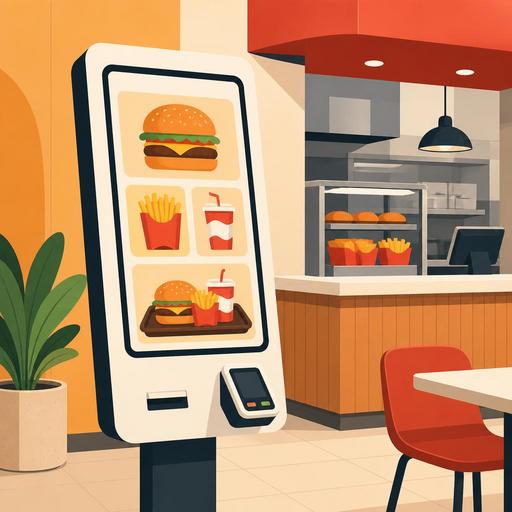
A Menu Engineering Guide for Restaurants Using Self-Service Kiosks
Menu engineering in restaurants that use self-service kiosks is not just about moving ordering from the register to a screen. A well-designed kiosk experience helps customers decide faster, notice add-on products more naturally, lets the kitchen work more predictably, and frees up staff to focus on higher-value tasks. Especially in quick-service restaurants, the issue is not buying a device; it is designing the order flow, the menu logic, and operations together.
Many businesses don't get the result they expect after installing a kiosk, because the menu moved onto the screen often remains a digital copy of the printed menu. Chains that succeed with kiosks, however, approach every step with the logic of behavioral design, from product ordering and visual use to modifier options and promotion screens. That is why a kiosk investment is as much a menu-management and operational-design project as it is a technology project.
Why do kiosks work in some restaurants and stall in others?
In successful cases, the kiosk reduces the bottleneck at the register during peak hours and strengthens order standardization. Instead of deciding while waiting in line, the customer compares options on the screen; staff, instead of answering the same questions over and over, focus on areas like delivery, guidance, and problem-solving. In unsuccessful cases, however, the screens are too cluttered, the category structure is complex, and product names are vague. As a result, the customer stares at the screen for a long time, presses the back button, or eventually heads to the register anyway.
For example, in a burger-focused fast-food business, it makes sense for the main flow to proceed from the main product first, then the drink, and then fries and sauces. But using that same screen layout as-is for chicken, salad, kids' meals, and coffee categories often doesn't work, because each category has a different decision logic. For chicken, the piece selection comes to the fore; for coffee, the size and milk alternative may be more decisive. Rather than applying the same template to every category in the kiosk, you need to design the flow according to the product's selection logic.
Menu engineering: what should you show on the kiosk screen, and in what order?
The basic aim of menu design on a kiosk is not to manipulate the customer, but to reduce the decision burden. To do that, you should offer fewer but clearer options on the screen. Making best-sellers visible is important; but highlighting all products at once is the same as highlighting none.
In practice, the following principles work:
- Limit the number of categories on the first screen. Seeing too many categories on the home screen lengthens decision time.
- Simplify product names. Instead of names written in the kitchen's internal jargon, use expressions the customer will grasp quickly.
- Choose default selections carefully. Present the most frequently chosen bread, drink, or size in the menu content as a sensible starting point.
- Layer the modifier screens. Rather than piling all the sauce, extra, and removal options onto a single page, proceed step by step.
- Show upsell suggestions according to context. Suggesting fries and a drink to a customer who chose a burger is natural; suggesting dessert to a customer ordering coffee may be more meaningful.
The critical point here is that every suggestion be appropriate to the order context. Irrelevant suggestions produce screen fatigue instead of creating sales opportunities. If the customer feels the flow has dragged on because of constantly appearing offers, the kiosk advantage weakens.
If kitchen operations aren't ready, a kiosk alone won't be the solution
Taking cleaner, faster orders through a kiosk can create a new bottleneck if the kitchen flow isn't supported on the back end. While the line at the register shrinks, ticket pileup can begin in the kitchen. That is why the kiosk decision needs to be handled together with production capacity and order-routing logic.
Let's consider a concrete example: suppose your best-selling product at lunchtime is the combo meals. When the kiosk makes these products more visible, the order composition can suddenly change. If the fries station, the drink-prep area, or the packing point isn't arranged to handle this increase, order intake time shrinks while delivery time grows. From the customer's perspective, the experience is again perceived negatively.
That is why business owners should ask the following questions together:
- Are the products highlighted on the kiosk the fastest-moving products in the kitchen?
- Which station creates the bottleneck during peak hours?
- How much do modifier options extend production time?
- How are orders distributed across the register, QR menu, delivery, and kiosk?
At this point, monitoring orders from a single center, making updates by category, and quickly managing product stock/status information gain importance. Digital restaurant infrastructures like Restomas can strengthen the operational side of the kiosk experience by helping manage menu updates and order flow more consistently.
The staff role doesn't shrink, it changes
The most common mistake when it comes to kiosk investment is evaluating the topic solely under the heading of cutting staff. In a well-built system, however, the need for staff doesn't disappear entirely; on the contrary, job descriptions change. Instead of taking orders at the register, you need a team structure that guides the customer, supports users who run into trouble, speeds up delivery processes, and manages the dining-room flow.
Especially in the first few weeks, it is important for staff to be positioned actively next to the kiosk. Older customers, families with children, or users with special requests may struggle to get used to the screen. At this point, the staff's role is not to defend the technology but to make the experience easier. The approach "If you like, we can finish this together in two steps" is more effective than saying "Order from the screen."
Feedback from staff is also extremely valuable for menu improvement. The screen where the customer gets stuck the most, the question they ask most often, or the most-canceled modifier option are usually noticed in the field. That is why kiosk performance should be evaluated not only with sales data but with team observations as well.
An actionable kiosk roadmap for restaurant owners
For businesses considering installing a kiosk or wanting to get higher returns from their existing system, the healthiest approach is to proceed in small but measurable steps.
- First, analyze your top 20-30 best-selling products. Start by simplifying the kiosk flow around core products rather than the entire menu.
- Rewrite product names and the category structure. The printed-menu language and the screen language don't have to be the same.
- Design three core upsell scenarios. Rather than showing an offer for every product, identify the most logical pairings.
- Run a peak-hour test. Observe the flow not only during quiet hours but during the lunch and dinner peaks.
- Prune the modifier options. Reduce options that are rarely used but wear down operations.
- Read register, kiosk, and digital-menu data together. Ordering behavior can differ by channel; single-screen management makes this difference more visible.
Most importantly, view the kiosk project not with a "we installed it and we're done" mindset, but as a system that is continuously optimized. Which products are on the first screen, which promotion is shown in what order, and which modifier step creates abandonment should be reviewed regularly, because a self-service kiosk is less a matter of hardware than of decision architecture.
The success of fast-food chains in this area doesn't come merely from placing screens; it comes from managing the order flow, kitchen capacity, and menu visibility together. When independent restaurants and growing chains act with the same perspective, a kiosk investment produces more realistic results.
Restomas can support restaurants in managing all their digital touchpoints, kiosks included, in a more controlled way by making menu management and order flow more consistent.
