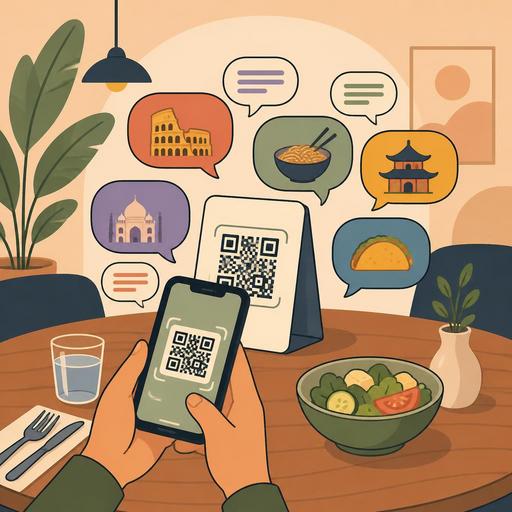
10 Critical Details Not to Overlook When Building a Multilingual QR Menu
Building a multilingual QR menu is about more than just translating the menu into different languages. Especially for restaurants that welcome tourists, in-hotel food-and-beverage areas, airport locations, and cafes in central locations, a multilingual setup directly affects order accuracy, guest trust, and operational flow. A well-prepared system eases the international guest's decision-making process while also reducing the staff's burden of constantly explaining. However, some details that seem small can weaken the digital menu experience. Below, we address the 10 critical points most often overlooked in setting up a multilingual QR menu, yet that make a real difference in the field.
1. Create a menu-language design, not just a translation
Translating a dish's name literally is often not enough. Because the language used in restaurant menus consists not just of words; it is made up of appetizing expression, expectation management, and cultural association. For example, the phrase "pot of the day" can lose its meaning when translated directly into another language. Instead, you need to convey the type of dish, the cooking method, and the main ingredients more understandably.
The fundamental question here is this: if the guest is unfamiliar with this product, can they understand what to order simply by reading the menu text? If the answer is no, then even if the translation is technically correct, the menu is commercially weak.
Action: Standardize a short description for each product: main protein, cooking method, and key sauce or garnish information.
2. Keep the same category logic in every language
A common mistake in multilingual QR menus is structuring categories with different logic from language to language. When "Başlangıçlar" is used in Turkish, "Snacks" in English, and "Appetizers" in another language, the same products can create different expectations. Consistency is critically important, especially in categories such as breakfast, mezze, sharing plates, main courses, and desserts.
If a guest finds beverages easily in one language but has to search for them in another, the problem is not in the translation but in the information architecture. That is why centralized category management in the QR menu infrastructure is important; editing a category from a single source and publishing it with the same flow across all language versions reduces operational errors.
- Keep category names short and clear.
- Check that the same product appears under the same category in all languages.
- Prevent language-based disorder from forming with seasonal or promotional products.
3. Strike a balance between local names and descriptive names in product names
Some dishes are stronger with their local name. Fully translating products like "İskender," "mantı," "içli köfte," or "su böreği" can erase the dish's character. On the other hand, leaving only the local name can also leave the international guest undecided. The best approach is to keep the local name and add a descriptive subtext.
For example, leaving the product name in its local form and using a phrase in the description like "served with yogurt, butter sauce, and thinly sliced meat" is much more functional. This method both preserves the kitchen's identity and reduces order ambiguity.
Concrete example: At restaurants with strong local flavors, using only the English name can make the menu "generic." Yet when the right description is given, originality becomes an advantage.
4. Don't think of allergen, ingredient, and portion information as language-independent
One of the most sensitive areas in a multilingual menu is allergen and ingredient information. When warnings like "may contain nuts," "contains gluten," "comes with spicy sauce," or "contains raw items" are incomplete or unclear, the issue turns into a matter not only of customer satisfaction but of trust. International guests in particular need these descriptions more in a cuisine they are unfamiliar with.
While using short icons here is helpful, it is not enough on its own. There should be clear text alongside the icons, and ideally a content summary should appear in the product detail. Being able to update product-level information from the restaurant management panel makes it possible to correct the menu without waiting on printing.
Action: Create a separate checklist for allergen management and, before a menu update, verify that the same information appears in every language version.
5. Make the presentation of price and currency clear
For an international guest, how the price is shown matters before the price itself. If the currency abbreviation is unclear, the decimal separator is not in the familiar format, or service-charge information is not visible, the guest may hesitate before ordering. This hesitation often forces the staff to give explanations at the table.
The aim in price presentation is to create a "no-surprises experience." The currency should be written clearly, and if there are extra charges, they should be stated explicitly at the product or order step. Clarity is especially important on items like beverage sizes, extra-ingredient charges, and cover charges in tourist areas.
- Show the currency in the same format across all products.
- Make the prices of extra products visible on the selection screen.
- If a service or cover charge applies, state it clearly in the menu.
6. If you use photos, manage expectations correctly
The use of imagery on a QR menu is powerful; but in multilingual setups, the role of the photo grows even more. Because the guest often evaluates a product they don't understand by looking at the photo. For this reason, the image needs to be as truthful as it is appetizing. Overly stylized, irrelevant, or outdated photos can create post-order disappointment.
Especially for set menus, sharing plates, and regional flavors, visual support can positively affect conversion. But it is not necessary to add a photo to every product. What really matters is giving visual priority to products that are hard to describe.
Concrete example: The phrase "mixed mezze platter" can create different expectations for guests from different countries. A clear photo and a short content list quickly resolve this ambiguity.
7. Design language selection to be visible but frictionless
When a guest scans the QR code, the first experience is shaped within a few seconds. If language selection is hidden, placed in a small area, or automatic redirection works incorrectly, friction begins before the menu even opens. For this reason, the language selector should be both visible and not clutter the screen with unnecessary steps.
The best practice is to clearly show the available languages at launch and keep the selected language fixed throughout the menu. Also, if more than one person at the table uses a different language, it is important that each device can make an independent selection. This kind of flexibility provides significant relief at businesses that welcome international guests.
In centralized digital menu systems, the language-adding and updating process not being dependent on a technical team makes it easier to respond quickly to seasonal needs.
8. Don't disconnect the translation from operational realities
Even if the menu text looks flawless, it causes problems if it is not in harmony with the kitchen and service flow. For example, if a product that is "spicy on request" in Turkish is described in another language as if it is always spicy, a wrong expectation forms during service. Or if options such as sauce choice, cooking level, or extra garnish appear in one language but are missing in another, the order standard breaks down.
That is why a multilingual QR menu effort is not just a marketing or translation job; it is a process the kitchen, service, and management must review together. Managing product cards from a single center helps keep options in sync across all languages.
- The kitchen team should approve the product descriptions.
- The service team should list the typical questions coming from international guests.
- The manager should test the option structure across all language versions.
9. Reflect sold-out products and time-based menu changes in all languages
One of the most frustrating problems in multilingual menus is a product that is removed because it is sold out in one language continuing to appear in another. Getting the response "that product is unavailable" when the guest wants to order damages trust in the digital menu. The same applies to the breakfast end-time, the lunch-menu transition, or happy-hour beverages.
The fundamental need here is for changes to be applied centrally and instantly. Updating PDFs one by one or manually intervening in different language versions increases the risk of error. This difference becomes more visible, especially during busy service hours.
Action: Set up a flow managed from a single panel for sold-out products, time-based categories, and campaign changes; after an update, do a quick check in the different languages.
10. Before going live, run a real-usage test, not a desk test
Checking whether a multilingual QR menu works correctly in the office is not enough. The real test is done in the restaurant's lighting, on different phone screens, at the actual internet speed, and with real guest behavior. What a tourist looks for first in the menu, which phrase makes them pause, and which products they ask about are very instructive.
You can run a small pilot: test the menu at certain tables, gather feedback from the service team, and note the most frequently asked questions. Then revise the product names, descriptions, and category structure. This approach turns the menu from a "file with completed translation" into a living sales and service tool.
Ultimately, a multilingual QR menu is a powerful tool not only for addressing international guests, but for presenting the restaurant's information in an organized, reliable, and operationally aligned way. When set up correctly, it lightens the staff's load, increases order clarity, and makes the guest experience more professional. Digital infrastructures that offer centralized menu management, like Restomas, can help make this process more controlled and sustainable.
