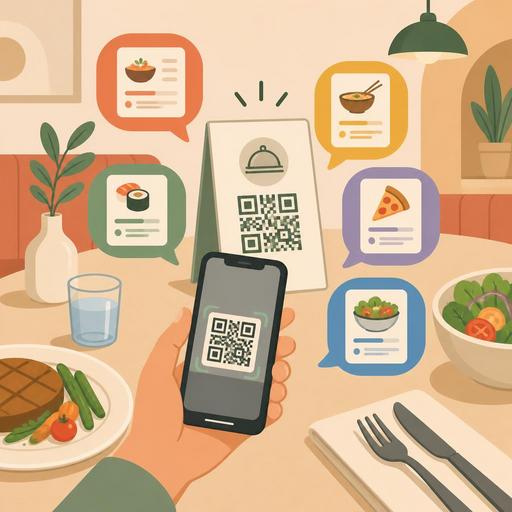
10 Critical Points You Must Not Skip When Building a Multilingual QR Menu
Preparing a multilingual QR menu is not just a translation task, especially for restaurants that host tourists, in-hotel food-and-beverage areas, seaside businesses, and cafes in central locations. A menu is, on the one hand, a sales tool, and on the other, the digital face of operations that extends to the kitchen, service, and customer experience. For this reason, adding a language to the menu requires far more than translating words into another language. Mistranslated product names, missing allergen information, inconsistent price display, or poor mobile flow can lead to both a loss of trust and ordering errors.
A well-designed multilingual QR menu, on the other hand, shortens the foreign guest's decision time, reduces the explanatory burden on staff, and makes the ordering process clearer. Below, we address with concrete examples the 10 critical details that restaurant owners and managers must pay attention to when preparing a multilingual QR menu.
1. Translate to fit the product experience, not word for word
The most common mistake in menu translations is translating product names with dictionary logic. Yet dish names often carry cultural context. Products such as icli kofte, hunkar begendi, or atom meze can lose their meaning when translated directly. The best approach here is to keep the product's original name and add a short description.
For example, instead of translating only the product name, use a structure that explains the dish's main ingredients and cooking style. This way the guest better understands what they are ordering. This approach also contributes to sales, especially in restaurants that present local cuisine.
Actionable step
- Do not delete local product names entirely; support them with a description.
- If possible, have the translations checked by someone fluent in the language of gastronomy.
- For each product, consider the format "ingredients + cooking method + distinguishing feature."
2. Keep allergen, ingredient, and portion information equal in every language
Many businesses translate the product name but leave the allergen information, sauce details, or portion description only in the main language. This is a serious mistake. Information such as gluten, dairy, shellfish, nuts, or spice level can be critical for a foreign guest in particular.
For example, if the Turkish menu says "contains walnuts" but this information is absent in the English version, the customer may make the wrong decision. Similarly, failing to translate the "spicy" label can lead to returns or dissatisfaction. In a multilingual QR menu, all critical product information must be fully synchronized across languages.
The importance of digital menu infrastructure is great here. In systems where you can manage content from a single panel, product descriptions and warnings can be updated in a more controlled way. This way, no individual language is forgotten during seasonal changes or recipe revisions.
3. Design the price, currency, and tax display so as not to cause confusion
When preparing a multilingual menu, you need to think not only about the language but also about price perception. In some cases foreign customers cannot quickly recognize the currency. Especially in tourist areas, using only a numeric display is open to misunderstanding. It must be clear which currency the price is in.
The price format is also important. In some countries the decimal separator is a comma, in others a period. Set a single standard on the menu and keep the same structure across all products. Matters such as whether tax is included, whether there is a service charge, and whether extra ingredients are chargeable should also be stated as clearly as possible.
Checklist
- Use the same currency display across all prices.
- Clearly indicate options that carry an extra charge.
- Keep prices identical and equally up to date in all languages of the menu.
- Keep the wording of old and new prices simple for promotional products.
4. Make language selection visible, fast, and error-free
One of the most critical points of the user experience in a multilingual QR menu is how easy language selection is. If, after scanning the QR code, the guest encounters a long splash screen, confusing flag icons, or a tiny language menu, they may leave before even entering the menu.
The good practice here is to present the language options clearly when the menu opens. However, using only flags is not enough; because language and country do not always correspond one to one. For this reason, showing the language name in text is safer. For example, offering selection by the language's own name rather than only an icon creates a more understandable experience.
Device-language detection can also be useful; but automatic redirection should not be forced. The user should be able to change the language easily at any moment. In the QR menu solution the restaurant uses, the speed of this transition directly affects the decision time at the table.
5. Make visuals and the category structure understandable independent of language
Not every customer reads the menu with the same attention. Especially during busy hours or when deciding in a foreign language, people lean more on visual cues. For this reason, category names, product ordering, and the use of photos are as important as translation.
For example, basic categories such as starters, main courses, drinks, and desserts must be clearly separated. An overly crowded category structure creates decision fatigue, especially for guests using the menu in a different language. If photos are used, they must match the product exactly and not give the feeling of stock imagery.
In a well-structured digital menu, categories are kept short, filters are simple, and the user reaches the section they are looking for in a few taps. This structure also reduces the time staff spend on "where is this product" questions.
6. Check cultural expressions, restricted content, and sensitive terminology
Every market has different sensitivities. An expression seen as ordinary in one country may come across as rude, misleading, or unappetizing in another language. Extra care is needed especially when translating meat types, alcohol content, religious sensitivities, or diet labels.
For example, "vegetarian" and "vegan" should not be confused, products containing alcoholic sauce should be clearly indicated, and if there are pork products or derivatives they should not be concealed. Expressions such as "homemade," "chef's special," or "traditional" can also remain ambiguous for a foreign customer when used without explanation.
At this stage, it is useful to have the menu content reviewed not only by someone who knows the language, but also by an eye familiar with the target customer profile. Especially for hotel restaurants and tourist businesses, this check reduces objections and incorrect orders.
7. Do not add a language without considering the operations side
A multilingual QR menu is not only customer-facing; it also affects the kitchen and service flow. If the customer sees one name on the menu and encounters a different name on the order ticket, confusion can arise. For this reason, the product name shown on the front end must clearly match the product on the operations side.
For example, while the customer sees a descriptive product name on the English menu, on the kitchen side the product needs to be processed with its short code or main name. Category matches, modifier structures, and add-on selections must be properly defined here. Otherwise, options such as "extra cheese," "mild," or "gluten-free base" may reach the kitchen incorrectly even if they appear in different languages.
The value of digital tools in restaurant management emerges precisely here: thinking of menu, order, and product management in a single flow reduces the margin of error.
8. Establish update discipline from the start
Seasonal products, sold-out items, changed recipes, or price updates carry greater risk in multilingual menus. When the Turkish menu is updated but the other languages are forgotten, a trust problem arises. This is seen frequently, especially in businesses that offer daily specials.
For this reason, define a simple workflow to apply with every menu update. Be clear about in which languages a description will be prepared when a new product is added, who will check it, and which items will be reviewed before going live.
- Adding a new product
- Translation review
- Allergen and price verification
- Visual and category check
- Final test before publishing
This process can be standardized even in small teams. What matters is seeing the multilingual menu not as a one-off project but as a living element of operations.
9. Run a real test at the table before going live
Even the best-looking menu can cause problems in real use. For this reason, before publishing the menu, test it on different phones, with different age groups, and, if possible, with a few people who speak the target languages. Check whether the QR code opens easily, whether language selection is clear, and whether the product descriptions appear understandable.
You can create a concrete test scenario: have a guest find a non-alcoholic drink on the menu, then choose a dessert that contains no nuts, then understand the spice level of a main course. Even this simple flow reveals the friction points in the menu.
10. Combine analytical observation with content
The work does not end once the multilingual QR menu goes live. Observations such as which products are viewed more in which language, in which categories the exit rate rises, and which questions staff continue to receive most are valuable for improving the menu. The aim here is not just to see visits, but to build a structure that makes decision-making easier.
For example, if foreign guests constantly ask questions about the same products, the descriptions may be insufficient. If the dessert category is viewed often in one language but does not convert to orders, the product names may be too vague. Handling menu management together with operational data reveals the real benefit of digitalization.
Ultimately, a multilingual QR menu requires translation, user experience, operations, and content management to be handled together. When set up correctly, it both inspires trust for the foreign guest and reduces the explanatory burden on the team. If you want to manage your restaurant's menu flow in a more controlled and up-to-date way, centralized digital solutions such as Restomas can help simplify this process.
