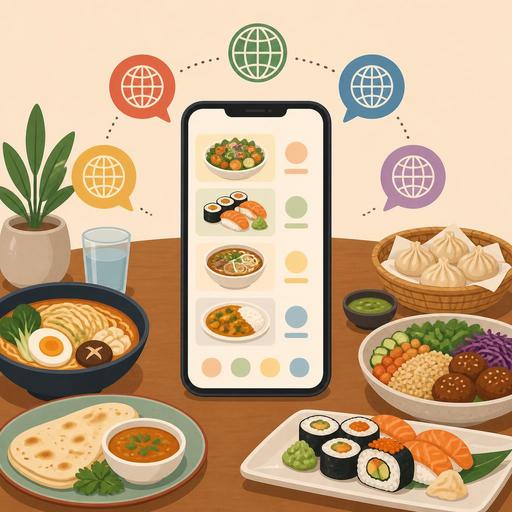
QR Menus Ready for International Guests: 10 Things You Can't Skip in a Multilingual Setup
Building a multilingual QR menu is about far more than translating your existing menu into another language. In tourist areas, at restaurants near hotels, at businesses close to airports, and at cafes that welcome guests from many different backgrounds, the language of your digital menu directly affects order accuracy, guest trust, and service speed. A mistranslated product name, missing allergen information, or a price that is up to date in one language but outdated in another can overshadow a great dining experience with an unnecessary problem. That is why a multilingual setup should be treated as an operational matter just as much as a marketing one.
For businesses using a QR menu in particular, the advantage is clear: it is easier to update content without waiting on printing, make language-specific edits, change products by season, and maintain consistency across all branches. However, when not set up correctly, this convenience can turn into a loss of control. The 10 details below cover the areas most often overlooked when setting up a multilingual QR menu, yet with the highest impact.
1. Think in menu context, not word-for-word translation
The most common mistake in menu translation is translating product names literally. Yet dish names often carry technical, local, or cultural meaning. For products like içli köfte, mantı, or ıslak hamburger, simply providing a word equivalent does not give the guest enough information.
The better approach is this: keep the dish's original name and add a short description. That way authenticity is not lost, and the guest understands what they are ordering. For example, instead of translating the product name, you can use a short line describing the cooking method, the main ingredient, and the way it is served.
2. Maintain the same depth of information in every language
Some businesses provide detailed descriptions in the Turkish menu but leave only the product name in the English or Arabic version. This makes it harder for international guests to decide. In a multilingual QR menu, the following fields should be consistent across every language:
- Product name
- Short description
- Contents or main ingredients
- Allergen information
- Portion or serving note
- Price
When one language carries a "spicy" warning and another does not, the issue is not only communication but also a risk to guest satisfaction. That is why it is important to review language-specific fields one by one in the menu management screen.
3. Never treat allergen and dietary labels as an afterthought
Phrases like gluten-free, vegan, vegetarian, lactose-free, or may contain nuts are among the most sensitive parts of multilingual menus. Guests rely on these labels even more when choosing food in a foreign country. So while icons are helpful, you should support them with text rather than relying on symbols alone.
For example, even though a vegan symbol next to a product may seem sufficient, a description is essential if the sauce or garnish contains animal ingredients. Likewise, the term "spicy" can be perceived relatively in some languages; that is why clearer definitions such as "mildly spicy" or "seasoned" are preferable.
If there is a possibility of cross-contamination in the kitchen, this should be stated carefully and clearly in the menu description. It is better to reflect the real operating conditions than to provide incomplete information.
4. Clarify the presentation of price, currency, and tax
In a multilingual QR menu, how prices are displayed matters as much as the text. Especially at businesses with a high volume of international guests, the currency symbol, decimal format, and whether service is included should be clear. A format that is understandable in the Turkish menu can be confusing for an international guest.
The critical point here is that price information should be managed from a single source in all languages. Otherwise, a price updated in the Turkish menu may remain outdated in the English version. This creates unnecessary disputes at the table. The centralized update structure of a QR menu system provides a strong advantage in reducing such inconsistencies.
In addition, if there are notes such as "starting price," "extra ingredients not included," or "serving weight may vary," these should also appear in every language.
5. Don't leave automatic translation unchecked
Automatic translation tools can save time at the start; however, the language of gastronomy leaves no room for error. Phrases like "beef cheek," "butter-poached shrimp," "wood-fired," or "soup of the day" can be translated incorrectly depending on context. More importantly, meaning can shift with beverages, cooking levels, and local dish names.
The practical solution is to create a three-stage review flow:
- Prepare the first draft.
- Have someone who knows the language check it for service readability.
- Confirm product accuracy with the kitchen or operations lead.
This approach prevents descriptions that are grammatically correct but operationally wrong.
6. Organize menu categories around cultural reading habits
Not every guest scans a menu with the same logic. In some countries, beverages are expected as a separate, highly visible category, while some guests want to see the main courses first. A long single-page menu can be tiring for an international user, especially on a mobile screen.
That is why you should simplify categories, group products logically, and reduce unnecessary repetition. For example:
- Starters
- Main Courses
- Sharing Plates
- Desserts
- Beverages
If the menu is very large, showing standout products in a separate section shortens decision time. Especially at businesses with heavy tourist traffic, descriptive headings such as "local favorites" or "most popular choices" can be helpful.
7. If you use photos, maintain a consistent standard
Photos reduce the language barrier; however, when used inconsistently, they have the opposite effect. Having professional images in one category and dark phone photos in another can undermine the menu's credibility. Moreover, if there is a clear difference between the presentation in the photo and the actual service, guest expectations break down.
The best practice is not to make a photo mandatory for every product, but to use them selectively for products that are hard to decide on or that an international guest is unfamiliar with. Local dishes, sharing plates, and items with special presentation stand out here.
8. Make sure out-of-stock products close in all languages at the same time
One of the most frustrating experiences in a multilingual menu is when a guest wants to order a product they saw in their own language, only to learn afterward that it is sold out. The problem is usually not stock, but menu synchronization. When a product is deactivated, this should be reflected simultaneously in all languages and, if possible, across all sales channels.
Here, operations and digital infrastructure must be considered together. When an up-to-date flow of information is established between the QR menu, order management, and the POS side if necessary, staff also have to give fewer explanations. This provides significant relief, especially during busy service hours.
9. Train your serving team on menu logic as much as menu language
A well-prepared multilingual QR menu does not eliminate staff support entirely. On the contrary, the team should be ready to complement the descriptions written in the menu. When a guest asks "How exactly does this product come?", "What's the spice level?", or "Is it suitable for sharing?", the answer should not contradict the menu.
Short pre-shift briefings are useful here. Newly added products, updated descriptions, allergen notes, and items sold out for that day should be relayed to staff regularly. Even if the digital menu is updated, the experience will still suffer if the team is unaware.
10. Run a real user test before launch
The most critical step is often left for last: testing. Before the menu goes live, you should run a flow test with a few people from different profiles. If possible, have one team member who speaks a foreign language, one serving staff member, and one user from outside the business. Look at these questions:
- Is the language-switch button easy to find?
- Are the product descriptions easy to read on mobile?
- Are price and content information clear?
- Are allergen warnings visible?
- Are sold-out products really hidden?
These tests reveal problems that go unnoticed at a desk. Especially if the QR menu structure is updated frequently, you should repeat this check during seasonal transitions and when adding new languages.
Conclusion: A multilingual menu is experience design, not a translation job
A multilingual QR menu is one of the most visible ways to tell international guests "we are thinking of you." But for it to be effective, accurate translation, consistent information, up-to-date stock status, a clear category structure, and team alignment must work together. The real gain for restaurants is not simply offering a more elegant menu; it is creating fewer wrong orders, faster decision-making, and a safer guest experience.
Businesses that want to make this process sustainable can proceed far more confidently with digital tools that manage menu updates from a single source and work in harmony with operational flow; Restomas, too, offers a practical infrastructure that makes establishing this order easier.
