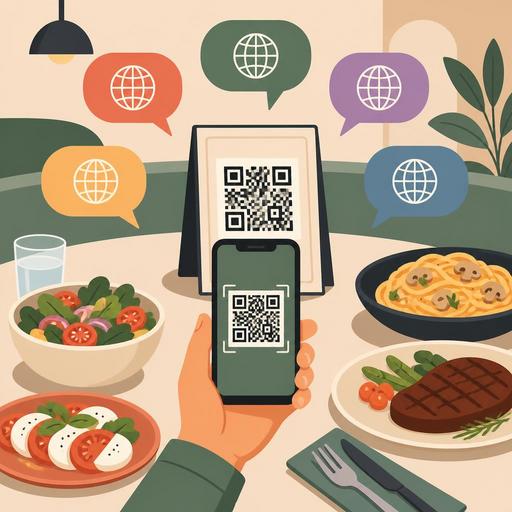
10 Critical Points for Setting Up a Multilingual QR Menu in Restaurants
A multilingual QR menu is no longer an "extra" for many businesses, from restaurants in tourist areas to in-hotel dining venues. It has become a direct matter of revenue and guest experience. However, simply translating the menu into a few languages is not enough. Mistranslated product names, missing allergen descriptions, and inconsistent price or portion information across different languages can lead to ordering errors and a loss of trust. For this reason, setting up a multilingual QR menu must be carefully planned, from design to operations.
Especially in restaurants that host international guests, the language of the digital menu directly affects ordering speed, how safe the guest feels, and the explanation burden placed on staff. The following 10 details will help you achieve both clarity on the guest side and sustainability on the business side when preparing a multilingual QR menu.
1. Decide which languages to add based on data
While adding every language may seem practical, it can create a structure that is difficult to manage. Priority should be determined according to your business's actual guest profile. For example, in a restaurant in a coastal area, English and German may take priority, whereas for a business near an airport, Arabic or Russian may make more sense.
The critical question here is this: Which language genuinely makes the ordering decision easier? Which languages your staff most frequently use to give explanations, which languages appear in reservation notes, or which languages your social media messages come in will give you a clear clue.
- In the first phase, choose 2-3 strategic languages.
- For less-used languages, start with basic category descriptions instead of a full menu.
- Assess your update capacity before increasing the number of languages.
2. Translate to fit the restaurant context, not word for word
The most common mistake in menu translations is translating words literally. Yet dish names often carry cultural context. Rather than translating items such as "icli kofte," "atom," "Iskender," or "cokertme kebab" directly, it is more accurate to support them with a short description.
For example, instead of writing only the product name, the following approach is safer: Icli Kofte - a bulgur-coated shell filled with spiced minced meat and onion. This way the guest understands what they are ordering, and the time staff spend explaining at the table is reduced.
The cooking technique should also be stated clearly. Expressions like "grilled," "slow-cooked," "fried," and "served cold" are important for managing expectations, especially for international guests.
A concrete implementation suggestion
- First, clarify the product descriptions in the Turkish menu.
- Then have these descriptions translated into the target language in line with restaurant terminology.
- If possible, do the final check with someone who actively uses that language.
3. Equalize allergen, ingredient, and portion information across all languages
In a multilingual QR menu, just as important as visual translation is information parity. If an allergen warning present in the Turkish menu is missing from the English menu, this creates not only a communication problem but also a service risk. The same applies to portion size, spiciness level, sauce content, and method of service.
For example, if the sesame oil information for a "shrimp noodle" dish appears in the Turkish description but not in the English one, the guest may order with the wrong expectation. Similarly, the term "spicy" is perceived relatively in some languages; therefore, standardized definitions such as "mildly spicy," "medium spicy," and "very spicy" are more helpful.
- Manage allergen information per product, not per language.
- Check that the same content fields are filled in across all languages.
- If there is a portion difference, state it clearly: single serving, sharing plate, 250 g, etc.
Working with centralized content fields in QR menu management tools makes it easier to maintain this consistency. Especially if menu updates are made frequently, multilingual editing from a single panel provides a major advantage.
4. Optimize the ordering decision, not just the product name
A successful multilingual QR menu does not just offer a "correct translation"; it enables the guest to decide faster. For this, category names, product order, and description length must be carefully planned. When a foreign guest does not know the local cuisine, they first find their way through the category.
For example, instead of leaving categories as just "Main Courses," a more descriptive structure can be used if needed: grills, sharing plates, seafood, vegetarian options, kids' menu, and so on. This reduces decision fatigue, especially in crowded menus.
The use of photos should also be selective. Instead of adding an image to every product, using images for products that are hard to describe or little known locally is more effective. This way the menu looks cleaner and directs the guest's attention to the right products.
A checklist for a decision-friendly structure
- Are the categories clear?
- Are signature products at the top?
- Are the descriptions short enough to read in one breath?
- Are paid add-ons clearly visible?
- Are vegetarian, vegan, or gluten-free options easy to distinguish?
5. Keep price, variation, and stock information in sync across all languages
One of the most dangerous problems in multilingual menus is that information updated in one language remains outdated in another. Especially when there is a price change, a product runs out, or a gram weight is updated, all language versions need to change at the same time. Otherwise a mismatch occurs between the POS and the menu, and unnecessary disputes arise at the table.
For example, if a sold-out dessert has been removed from the Turkish menu but continues to appear in the English one, the service team is forced to explain it again at every table. This both damages the guest experience and slows down operations.
For this reason, the following features are important in a multilingual QR menu infrastructure:
- Product updates from a single panel
- Language-based content management but a shared price/stock logic
- Real-time visibility control
- Branch-based menu configurations
Especially in businesses with more than one branch, central management significantly improves consistency. Digital menu systems like Restomas gain meaning here not only in terms of publishing but also in simplifying daily operations.
6. Do not overcomplicate the QR experience before language selection
When a guest sits down at the table, the first goal should be to open the menu, not to struggle with technology. If the page that opens when the QR code is scanned is heavy, if language selection is confusing, or if scrolling on a mobile screen is difficult, even a good translation loses its effect.
Language selection should be visible but simple. Using flags alone may not be enough; the language name should also be stated in text. Also, if automatic redirection occurs when the page opens, the guest must be able to change the language easily.
Things to consider for mobile use:
- The menu should open quickly on the first screen.
- The language button should be easily visible in the top section.
- The font size should be comfortable to read under table lighting.
- Long descriptions should not overwhelm the screen.
- If there is an ordering or server-call flow, it should be completed in a few steps.
A good QR menu should be designed not to replace staff, but to make the staff's job easier.
7. See the translation process not as a one-time task but as a living operation
A menu is a living structure: a seasonal product arrives, a recipe changes, a price is updated, a new campaign is added. For this reason, a multilingual QR menu project cannot be managed with a "we translated it once, it's done" mindset. The best approach is to add a language-check step to the menu update flow.
A practical method is to create a mini publishing checklist for each new product:
- Has the product name been entered in all languages?
- Are the description and allergen information complete?
- Do the price and variations match?
- If there is a photo, is it linked to the correct product?
- Has the visibility of a sold-out product been turned off?
This approach lowers the error rate, especially during the busy season. It is also very valuable to collect feedback from the service team, because they know best which description is repeatedly asked about at the table.
Conclusion: A multilingual QR menu is not a translation task but experience design
The common thread among the 10 details to watch for when preparing a multilingual QR menu is this: the issue is not merely translating the text into another language. The real goal is for the guest to understand the menu with confidence, to decide more comfortably, and for the business to sustain this without creating an operational burden. When the right language choice, context-appropriate translation, consistent allergen and price information, a simple mobile experience, and a central update flow come together, the QR menu truly creates value.
When you treat your menu not as a display window but as an active part of the service flow, the multilingual structure strengthens both guest satisfaction and team efficiency.
Restomas can offer a practical starting point for restaurants that want to make multilingual QR menu management more organized and sustainable from a single panel.
