Digital Menu and Service Design in the Omakase Sushi Experience
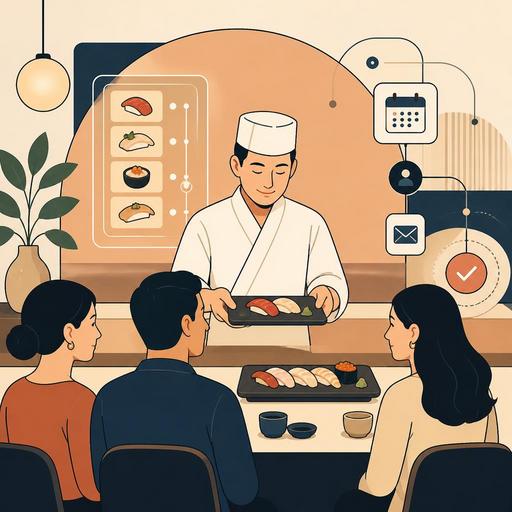
Digital menu and service design in the omakase sushi experience requires far more than a classic QR menu application. Omakase is a form of service in which the guest leaves the choice to the chef, and the flow is built on rhythm, trust, and narrative. For this reason, the digital experience should, rather than just displaying the menu, manage expectations, present allergen information correctly, support the pace of service, and make the team's error-free coordination easier. A well-structured digital setup doesn't make the omakase experience mechanical; on the contrary, it makes it easier for the guest to focus on the chef.
Why is the digital experience in an omakase menu different from a standard QR menu?
At a burger restaurant, the basic job of the digital menu may be to make options visible. On the omakase side, showing too many options most often goes against the spirit of the experience. The guest looks not so much for an answer to "what will I eat?" as to "what kind of flow will be offered to me?" For this reason, in the digital experience design, story-flow logic comes to the fore instead of product-catalog logic.
For example, when the guest sits down at the table, instead of presenting them with a list of dozens of items, the following headings are more functional: the omakase format, the service duration, the information that the content may change with the season, allergen warnings, the beverage-pairing approach, and the rules for additional orders. This way, the digital screen doesn't create a decision burden; it creates a sense of trust.
The important point here is that the digital element should not replace the chef. The digital layer should be an infrastructure that supports the chef's narrative and ensures the service team conveys the same information consistently. In a system like Restomas, keeping the menu flow up to date, standardizing the pre-service briefing, and managing changing content from a single panel provide serious convenience in this respect.
How should the guest journey be structured in a digital omakase flow?
A successful omakase experience should feel like a single piece, from the reservation to after payment. The digital design should also offer content suited to each stage of this journey.
1. The expectation frame before the reservation
The guest should clearly understand what omakase is before making a reservation. Explanations such as "chef's-selection tasting menu," "service proceeds at roughly this pace," and "some content may change according to the daily supply" reduce false expectations. For guests trying omakase for the first time in particular, this explanation reduces cancellations, dissatisfaction, and surprises at the table.
2. Collecting critical data during the reservation
Allergies, sensitivity to raw products, pregnancy, religious or personal restrictions, a celebration note, and seating preference should be added to the reservation flow. Rather than this information getting lost in a notes field, it should be structured so that the service team and the kitchen can see it. This way, last-minute confusion such as "didn't the guest not eat shellfish?" decreases.
3. A short, calm digital briefing at the table
When the QR menu is opened, a simple welcome screen is more suitable than long item lists. The following information is sufficient here:
- The general structure of the omakase flow
- Allergen and ingredient warnings
- Beverage-pairing options
- The sections where additional orders can be taken
- If there is a photo or video policy during the experience, a short explanation
This structure reduces the volume of questions before service begins and allows the team to proceed in a more controlled way.
4. Invisible digital support during service
In omakase, you don't want the guest's eyes constantly on a screen. However, on the kitchen and service side, the course order, table notes, pairing preferences, and pace management should be tracked digitally. Especially in sushi bars working with limited capacity, not forgetting one guest's allergy note, another guest's sake pairing, or a celebration presentation determines the quality of the experience.
Which information should be digitized in menu management, and which should remain with the chef?
In an omakase menu, every piece of information doesn't have to be in the digital realm. In fact, too much information can spoil the elegance of the experience. The right approach is to turn critical information into a system and leave the emotional narrative to the human touch.
The areas that need to be digitized are as follows:
- Allergen information: Points such as fish type, shellfish, sesame, soy, and gluten-containing sauces should be clear.
- Daily-changing content: Information about nigiri or special pieces that change with the supply should be quickly updatable.
- Beverage pairings: Sake, wine, tea, or non-alcoholic pairing options should be shown systematically.
- Add-on order module: Extra nigiri, temaki, or desserts that can be ordered after the omakase should be presented easily.
- Reservation notes: A birthday, a returning guest, favorite items, and content to avoid should be kept on record.
The areas that should remain with the chef are the product's story, the day's selection logic, the rhythm of service, and the in-the-moment adaptation to the guest. For example, explanations such as "because the fat content is high today, we're serving this fish in the middle of the course rather than at the start" gain value when they come from the chef's mouth, not from a digital card.
How are digital tools used in omakase service for operational efficiency?
Omakase is a small-volume operation but one that requires high attention. The margin for error is low; because every course is visible, and every delay is felt. For this reason, digitalization here provides consistency more than speed.
Let's consider a concrete example: there are two separate seatings for dinner service. In the first seating, three guests don't eat raw shellfish, one guest wants a non-alcoholic pairing, and there is a celebration at one table. If this information stays only in the reservation book or in the memory of a single staff member, disruptions occur during service. But if reservations, table management, and the order flow appear in a single order, the team can do its preparation in advance.
Similarly, in daily-changing omakase content, when an item runs out, it is important to update this at all digital touchpoints at the same time. Otherwise, giving different information at the reservation, at the table, and at the moment of payment creates a loss of trust. Updating the menu from a single panel is not a luxury in this type of restaurant but a basic need.
Moreover, a structure with POS integration allows omakase packages, pairing options, and extra orders to be separated more cleanly. This both increases the accuracy of the check and helps you understand which add-on items are truly in demand.
An actionable omakase digitalization plan for restaurant owners
If you want to strengthen the omakase experience digitally in your sushi restaurant, you don't have to view it as a large and complex project. The following sequence provides a practical start:
- Map the guest journey: Put in writing which information is needed at which point, from the reservation to departure.
- Create standard briefing texts: Clarify the omakase format, allergen warning, duration, content variability, and pairing explanations.
- Improve the reservation form: Add selectable restriction and preference fields instead of a free-text note.
- Simplify the QR menu: Design it with flow logic instead of a crowd of items.
- Assign someone responsible for the daily menu update: Let the chef or dining-room manager be a single check point before service.
- Manage the add-on order and pairing area separately: Create a sales opportunity without spoiling the omakase experience.
- Take notes after service: Keep on record the pieces the guest liked, the content they avoided, and their feedback for the next visit.
This approach should be used not to make the experience look "more technological," but to make it more refined and more controlled. At the core of omakase is trust; the job of the digital design is to support that trust invisibly.
Conclusion: Digitalization doesn't spoil the spirit of omakase; designed right, it strengthens it
In omakase service, the less visible but the more correctly the technology works, the more valuable it is. Instead of piling screens in front of the guest, you need to build a system that presents the right information at the right moment, increases the team's coordination, manages menu changes instantly, and doesn't forget personal preferences. Digital experience design in sushi restaurants succeeds through subtle operational decisions far more than through flashy tools.
If you want to make your omakase flow more organized, updatable, and guest-focused, Restomas's approach to menu and operations management can help you simplify this transformation.
