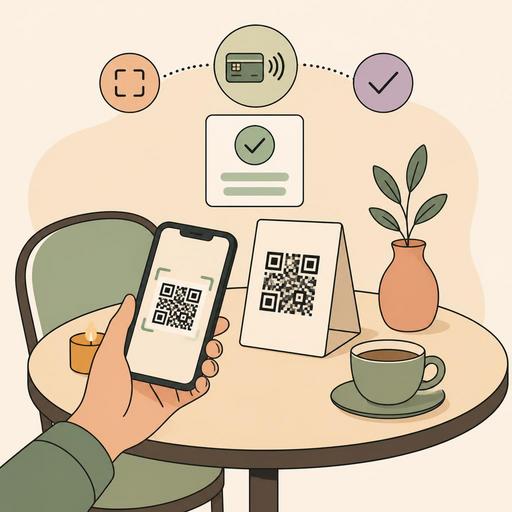
A Guide to Getting Results in the First Shift of Your QR Contactless Payment Rollout
Switching to a QR contactless payment system is, for many restaurants, not just a new payment method; it is an operational decision that simultaneously affects the service flow, table turnover speed, staff workload, and customer experience. What's more, when planned correctly, it's possible to start seeing the impact of this transition not days later, but in the very first shift. The critical point here is not buying technology, but designing the payment moment together with the menu, ordering, and table management.
A common mistake restaurant owners make is evaluating a QR payment solution on its own as a kind of "register alternative." Yet from the moment the customer sits down at the table until they close the check, every touchpoint is connected to the others. When the digital menu is separate, the order flow is separate, and payment is separate, the team is again caught in the middle. For this reason, the transition to QR contactless payment should be handled within the whole of the service operation.
What makes a difference in the first shift is not the technology, but the flow design
When a guest wants to pay the check, in the classic setup the following chain usually forms: signaling the server, requesting the check, waiting for the POS device, checking for the risk of the wrong table, the card coming back to the table again, the receipt process, and sometimes the confusion of a split payment. During busy hours, these few-minute delays add up and disrupt the service rhythm.
QR contactless payment shortens this chain; but it only works if the customer is matched with the right table, the right check, and the right total. For this reason, before the transition, the following three questions must be answered clearly:
- When the customer scans the QR code, which screen do they land on: the menu, the check, or the table-based transaction page?
- Are the payment and order data kept in the same flow, or does the staff member go back and forth between two separate systems?
- How are real-life situations such as a split check, an additional product order, or a cancelled item handled?
For example, in a cafe, a customer may want to add a dessert after finishing their coffee. If the system presents menu viewing, order updating, and the payment flow as disconnected from one another, the staff member has to step in again, and the contactlessness remains only on the surface. By contrast, when the QR menu, table-based order management, and payment proceed within a single structure, the customer experience becomes more natural. This is exactly where the strength of restaurant-focused platforms like Restomas emerges: being able to manage the digital menu and table operations within the same framework.
How should a 4-hour preparation plan before the rollout be set up?
"A fast transition" does not mean an unprepared transition. A short but disciplined preparation done before the first service prevents most of the disruptions during the day. The plan below is applicable especially to single-branch restaurants, cafes, and medium-volume businesses.
Hour 1: Clarify the table-and-check matching
Make sure each table's QR code is truly linked to the correct table. A setup that looks correct on paper can get mixed up in the field due to tables being moved or staff habits. Run a few tests before opening: scan a few tables from different phones, and check whether the order screen and payment screen open with the correct table name.
Hour 2: Simplify the menu and price flow
The goal of the first day is not to use all features at once, but to take orders flawlessly. For this reason, hide out-of-stock products, simplify variations, and temporarily reduce complex campaigns. The customer should encounter no surprises when they reach the payment screen. Service charges, add-on ingredients, and discount rules in particular should be tested in advance.
Hour 3: Run a short scenario training for staff
Instead of long training documents, work through real table scenarios. Staff should be able to respond to the following situations in a single sentence: "How do I pay?", "Can we split the check in two?", "I want to pay in cash," "The QR didn't open," "The wrong product is showing." This short rehearsal is more valuable than technical training because it builds confidence in the field.
Hour 4: Prepare visible guidance and a backup plan
The customer may not notice the QR code or may not want to use it. A short guidance note on the table, a backup payment option at the register, and a standard explanation for staff to use should be ready. Digitalization means offering options, not forcing the customer.
The three points that break most often during a QR payment rollout
In many businesses, the problem is not that the technology doesn't work, but that operations can't adapt to the new order. The three most common breaking points are these:
- Table identity confusion: Especially in restaurants with outdoor areas, table merges, added chairs, or position changes break the system matching.
- Staff not taking ownership of the process: If a server sees QR payment as something that diminishes their own role, they won't guide the customer; the old habit continues.
- Menu-order-payment disconnect: If a price update is made in one place but not reflected on the other screen, a loss of trust occurs.
Let's consider a concrete example: in a fast-casual business working through the lunch rush, the customer enters the menu via QR, the staff takes the order, but payment is done through a separate link. This three-part structure, although it looks digital at first glance, actually causes the staff to step in again and again. By contrast, when the same business can track the table code, digital menu, order flow, and payment information on a single panel, it becomes clearer which table's check is open, which is awaiting payment, and which has been closed.
Clear actions for making the transition without disrupting the customer experience
QR contactless payment systems deliver the best result when they don't give the customer the feeling of "I'm using a new technology." The process should feel natural, clear, and fast. For this, the following practices are effective:
- Standardize the first-contact phrase: Use a simple expression like "If you wish, you can quickly complete your menu and payment via the QR on the table."
- Don't leave the payment moment to the last step: If the customer gets used to the digital flow on their first entry into the menu, they won't feel unfamiliar at payment time.
- Test the split-check scenario: This need arises often with groups of friends and office lunches.
- Don't exclude the customer who wants cash or card: A hybrid transition reduces resistance in the early days.
- Collect observations rather than complaints: Ask staff not to say "the customer didn't use it," but to convey why they didn't use it.
Here, there's an important perspective for the manager: the success metric is not only how many people paid via QR. Better questions are these: Did the check-request time get shorter? Did the staff's POS-hunting traffic decrease? Did table closings become smoother during busy hours? Did the need for error correction drop? These questions touch directly on operational quality.
Which data should you track in the first week?
Instead of grand promises without a source, looking at your own restaurant's real data is the healthiest approach. In the first week, track a few basic indicators without drowning in complex reports:
- The number of sessions that started with QR
- The number of payments completed via QR
- The average time between requesting the check and completing payment
- The number of payments where staff intervened
- Problem records stemming from a wrong table, wrong check, or cancellation
Evaluate this data together with daily shift notes. For example, if usage is low during evening service, the problem may not be the technology but QR visibility in dim lighting. If payment is completed during lunch service but the number of add-on orders drops, there may be a lack of guidance in the menu flow. Data should be used not just to produce reports, but to understand behavior in the field.
In restaurant digitalization, lasting gains emerge not from activating a single feature, but from managing menu, ordering, payment, and operational visibility together. When the transition to QR contactless payment is also handled as part of this whole, it can make a difference from the very first shift. Systems that simplify the table-based flow, speed up menu updates, and prevent staff from getting lost between screens are what make the transition truly work.
Businesses that want to manage their QR menu, ordering, and table operations more cohesively can more easily build the right transition plan by comparing the Restomas approach with their own flows.
