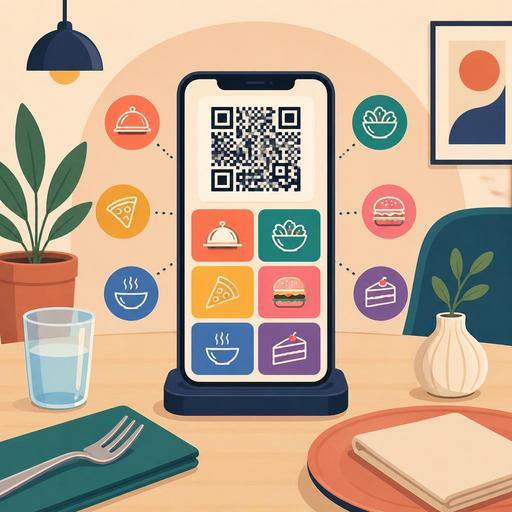
How Does QR Menu Color Choice Affect Sales? A Guide for Restaurants
QR menu color psychology is not merely an aesthetic choice in restaurants; it is a design element that directly affects how comfortably the customer reads the menu, which products they pay attention to, and how quickly they make a decision to order. In the first minutes spent at the table, color use that reduces the customer's mental load, clarifies category transitions, and naturally highlights high-margin products can noticeably improve the performance of a digital menu. For this reason, in QR menu design, you need to focus not so much on the question "which color looks nice?" as on the question "which color supports which behavior?"
Why does color affect the purchase decision on a QR menu?
As with a physical menu, on a digital menu the customer first does not read but rather perceives. The first impression encountered on the screen creates a feeling of trust, appetite, speed, simplicity, or clutter. Colors are at the center of this first perception. The tones used on a mobile screen in particular can make it easier or harder to notice headings, select product cards, and tap buttons.
For example, while warm tones create a sense of energy and movement in most food-and-beverage businesses, dark and saturated tones can establish a more premium perception. However, the critical point here is that colors do not work miracles on their own. Using red does not bring more sales in every restaurant; when used with the wrong contrast, it can tire the eyes, make prices look aggressive, or create an unnecessary sense of haste on the menu. Similarly, green is strong for a healthy and fresh perception, but it may not be enough on its own in a burger-, dessert-, or late-night-service-focused concept.
The real factor that affects sales is using colors in harmony with the brand identity, the menu structure, and customer expectations. This advantage is even greater on a QR menu because, in a digital structure, category colors, campaign emphases, image backgrounds, and call-to-action buttons can be managed more flexibly.
Which color works better in which type of restaurant?
When applying color psychology, there is no single correct formula for all businesses. The effect of color changes according to the cuisine type, price segment, service speed, and target audience. Still, some tendencies offer a good starting point for restaurant managers.
- Red and orange: Create an eye-catching, warm, and dynamic perception. Frequently used for fast service, snacks, pizza, burgers, and campaign emphases.
- Green: Evokes freshness, naturalness, and lightness. Effective on menus for salads, vegan options, breakfast, third-wave cafes, and those with a sustainability emphasis.
- Yellow: Provides quick noticing. Strong when used in moderation in warning, featured-product, or limited-time-offer areas.
- Black and dark tones: Create a premium, modern, and powerful presentation. Can work well in steakhouses, cocktail bars, fine dining, and special menus.
- Blue: Conveys trust and calm. It is used less as a main appetite color on the food-and-beverage side; it can play a supporting role in interfaces for seafood, beverages, or those with a technology emphasis.
- Earth tones: Convey a handmade, local, natural, and intimate feeling. Compatible with concepts such as bakeries, brunch venues, artisan cafes, and Anatolian cuisine.
Let's give a concrete example: in a burger restaurant, designing the entire menu with a black background and red headings may look powerful at first glance, but if it makes prices and descriptions hard to read, it can lower the ordering speed. By contrast, dark text on a light background, using warm accent colors only in areas such as "chef's recommendation," "extra cheese," or "make it a meal," can yield a more balanced result.
Similarly, a business selling healthy bowls and salads can offer a cleaner experience with a white background, green category labels, and product badges carrying a freshness emphasis, rather than painting the entire screen green. The aim here is not to use color but to use it in the right place at the right intensity.
5 practical design principles for color use that increases sales
To benefit from color psychology, choosing a tone alone is not enough. How the color is placed within the menu flow is decisive. The following principles make your QR menu more functional:
- Solve readability first: Use dark text on a light background or sufficiently light text on a dark background. Low contrast can cause even the best product to remain invisible.
- Choose one main, one secondary, and one accent color: Multicolored menus can be perceived as cluttered instead of professional. A limited palette makes decision-making easier.
- Use the accent color in high-margin areas: Campaigns, signature products, upsell suggestions, and order buttons can be supported with the same accent color.
- Apply category-based color coding: Slight but consistent color distinctions among beverages, desserts, main courses, and vegan options speed up scanning.
- Prevent photo-and-color clashes: If the product visuals are already colorful, keep the background more plain. Otherwise, the customer gets confused about where to look.
On mobile in particular, a lot of information is loaded onto the screen at once. For this reason, color should work not as a decorative layer but as a wayfinding tool. As soon as the customer enters the menu, they should quickly see the answers to the questions "where are the main courses?", "is there a vegan option?", and "which product is featured?"
Common color mistakes on QR menus
Many restaurants use brand colors directly as they are in digital menu design. Yet a color that looks good on a social media cover may not deliver the same performance in a mobile menu interface. The most common mistake is pushing the user experience into the background in the name of brand loyalty.
1. Emphasizing everything
When headings, prices, campaigns, buttons, and category names are all given in the same bright color, no area genuinely stands out. Emphasis works when used in a limited way.
2. Low contrast
Near-white text on a light gray background, or red text on a dark photo, makes reading hard, especially in a dimly lit restaurant environment. A QR menu is often used under different lighting conditions; the design should be resilient to this.
3. Color choice incompatible with the concept
In a traditional kebab restaurant, overly cold and sterile tones can reduce intimacy. Likewise, in a modern coffee shop, very bright fast-food colors can distort the brand perception.
4. Breaking the price-product relationship
When the product name is in one color family, the description in another, and the price in another, the eye flow breaks down. The customer should perceive the product card as a single block.
At this point, digital menu management provides an important advantage. Experimenting on a printed menu is costly and slow; on a QR menu, however, it is possible to adjust the category colors, featured-product areas, and visual density and improve them according to field feedback. On platforms like Restomas, being able to make menu updates quickly is valuable not only for adding products but also for testing interface performance.
An actionable color optimization plan for restaurant owners
To avoid leaving color psychology in theory, you can set up a small but systematic process within the business. You do not need a large design team for this.
- Identify the priority products on your menu: Make clear your signature products, high-margin products, and the categories you want sold heavily.
- Examine the current menu through the user's eyes: Test which products are noticed and which disappear in the first 10 seconds.
- Do not change everything at once: Make controlled changes such as first the button color, then the category labels, and then the campaign areas.
- Get feedback from the service team: The questions servers hear most often point to areas that are invisible or unclear on the menu.
- Think about it together with daily operations: Check whether the product you highlight can actually come out of the kitchen quickly and whether there is stock continuity.
For example, a cafe where quick decisions need to be made during lunch hours can highlight combos with a warm accent color on a simple, light-background menu. In the evening service, it can show dessert and coffee pairings with a softer but eye-catching second accent. This way, color gains function according to the pace of the day and the sales goal.
In conclusion, color psychology in QR menu design is not, on its own, a search for a "magic color that increases sales." The real issue is to ease the customer's decision journey through the right contrast, the right emphasis, the right category hierarchy, and brand harmony. A well-designed QR menu, beyond looking more elegant, provides fewer questions, faster selection, and a more controlled sales flow.
With Restomas, while keeping your QR menu up to date, you can more easily manage color, category, and product emphases in a way suited to your operation.
