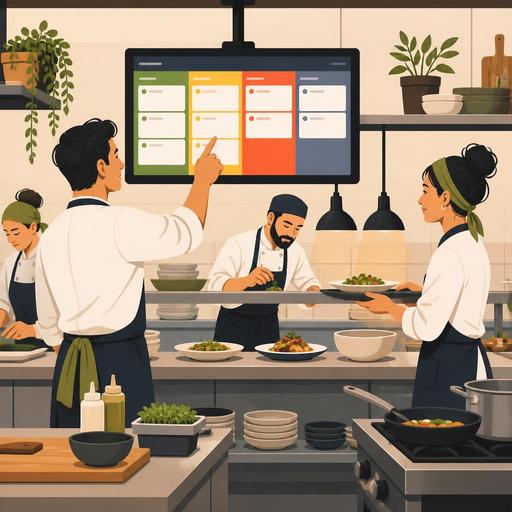
Reducing Kitchen Errors with a Color-Coded Order Flow in Restaurants
Color-coded order tracking is a practical operational tool that lowers error risk by making the most common sources of confusion in a restaurant kitchen visible. Especially during busy hours, when dine-in, delivery, courier, and reservation-linked orders all arrive at once and flow on a single uniform screen, priority, preparation status, and delay risk easily get mixed up. At this point, an order flow that works with colors simplifies in-team communication, reduces incorrectly prepared items, and makes the service pace more predictable.
However, the critical issue here is this: using color is not a solution on its own. A poorly designed color system can also create new confusion. That is why the topic should be viewed not just as "coloring the screen," but as a marking system that speeds up decision-making for the order in the kitchen. Below, you will find an actionable framework for restaurant owners and operations managers.
Which errors does color-coded order tracking make visible in the kitchen?
A significant portion of kitchen errors arise not from technical inadequacy, but from a break in the flow of information. Even if the order is taken correctly, it can drop to the wrong station, a priority item can be prepared late, or items for the same table can go out to service at different times. Color coding does not eliminate these problems on its own; but it makes it easier for the team to make the right decision at first glance.
- Priority errors: an order that needs to go out urgently getting lost in the standard flow
- Source errors: delivery, dine-in, and takeaway orders getting mixed up with one another
- Station errors: the inability to manage hot, cold, beverage, and dessert preparations simultaneously
- Timing errors: the service balance being disrupted because items within the same order have different paces
- Communication errors: processes between the server, register, and kitchen that depend on verbal confirmation
For example, imagine that during lunch service a cafe both takes orders from tables and manages courier orders. If all the orders sit on the screen with the same visual weight, the kitchen team naturally proceeds in order. Yet an order with an approaching courier-delivery time needs to be more visible. Here, color becomes a language that conveys operational priority.
How do you design an effective color system?
A successful color system uses few colors, carries clear meaning, and does not change from shift to shift. The most common mistake is producing too many categories. When more than five main colors are used, the team tries not to read the colors but to memorize them; this slows things down instead of speeding them up.
Define colors by decision, not by status
In a well-designed system, each color should evoke an action in the kitchen. For example:
- New order: preparation has not started
- Preparing: in process at the station
- Priority: there is a delay risk or it must go out fast
- Ready: awaiting service or delivery
- Hold: a controlled pause due to table synchronization or a customer request
This structure separates the order source from the preparation status. In other words, "delivery order" can be a separate label; but the color should directly represent the preparation decision. This way, when the team looks at the screen, they first see what to do.
Contrast and visibility are the safety side of the job, not the aesthetic side
Colors need to be readable in the kitchen environment. Screens that glare, steam, greasy surfaces, and tones chosen without considering the habit of looking from a distance do not work in the field. For this reason, instead of light tones, clear-contrast colors that do not resemble one another should be preferred. Moreover, rather than relying on color alone, it should be supported with short status expressions. Because some employees may perceive colors similarly; this increases the risk of misinterpretation.
The effect of the color-coded flow on decision quality, not service speed
Many businesses position this system only as a speed tool. Yet the real value is that it standardizes decision quality. Imagine two different shifts under the same intensity: in the first shift there is an experienced chef, in the second a newer team is working. If the order flow relies only on verbal direction, the result becomes person-dependent. Color coding, while not completely eliminating the experience gap, makes operations more consistent.
Let us give a concrete example: in an order consisting of a burger, salad, and drink, the drink can be ready immediately, the burger requires cooking time, and the salad should be assembled close to the moment of service. If all the items proceed with a "start" logic at the same time, the tray balance is disrupted. On a color-based tracking screen, some parts of the order can be seen as preparing and some as awaiting synchronization. This reduces the "product ready early but waiting" problem.
Similarly, during breakfast service the egg station and the hot-beverage area work at different speeds. Colors make visible not only the delayed order, but also the station where a bottleneck is forming. The meaning of this data for the manager is significant: Is the problem staff performance, station capacity, or wrong sequence management? When digital order management screens show this distinction more clearly, the intervention is made at the more accurate point.
5 critical mistakes made during setup
Color-coded systems often start as a good idea, but get stuck on implementation discipline. The following mistakes are especially common during the initial transition period:
- Excessive color use: giving a separate color to every order type is confusing.
- Non-standard definitions: the meaning on the morning shift differs from the meaning on the evening shift.
- Untrained transition: the team just looks at the screen without knowing why that color is used.
- Delaying the status update: the order appears to be preparing but is actually ready; this starts a second chain of errors.
- Not connecting colors to operational data: if you do not track the question of which color piles up at which hour the most, the system does not improve.
For this reason, it is wiser to start small in the setup. First proceed with three basic statuses: new, preparing, priority. After the team gets used to this, additional layers such as ready and hold can be added. In restaurant digitalization, the best system is not the one that looks the most advanced; it is the one the team uses consistently every day.
Why is it important to connect color-coded order tracking to restaurant software?
Colors can also be applied on paper tickets; but the real efficiency emerges in a digital flow. Because color gains value not just as a marking, but when it is an instant status change. When an order is entered at the table, processed in the kitchen, becomes ready, and goes out to service, this flow needs to be visible within a single system. Otherwise, staff fall back on verbal confirmation again.
Here it is important for modules such as the QR menu, table ordering, delivery management, the reservation flow, and POS integration to talk to one another. For example, if orders for a large reserved table come in piece by piece, this group needs to be managed in a controlled way on the kitchen screen. Or an order placed via the QR menu and an order entered via the server tablet should appear in the same priority logic. Without this integrity, colors remain merely a superficial interface element.
Integrated digital infrastructures like Restomas give businesses an advantage at this point; because the order's source, status, and service stage can be tracked in a single flow. This way, color coding ceases to be a decorative feature and becomes an operational standard.
A practical implementation plan you can start today
If you want to put color-coded order tracking into operation in your business, manage the process not like a technology purchase decision, but like an operational design.
- Write down the three most common kitchen errors. Is it priority confusion, late deliveries, or missing items going out?
- Identify a decision point for each error. At which moment does the kitchen team make the wrong decision?
- Set up a three-color pilot system. Test it not across the whole menu, but during one busy service window.
- Collect short feedback at the end of the shift. Which color was confused, which status became clear?
- Review the data weekly. Which order type most often drops into priority status, and why?
With this approach, instead of a "colorful screen," you can build a kitchen flow that actually works. Remember, the goal is not to magically zero out errors; it is to make visible the point where the error occurs and to systematically reduce its recurrence.
Restomas makes it easier to set up simple but powerful digital processes for restaurants that want to make their order flow more visible and manageable.
