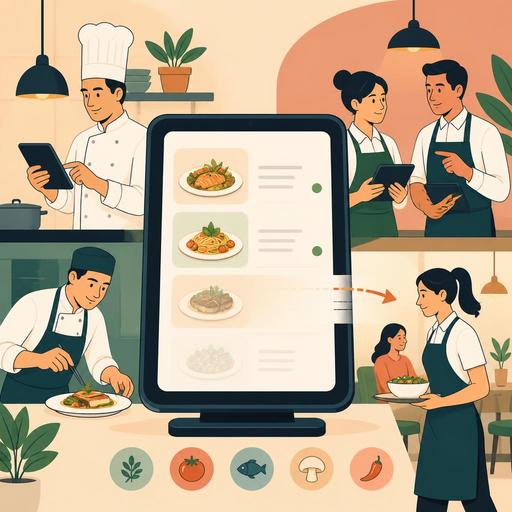
A Guide to Instantly Removing Sold-Out Items from the Menu in Restaurants
The process of instantly removing a sold-out item from the menu in restaurants is not just a technical convenience; it's an operational standard that produces direct results for customer satisfaction, service speed, and kitchen coordination. When a product continues to appear on the QR menu, the online order screen, or the table order flow even though it's out of stock, it creates a chain of cancellations, explanations, alternative suggestions, and lost time. Especially during busy service hours, this chain both disrupts the team's rhythm and damages the guest's perception of the business.
Today, for many restaurants, the real issue isn't that a product runs out; it's that the information isn't reflected correctly to all sales channels the moment it sells out. The sold-out feature gains its value at exactly this point. Closing a product's visibility in real time brings the menu closer to reality; and bringing the menu closer to reality makes the operation more predictable.
Why isn't the sold-out feature just a stock matter?
Keeping a product on the menu is often done with the thought “maybe it'll come back.” But while service is ongoing, the product being visible sends the guest the message that the product can be ordered. Saying “it's finished” at the moment of ordering is technically small but, as an experience, a big break.
Consider these scenarios:
- The best-selling soup runs out during lunch service but continues to appear on the QR menu.
- On the bar side, the syrup needed for a particular cocktail runs out, but the service team notices it late.
- On a takeaway order, a side item is gone; the customer is called after payment and asked for a change.
What these situations have in common is that the problem is less about stock and more about the delay in the information flow. The sold-out feature creates a shared reality among the kitchen, service, and digital menu. This way, the team gives the same answer at the same time to the question “what can be sold?”
In addition, this feature reduces the staff's burden of communicating from memory. Instead of the server making the same explanation at every table, the register dealing with a cancellation adjustment, or the kitchen making a last-minute decision to produce an alternative, the product becoming invisible in the system is a cleaner solution.
Invisible but powerful effects on the customer experience
From the guest's standpoint, a good experience is often a frictionless experience. That is, no problems arising, no explanations being needed, and the decision being made quickly. For this reason, the automatic removal of a sold-out product is a detail that “works in the background” but has a powerful effect.
For example, when almond milk is temporarily out at a coffee shop, leaving the almond-milk drink options open on the menu can create disappointment at the moment of ordering. Similarly, if a promotional product whose special sauce has run out keeps showing in a burger restaurant, the customer's first choice falls flat. The guest often reacts not just to the absence of the product, but to the wrong expectation being set.
What matters here is managing the menu as a living tool. If the digital menu, unlike a printed menu, allows real-time change, this advantage should be used. In setups that help centrally manage the digital menu and order flow, like Restomas, sold-out control means not just closing a product, but proper expectation management.
The gains that stand out on the customer-experience side are these:
- The need for cancellations and corrections during ordering decreases.
- Unnecessary explanation traffic between server and customer drops.
- The customer's decision time shortens because they see only available products.
- The need to call back later on an online order decreases.
How should the right setup be built in the operation?
For the sold-out feature to be useful, it isn't enough for it to merely exist in the system; it must be clear within the business in which situation, by whom, and how quickly it will be used. Otherwise, the feature exists but the behavior doesn't form.
1. Define critical products in advance
Not every product carries the same level of risk. Daily-made desserts, appetizers prepared in limited quantities, main dishes with a special sauce, or hard-to-source beverages should be identified as priorities. For these products, the sold-out process should be tracked more strictly.
2. Give the authority to the right person
In some businesses, only the manager can update the menu. This creates delays during peak hours. The best approach is for the head chef, the shift supervisor, or an authorized floor manager to be able to mark certain products as sold out quickly. The authority shouldn't be scattered, but it shouldn't be locked into a single person either.
3. Think in terms of channel-based synchronization
If a product is closed in the dining room but stays open on online ordering, the problem isn't considered solved. Consistency among the QR menu, table ordering, the takeaway screen, and the register flow where necessary is important. For this reason, updating the product information from a single place provides a serious advantage.
4. Define the re-opening process too
Sometimes a product doesn't run out entirely; it's prepared again shortly. In this case, the team should also know when the product will be re-opened. The sold-out feature should be thought of in both directions: making the product visible again at the right time is as important as closing it.
Concrete use scenarios: how does it work in which business?
Not every restaurant's sold-out need is the same. The feature's real value emerges when it's fitted into the right scenario for the type of business.
Cafés and patisseries
Products like croissants, cheesecake, or sandwiches prepared in the early hours of the day may be limited in number. When a product runs out, its continuing to appear on the menu creates unnecessary register dialogue, especially in a self-service or QR-ordering flow. In these businesses, quick category-based closing is very useful.
Restaurants with busy lunch service
In neighborhood eateries, quick-service restaurants, or businesses around office districts, some dishes can run out mid-lunch. In this case, updating the menu in real time speeds up the next customers' decisions. Instead of the sentence “we're out of it today,” the product simply not being visible preserves the service flow.
Cocktail bars and beverage-focused venues
Sometimes it's not the main product but a component that runs out. A shortage of tonic, purée, syrup, or a garnish can temporarily make certain drinks unsellable. In this type of menu, alongside closing products one by one, the habit of quickly identifying related products is also important.
Businesses with a strong takeaway network
Managing sold-out items is even more critical on online orders, because there's no chance to make up for it face to face in real time. Calling after the order to request a product change both creates a team burden and lowers customer satisfaction. For this reason, managing the digital menu and order flow together makes a big difference.
An applicable action plan for restaurant owners
If the sold-out process in your business still runs on verbal communication, the steps below provide a quick improvement:
- List the products that most frequently ran out in the last 30 days. See which products have recurring problems.
- Put these products into a priority tracking group in the menu system. Separate out limited-production products in particular.
- Define shift-based responsibility. Make it clear who will mark a product sold out and who will re-open it.
- Establish a short pre-service check routine. At opening, have the team know which products are at risk.
- Test channel consistency. When you close a product, check whether it really closes on the QR menu, the order screen, and the other channels.
- Set a standard for alternative suggestions. Decide in advance which nearby product the team will recommend when an item is closed.
The goal here isn't to make a flawless stock forecast, but to reflect the changing situation to the menu as quickly as possible. Because in a restaurant operation not every shortage can be prevented; but how the shortage reflects on the guest can be managed well.
In conclusion, the sold-out feature is a small-looking but high-impact digital operational tool. Showing only sellable products on the menu preserves customer trust, speeds up the service flow, and reduces the burden of internal communication. With solutions that help you consolidate digital menu and order management in a single center, like Restomas, it's possible to make this process more controlled and practical.
If you want to simplify your digital flows so that your menu reflects reality at every moment, you can take a look at the Restomas approach.
