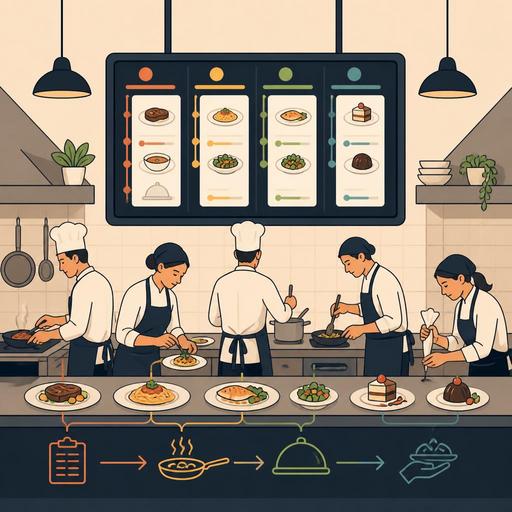
A Hands-On 7-Step Guide to Setting Up a KDS in Your Restaurant
Setting up a KDS — that is, migrating to a Kitchen Display System — is about far more than just placing a screen in the kitchen. When it isn't planned properly, a new system simply recreates the chaos of paper tickets in digital form. When it's set up correctly, it makes the order flow visible, strengthens coordination between stations, and brings service speed to a more manageable level. In this guide, we'll cover restaurant KDS setup in 7 steps, grounded in the real needs you face on the floor.
1. Map your current order flow first
Before moving to a KDS, the first thing to do is not to pick a technology, but to get a clear picture of your current operation. Through which channels do orders arrive? Do dine-in, takeaway, phone, online ordering platforms, and QR menu orders all feed into the same kitchen flow? Or is the team working with different screens, printers, and verbal call-outs?
For example, in a café-restaurant where table orders are passed to the kitchen through the register while takeaway orders are tracked on a separate tablet, the kitchen team is forced to prioritize everything mentally. Before a KDS setup, this fragmented structure must be noted.
- List your order sources.
- Determine which order goes to which station.
- Write down the most frequent points of delay during preparation.
- Examine how cancellations, additions, and special notes are communicated today.
Systems built without first drawing this map usually create new blind spots inside the kitchen.
2. Position your KDS screens according to kitchen stations
A single screen in every kitchen is not the right solution. If you have different stations such as grill, hot line, cold prep, dessert, or bar, orders need to be filtered and routed to the relevant teams. Otherwise, everyone sees the entire order, but the question of who does what and when is again left to verbal coordination.
Let's take a concrete example: in a burger-focused operation, if drinks, fries, and the main item all flow onto the same screen, the fastest-to-prepare item may end up waiting. Instead, if drink orders go to the bar screen, fried items to the hot prep screen, and main items to the grill screen, preparation moves forward in parallel.
The following details matter in screen placement:
- The screen should be within the worker's natural line of sight.
- Appropriate protection should be considered for areas exposed to steam, grease, and heat.
- If touch use is required, operation with gloves should be tested.
- Choose an angle where the screen won't be blocked by one person during peak hours.
The goal here isn't to install technology, but to reduce the decision load at each station.
3. Define order priority rules before the setup
One of the strongest aspects of a KDS is that it can be used not just to display an order, but to prioritize it. However, if priority rules aren't defined in the system, the kitchen screen turns into nothing more than a digital ticket wall.
At this stage, the business manager and the kitchen lead should decide together. Which orders take precedence? For takeaway orders, will the courier's timing be the deciding factor? Will main courses at the table be fired only after the starters? How will allergen notes or requested cooking levels be flagged?
- Identify items with long preparation times.
- Define groups of items that need to come out together.
- Set up a visible alert structure for orders with special notes.
- Establish a different color or label logic for takeaway and dine-in orders.
For example, in a venue serving brunch, if an omelet, coffee, and cold sandwich are going to the same table, having the coffee finish early and sit on the counter lowers service quality. In a KDS setup, you need to think not item by item, but in terms of the moment of service.
4. Combine POS, QR menu, and online ordering channels into a single flow
The most critical issue when setting up a KDS is integration. If some orders come from the POS, some from the QR menu, and some from third-party platforms, and these are tracked on different screens in the kitchen, digitalization won't deliver its real benefit.
In a good setup, what the kitchen sees should be the work to be prepared, not the channel. The order's source can be visible; but the kitchen team shouldn't have to switch between different devices. For this reason, the KDS plan should be considered together with the other systems the restaurant uses.
The following scenarios should be tested, especially in multi-channel operations:
- Does an order placed at the table via the QR menu reach the correct station in the kitchen?
- When an item is cancelled at the register, does it disappear from the screen instantly?
- Is the special note from an online order visible in the kitchen?
- When the same item arrives from different channels during a rush, does the sequencing logic break down?
In setups like Restomas, which bring QR menus, order management, and restaurant digitalization under one roof, this integration-minded approach can make the setup process simpler.
5. Train staff through scenarios, not “button tutorials”
The most common mistake in KDS migrations is explaining to staff only how to use the screen. Yet for the kitchen team, what matters isn't the buttons but how the work will flow in the new system. Training should be done through real service scenarios.
For example, the following situations can be acted out during training: When eight table orders arrive at once, how will the screen be read? When an item is 86'd — that is, sold out — who takes action and how? When a server enters a last-minute change, how will the kitchen notice it? When a takeaway order's courier delivery window gets tight, how will priority change?
A good training plan includes the following:
- A short theoretical briefing before opening
- Practice with test orders during downtime
- A peak-hour simulation
- Separate responsibility definitions for the chef, register, and service team
The goal here isn't for everyone to love the system, but for everyone to start speaking the same operational language.
6. Determine the checkpoints you'll measure in the first 14 days
Once the KDS is installed, saying “the screen works” doesn't mean success. Throughout the first two weeks, specific checkpoints should be monitored. These points don't have to be complex reports; practical, observable indicators on the floor are enough.
For example, the following questions can be asked regularly: Are orders landing at the wrong station? Is the waiting time for ready items getting longer? Has the number of verbal confirmations between server and kitchen dropped? Are cancellations and changes being managed more clearly? Which screen is the team struggling with most?
During this period, small adjustments make a big difference. Font size, color codes, item ordering, alert visibility, or station filters can be reconfigured. A KDS isn't a project completed on installation day; it's an operation that matures by learning from the first services.
7. Build your backup plan and failure procedure from the very start
This is the most neglected issue in digital systems. What happens when the internet goes down? If the screen freezes, how will the order flow continue? After a power outage, in what order will the system come back up? The answers to these questions must be clear before setup.
A practical failure procedure prevents the kitchen from panicking. For example, a manual ticket plan for a defined period, a list of responsible people, and restart steps should be written down. Make sure the shift supervisor and the head chef both know the same procedure.
You can create a simple checklist:
- In case of a failure, who does the first check?
- By what method will temporary order tracking continue?
- Who will contact the support team?
- When the system comes back, how will pending orders be verified?
A well-built KDS can manage not only a normal day, but the moment of disruption too.
Conclusion: A successful KDS setup is operational design, not technology
Setting up a KDS is a powerful step that increases visibility in the kitchen; but the real value emerges when you clarify how the order lands in the kitchen, how it's prioritized, and how it's handed off between teams. If you approach the migration not as a screen-purchasing project but as a workflow design, you'll spot failure points earlier, speed up staff adaptation, and bring more control to your service flow.
If you want to set up QR menus, order management, and kitchen flow in a more connected way in your restaurant, you can evaluate the digital building blocks Restomas offers from a simple operational perspective.
