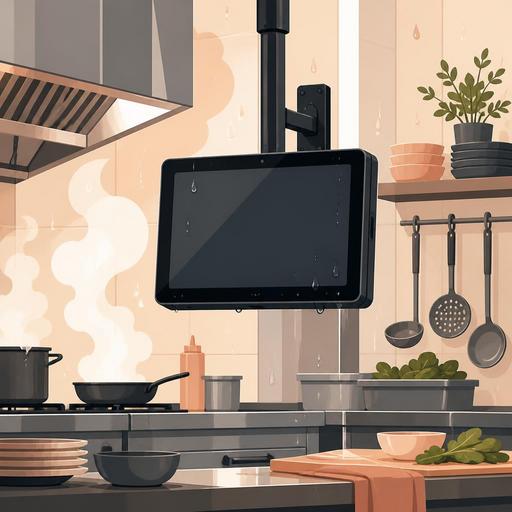
The Right IP Protection Rating for a Digital Display in a Restaurant Kitchen
Choosing the right IP protection rating for a digital display in a restaurant kitchen is a critical decision not only to extend the device's lifespan, but also to keep the order flow uninterrupted, work in harmony with the cleaning routine, and reduce operational risk. Using the same display standard in different zones such as the hot line, dishwashing area, prep counter, and packing station most often does not give the right result. Because in the kitchen, the threat is not concentrated under a single heading: steam, grease splatter, intensive cleaning, dust, moisture, and sudden temperature changes directly affect device behavior.
Many businesses make their display choice based on resolution, screen size, or price. Yet in a kitchen environment, the real question is this: Will this display truly withstand the physical conditions at the spot where it sits? The IP rating comes into play at exactly this point. A display that doesn't have the right level of protection can quickly develop problems such as loss of touch sensitivity, connection issues, internal screen fogging, or complete failure. This undermines the reliability of the kitchen display system.
What is an IP rating, and why is it so important for the kitchen?
IP is a classification that expresses a device's level of protection against solid particles and liquids. The first digit describes protection against dust and solid objects, and the second digit describes resistance to water. For restaurant owners, more important than the technical detail is how this rating translates into a real usage scenario.
For example, in the prep area, flour, spice powder, or food particles can regularly come into contact with the screen. On the hot production line, the main risk is steam and grease. In the area near the dishwashing exit, water splatter is more intense. The end-of-day cleaning, with wiping using a chemical cloth or controlled water contact, must also be taken into account. In other words, it is not enough for the display to merely be working; it needs to keep working reliably within the rhythm of the kitchen.
An important mistake here is determining a single durability level for the entire kitchen. The display used at the register and the display placed next to the fryer do not have the same needs. When setting up order management or a kitchen display, you need to base the decision not on the device's job, but on its location and the conditions it will be exposed to.
How does the IP requirement change for different areas in the kitchen?
When choosing a display in the kitchen, first map out the risk by area. This approach also prevents unnecessary cost. Buying the highest protection rating for every spot can strain the budget; but placing a low protection rating in the wrong area can lead to more expensive failures.
1. Prep counter and cold production area
In these areas, flour, crumbs, sauce drips, and the need for frequent wiping stand out. If the display is not directly on the washing line, a mid-to-upper level of protection may be sufficient for most businesses. However, staff using the screen with gloved, wet, or greasy hands can affect touch performance. For this reason, you should look not only at the IP rating, but also at the usage ergonomics of the screen surface.
2. The hot line, stove, and area around the fryer
This is one of the most critical zones. Here, as much as water, steam, oil aerosols, and high-temperature effects matter. This is generally the area where paper slips quickly deteriorate or stick. If the digital order screen is to be positioned within the line of sight of the hot line, the device's ventilation design and mounting method should be evaluated as much as the protection level. A setup that is too close to the wall with weak airflow can strain the device.
3. The dishwashing area and near the washing line
These are the zones where water splatter is most intense. In these areas, attention should be paid not only to the screen, but also to the connection points, the power input, and cable protection. Even if a panel with a high IP rating is used, exposed connections can be the weak link. For this reason, in the display choice, the entire installation should be considered together, not the single device.
4. Packing and delivery area
Here the risk is generally lower than at the hot line; however, there is heavy traffic, fast usage, and continuous screen interaction. For orders not to get mixed up, it is important that the screen be clearly visible and respond quickly. If there is proximity to an exterior door in this area, the effect of moisture and dust can vary throughout the day.
5 common mistakes made when choosing an IP rating
- Making a decision based only on price: Although the initial investment looks low, the cost of failure, service, and downtime can be higher.
- Evaluating the display independently of its location: The same model doesn't deliver the same performance at every station.
- Not accounting for connection points: A protected panel remains at risk with unprotected cables and ports.
- Ignoring the cleaning routine: End-of-day chemical cleaning is the real durability test of the device.
- Thinking only about today: When the kitchen flow changes, the display's location may change too; some flexible planning is needed.
For example, in a small burger business, the packing display may initially sit in a safe spot. But as it gets busier, the display is moved next to the hot pass. The protection level that seemed sufficient at first may fall short in the new location. For this reason, when making a display investment, the possibility of the operation growing should also be taken into account.
Which checklist should restaurant owners use before purchasing?
Reading a technical brochure is not enough on its own. Before deciding, the following checklist gives practical results:
- Define the display's location clearly. Is it the hot line, prep, next to the dishwashing, or the packing area?
- Write down the risk it will be exposed to. Steam, grease, water splatter, dust, intensive wiping, high heat.
- Determine the cleaning method. Wiping with a damp cloth, a chemical cleaner, or controlled water contact?
- Plan the mounting type. Wall, bracket, countertop, or a protected enclosure.
- Check the connection infrastructure. Are the power cable, network connection, and ports protected?
- Create a backup scenario. If the display temporarily shuts down, how will the order flow continue?
This checklist is especially valuable for businesses transitioning to a digital order flow. Because the kitchen display is no longer just a device that shows information; it sits at the heart of operations, covering the order queue, table status, takeaway flow, and preparation priority. The durability of the display is directly tied to service speed.
Why should display selection not be considered separately from software in the digital kitchen flow?
A common mistake in restaurant digitalization projects is treating hardware and software as two separate worlds. Yet a good kitchen-display experience is created by planning physical durability together with the workflow on the screen. Even if the display is well protected, if the interface is confusing the staff notice the order late. Even if the software is well designed, if the display doesn't withstand the environmental conditions, the system falters.
For this reason, restaurants should consider display selection together with the order-management structure. For example, if product-based separation in the kitchen, station-based routing, or monitoring order statuses from a single panel is planned, the displays should be positioned accordingly. Having only the relevant orders visible on the hot line, and the ready-for-delivery flow stand out in the packing area, simplifies operations.
For businesses working with restaurant-digitalization-focused platforms like Restomas, the important opportunity here is being able to structure the software flow according to the kitchen's real layout. This way, display selection turns from just the question of "which model should be bought" into the question of "which information should be visible at which station, and how reliably should this device work under those conditions." The healthiest investment is made with this perspective.
Conclusion: The right IP choice is the invisible foundation of an uninterrupted flow in the kitchen
Choosing a digital display in the kitchen is not a matter of aesthetics or merely a technical purchase; it is an operational decision that directly affects service continuity, staff comfort, and the error rate. The right IP protection rating should be determined according to the real risks of the area where the display sits. The hot line, where steam is intense, and the prep counter, which carries only a crumb risk, should not be evaluated with the same lens.
If in your kitchen you are considering the digital display, QR menu, order management, and station-based flow structure together, first map out the risk; then match it with a suitable device and software structure. Restomas can help you make a more accurate decision while adapting this digital flow to the kitchen's real working order.
