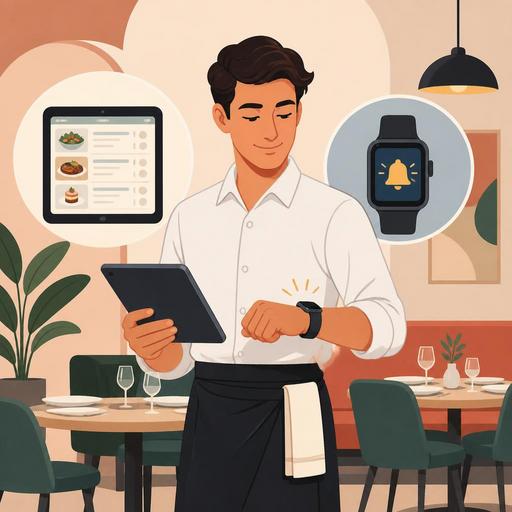
Choosing Order Technology in a Restaurant: Tablet or Smartwatch?
Comparing the server tablet and the smartwatch app is today one of the most critical topics many restaurants are seeking answers to in their digitalization investment. Because the issue is not just which device looks newer; it is making a choice that touches the very center of daily operations: order accuracy, table turnover, the staff's freedom of movement, communication with the kitchen, and the training burden within a shift. The right choice supports service quality, while the wrong one can create extra pressure on the team.
At this point, the mistake restaurant owners frequently make is evaluating the device on its own. Yet efficiency must be evaluated together with the order management flow, the ease of updating the menu, POS integration, compatibility with the kitchen screen, and user habits, as much as with the device's screen size, notification structure, or portability. In short, the question should not be "tablet or watch?" but "in which service scenario does which tool work better?"
The tablet and the smartwatch solve the same problem in different ways
The server tablet visually centralizes the order-taking process. Menu categories, product details, add-on options, allergen notes, and table-based order tracking can be seen on a single screen. Especially with multi-option menus, the tablet works like a decision-support tool for staff. For example, in a burger restaurant, details such as cooking temperature, extra sauce, menu size, and drink swaps are handled more controllably on the tablet screen.
The smartwatch app, on the other hand, generally gains its strength in micro-interactions. In short, fast-action moments, such as a new table call, a "ready" notification from the kitchen, register approval, the arrival of a reservation guest, or a late-order alert, it can direct staff instantly. The watch stands out less as an order-entry device and more as an operational alert and direction tool.
This difference is important. Because in a full-service restaurant where the server needs to take detailed orders, the watch screen often falls short. By contrast, during a busy lunch service, the server being able to act on a notification that arrives on their wrist, without having to pull a device out of their pocket and look at it, can provide serious practicality.
Real differences in terms of speed, error risk, and service flow
The first area to look at in an efficiency evaluation is how accurately and seamlessly the order is transferred from the table to the kitchen. The tablet's biggest advantage emerges here: the large screen shows product variations more clearly. Staff handle notes such as "no onions," "spicy sauce on the side," and "gluten-free bread" more easily. This can reduce misunderstandings caused by verbal communication.
However, a tablet does not always mean faster. In crowded service, carrying the device in hand, switching between screens, tracking charge, and sharing devices can slow the flow in some businesses. Especially in small cafes, if the menu is simple and orders proceed in similar patterns, looking at the tablet for every detail can make staff more dependent on the screen than necessary.
On the smartwatch side, speed comes from a different place. The watch creates efficiency if it draws the staff's attention to the right event at the right moment. For example:
- An instant notification going to the relevant service staff for an order that has come out of the kitchen
- An alert dropping to a table that has long been waiting to pay
- The dining-room team being informed when a reservation guest checks in
- High-priority table calls not being missed
But entering a long order via the watch is not practical. As menu depth increases, the error risk rises. For this reason, the watch produces more efficient results not when it tries to be the main order device, but when it is a layer that complements the tablet, POS, or QR menu flow.
Which device is more suitable for which restaurant type?
There is no single right answer; the type of business is at the center of the decision. The following framework provides a more realistic view when making a choice:
1) Restaurants with broad, customizable menus
In steakhouses, burger chains, world-cuisine restaurants, or concepts that offer many add-on options, the tablet makes more sense. Because as product variations increase, the need for visual confirmation increases. It becomes easier for staff to show the customer options and to clearly convey allergen or add-on information.
2) Quick-service businesses with limited menus
In businesses where the menu is short and order repetition runs high, a watch-supported notification system can make more sense. Here the main aim is not to take detailed orders, but to preserve the service rhythm. A fast alert flow is especially valuable at points where delivery, dine-in, and takeaway traffic flow in at the same time.
3) Restaurants offering a premium service experience
In a fine-dining or high-touch service approach, the tablet can cause the server to focus too much on the screen in front of the guest. In this case, a hybrid model works more elegantly: the order is essentially taken on a suitable device, while the watch is used for service timing and table coordination. This way, technology takes on a supporting role without being visible.
4) Businesses with high staff turnover
Training time is a critical factor here. It is generally easier for new staff to learn the tablet interface, because the options are visual and proceed step by step. The watch interface, on the other hand, works with short commands and notification logic, so if the process design is not good, it can create confusion among new staff.
When deciding, look at the software flow rather than the device
Many businesses put the hardware first and push the software experience to the background. Yet the real efficiency difference arises not from the device's features alone, but from the system compatibility in the background. If you cannot give clear answers to the following questions, a device investment may be premature:
- How will the order drop to the kitchen, and in what order will it appear?
- How quickly will table merging, check splitting, and the add-on order flow be managed?
- When a product runs out, can it be updated instantly across all devices?
- Will the QR menu, server order, and register flow run on the same data?
- Will the manager be able to track service delays and busy hours from a report?
For example, if you are using a tablet but the menu is not updated even though a product is out of stock, then even if the device looks modern, the customer experience is degraded. Likewise, if a watch notification arrives but task ownership between the kitchen screen and the service team is not clear, the notifications only become a distraction. That is why the healthiest approach in restaurant digitalization is to evaluate the device not as a standalone investment, but as part of the holistic operational flow.
At this point, it becomes important to consider the QR menu, order management, reservations, and POS integration under the same roof. Because the data needs to flow without breaking, from the guest looking at the menu at the table, to the order dropping to the kitchen, to payment and reporting. The device choice becomes meaningful when it too supports this integrity.
A clear decision framework for restaurant owners
To make the decision easier, you can apply the following practical method:
- Measure menu complexity: if there are many variations, the tablet stands out.
- Analyze your notification needs: if instant table and kitchen coordination is critical, the watch is valuable.
- Define your service style: if eye contact with the guest matters, reduce dependence on the screen.
- Calculate the training time: for seasonal or high-turnover teams, choose an interface that is easy to learn.
- Run an integration check: if POS, kitchen, reservation, and menu data are fragmented, fix the software flow first.
- Try a pilot shift: before rolling it out to the entire location, test during one busy shift.
In conclusion, there is no absolute winner between the tablet and the smartwatch. The tablet is strong in detailed order accuracy; the smartwatch in instant operational awareness. The highest efficiency, meanwhile, most often emerges in businesses that correctly define the role of these two approaches. In other words, positioning the tablet for order accuracy and the watch for service coordination is a more realistic strategy.
The best way to understand which device will be more efficient in your restaurant is to evaluate the technology together with team habits, menu structure, and service flow; integrated solutions like Restomas can also make it easier to see this whole picture from a single screen.
