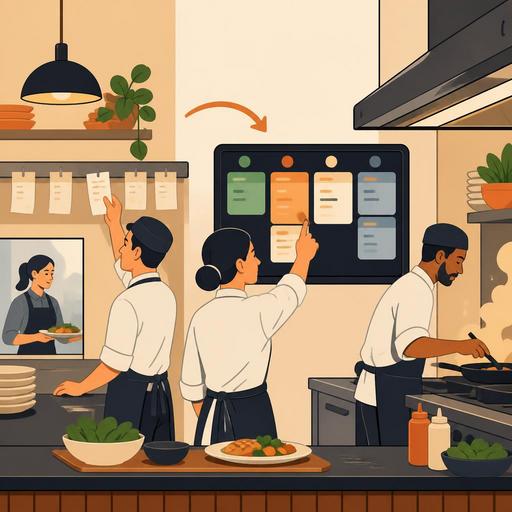
A 30-Day Transition Plan from Paper Checks to a Digital Kitchen Display in Restaurants
The transition from paper checks to a digital kitchen display in restaurants is not just a technology investment; it is the process of rebuilding the order flow, team communication, and service discipline. For many businesses, the real difficulty is not installing the screen but managing the kitchen and dining room adapting to the new order in the first 30 days. When the right planning is done, a digital display system helps reduce illegible tickets, lost slips, re-asked orders, and disconnects between stations. In this article, we will cover the first month of the transition by breaking it into weeks, with concrete steps, realistic scenarios, and actionable recommendations.
Before the transition begins: make the current flow visible
The most common mistake in setting up a digital kitchen display is moving the problematic, paper-based order onto the screen exactly as it is. Yet the screen doesn't automatically fix a bad flow; it only makes it visible. For this reason, the first step, before choosing technology, is to map out the order journey.
Let's consider a simple example: the server takes the order, enters it into the POS, a paper comes out of the kitchen, it goes to the hot station, then the cold station asks the dining room again for additional information. The problem here is not the paper; it is that the order notes are not standardized and the priority information between stations is not communicated clearly. If the same uncertainty continues on the digital display, the team has merely looked at a screen instead of paper.
Before the transition, give clear answers to these questions:
- Which orders get the most confused: takeaway, table service, products with special notes, campaign menus?
- Which stations work simultaneously on the same order?
- How does cancellation, change, and addition information reach the kitchen today?
- Who determines the priority order during busy hours?
- Can the chef, cashier, and service team see the same order status at the same time?
In systems offering order management and POS integration, such as Restomas, this visibility is easier to establish; but first the business needs to clarify its own flow language. The screen doesn't work efficiently until product names, variations, cooking notes, and cancellation rules are standardized.
Days 1-7: pilot setup and transforming team habits
In the first week, it is healthier to choose a controlled pilot area rather than moving the entire restaurant to the new order all at once. For example, you can start with only lunch service, only takeaway orders, or a single station. The goal is not to look flawless but to catch the trouble spots early.
During this period, staff's biggest concern is usually not technical but about speed. Servers worry that orders will arrive late, and the kitchen team worries that their rhythm will be disrupted while following the screen. For this reason, training should be given not theoretically but on the job. Short pre-shift meetings and real order scenarios are the most effective method.
What to focus on in the first week
- Simplify product names: Review long or similar product names that could be misunderstood in the kitchen.
- Create a note-entry standard: Have phrases such as "no onion," "rare," and "sauce on the side" written in a single format for everyone.
- Test the screen placement: Screen visibility, light reflection, and distance to the station matter in practice.
- Keep the paper backup briefly: In the first few days, keep a controlled backup plan instead of cutting off completely.
- Designate a responsible person: Have a single person on each shift who will manage system questions.
For example, in a burger-focused restaurant, the notes for extra ingredients and cooking degree may be the area that produces the most errors. Having these notes appear prominently under the product on the digital display both makes the head chef's control easier and reduces repeats such as "did this order have cheddar?"
Days 8-15: identify bottlenecks and tune the screen to the flow
By the second week, the team begins to get used to basic usage. The real value emerges at this stage: it now becomes more visible which orders are waiting, which station is slowing down, and where changes are piling up. In other words, the screen shouldn't just show orders; it should make the work sequence in the kitchen readable.
The point to watch here is not to interpret every delay as a staff performance problem. Sometimes the problem lies in the menu design. A campaign menu that has many fragmented products prepared at once can naturally pile up the screen during busy hours. In such cases, the solution is not telling staff to be faster; it is rethinking the prep sequence and product combinations.
In the second week, examine these areas:
- The product groups that wait the most
- Delays experienced in orders containing special notes
- The way cancelled or revised orders reach the kitchen
- The priority confusion experienced when takeaway and dine-in orders come in at the same time
At this point, digital systems showing the order status in real time provide a serious advantage. For example, when the service team can track the status of "in preparation," "completed," or "ready to serve," needless verbal pressure on the kitchen decreases. This way, kitchen staff focus on production instead of constantly answering questions.
Days 16-23: bring the communication between the dining room, register, and kitchen into a single language
The success of digitization is not measured only in the kitchen. If the register, service, and kitchen each use a different language, the screen system quickly produces a new kind of confusion. The goal of the third week is to ensure the order proceeds with the same logic across all touchpoints within the business.
Let's give a concrete example: when a customer changes a product at the table, the server conveys this verbally to the kitchen, but if the POS record isn't updated, a discrepancy arises between the screen and the actual order. This leads to the "we did make this" versus "it doesn't show in the system" argument. Yet the order should be this: the change is processed into the system first, then the updated state drops to the kitchen display, and then the service team confirms the new state from the screen.
This week, short operational rules can be put in writing for the team:
- A verbal change alone is not considered valid.
- Everyone knows how a cancelled product will be marked on the screen.
- For takeaway orders, delivery priority is determined by clear rules.
- It becomes clear who closes a ready order and who delivers it.
Restomas's QR menu, order management, and integration approach provides organic benefit here; because the order proceeding in a single flow from its entry point to the kitchen reduces interpretation differences between teams. The important thing is to support this infrastructure with in-house rules.
Days 24-30: measure performance and update the menu and shifts according to the new order
At the end of the first month, what needs to be done is not just asking "is the system working?" The real question is this: Did the new order make operations more predictable? Because a digital kitchen display, when used correctly, also produces data for menu planning, the prep sequence, and shift design.
For example, certain products constantly piling up at certain hours can indicate that the pre-prep work was inadequately planned. Similarly, products that receive a lot of notes can signal that the menu descriptions are insufficient. In businesses using a QR menu, clarifying product descriptions can lighten the special-note load in the kitchen by reducing uncertainty on the customer side.
A checklist at the end of the first 30 days
- Has the source of errors decreased? Note recurring problems, especially missing products, wrong garnish, and wrong cooking.
- Has busy-hour management become clearer? Check whether order priority and screen flow are interpreted the same way by the team.
- Is there a need for menu simplification? Identify products or combinations that constantly cause problems.
- Does a training gap persist? The goal should be a team that uses the system correctly, not just one that uses it.
- Is the backup procedure ready? Create a short action plan for internet, device, or power outages.
After this evaluation, small but effective revisions can be made: changing the station-based screen layout, shortening product notes, renaming some menu items, or adding a 5-minute screen-check routine at the start of the shift. The best transitions arise not from big launches but from these small operational adjustments made within the first month.
Conclusion: restaurants that gain discipline, not technology, come out ahead
The first 30 days of the transition from paper checks to a digital kitchen display show not how open the restaurant is to technology but how clearly it manages its processes. Successful businesses handle the screen not as a device but as an operational tool that standardizes the order language, increases visibility between teams, and makes service quality more consistent. If you are also planning this transition, the safest path is to start with a small pilot and proceed by making the flow visible.
Restomas can help restaurants evaluate, within a single structure, the digital tools that make the order flow more organized and visible.
