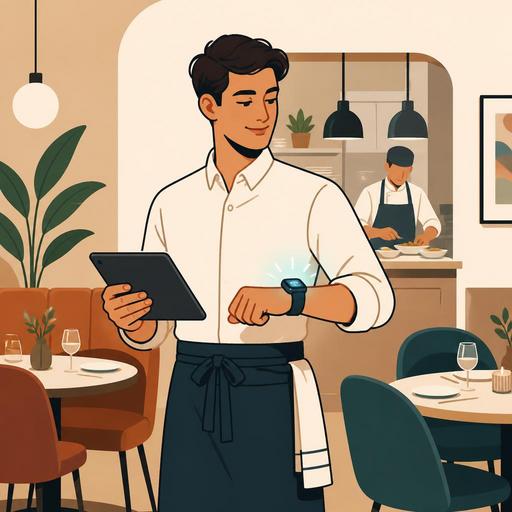
Server Tablet or Smartwatch in Restaurants? An Order-Speed and Operational-Efficiency Guide
The question of server tablet or smartwatch app in restaurants is, for businesses planning a digitalization investment, no longer just a technology preference but a direct service-flow and profitability decision. The right device choice affects how the order is conveyed from the table to the kitchen, the staff's freedom of movement, the error risk, and the guest experience. For this reason, when making the decision, you should focus less on "which device looks more modern?" and more on "in which scenario does which team work with less friction?"
Although a tablet and a smartwatch may seem to be trying to solve the same problem, they actually address different operational needs. Tablets are strong at detailed order entry, menu visualization, and managing multi-step operations. Smartwatches, on the other hand, stand out in notifications, quick confirmation, and real-time coordination. The most efficient result often emerges not from glorifying a single device but from breaking the workflow into its parts and assigning the right tool to each part.
In which restaurant types does the server tablet work more efficiently?
The server tablet provides a clear advantage in businesses where the order's level of detail is high. Especially in multi-option breakfast plates, meat products with a selected cooking level, burgers with extra ingredients, or menus with allergen sensitivities, the tablet screen reduces the margin of error. The server sees the product variations on a single screen; thanks to the notes field, the product image, and the category structure, they enter the order in a more controlled way.
For example, in a crowded family restaurant, the order for a table of four is usually not as simple as just "2 meatballs, 1 salad, 1 pasta." There are notes such as "one without onions," "let the beverage in the children's menu be ayran," and "the sauce in the salad on the side." In such a flow, the tablet is safer than a small-screen device. That is because the staff can check the order without coming back, can notice missing items, and can convey table-specific notes to the kitchen more clearly.
The tablet also creates an advantage in the following areas:
- Managing a broad menu: In multi-category menus, the time to find a product shortens.
- Visual support: New staff learn the products faster.
- Cross-selling: Beverage, dessert, or add-on suggestions appear on the screen.
- Reservation and table tracking: Table status can be checked from the same device.
The critical point here is this: the tablet can become not just a screen that takes orders but also the operations panel for the service staff. If the QR menu, table-based order flow, kitchen display, and POS integration work together in the business, the value of the tablet increases even more. That is because the server both takes the order and tracks the table's status from a single device.
In which tasks does the smartwatch app stand out?
In most businesses, the smartwatch app should be thought of less as a replacement for the tablet and more as a tool that complements it. The watch's greatest strength is not detailed data entry but producing real-time awareness. The watch is very effective in situations requiring a quick reaction, such as a notification that an order is ready for service, a table call, an alert that a courier is heading out, or information about a canceled product.
Especially in restaurants spread over a large area or in service setups where servers are constantly on the move, receiving an alert via a vibration on the wrist instead of taking a phone out of one's pocket or going back to a tablet saves time. Rooftop restaurants, multi-story venues, cafés with gardens, and busy coffee-chain points are more inclined toward this model.
Let's consider a concrete example: the beverage prepared in the bar section and the hot dish coming out of the kitchen should go to the table at the same time. The server looking at the tablet screen may be delayed; but receiving a "Table 12 beverage ready" notification on the smartwatch strengthens the service synchronization. This difference is not a technological show on its own but an operational advantage that preserves the service rhythm.
The main use cases where the smartwatch is efficient are:
- Real-time notifications: Ready order, table call, payment request.
- Quick task routing: Which table is the priority becomes clear.
- Hands-free work: Practical for staff carrying trays or moving around heavily.
- Delay visibility: Pending services are noticed more easily.
However, entering long order notes, navigating within the menu, or managing complex product structures with a smartwatch is difficult. For this reason, it is more realistic to position the watch as a "field notification tool" rather than a "command center."
When deciding, analyze not just the device but the workflow
Many restaurants make the investment decision based on hardware; yet the real evaluation should be made based on where the order flow gets clogged. Is the problem the order being entered incorrectly? The product coming out of the kitchen being noticed late? The staff being unable to adapt to the new menu? The payment request being delayed? Each problem creates a different device priority.
The following short framework makes the decision easier:
- Measure the order complexity: If there is a multi-variation menu, the tablet stands out.
- Evaluate the service area: In a large and dynamic area, watch notifications provide a benefit.
- Examine the staff profile: For teams with low digital adaptation, a simple interface is critically important.
- Determine the integration need: Will a connection be established with the POS, kitchen display, reservations, and QR menu?
- Test the peak-hour scenario: At the busiest moment, which device creates less friction?
For example, in a fast-service lunch restaurant where orders are mostly standard, giving every staff member a large-screen tablet may be unnecessary. By contrast, in a business doing à la carte service, tableside suggestive selling, and frequent special notes, proceeding with only a watch can create serious confusion.
Why are training, error management, and staff adoption decisive?
Even the best technology does not produce efficiency if it is not adopted by the team. The learning curve of tablets is generally more understandable; because the screen structure is intuitive, the products are visible, and the steps can be easily demonstrated during training. The smartwatch, on the other hand, works with fewer taps but is more open to misuse because the interface is small. If the notification density is not well designed, the staff may eventually start ignoring important alerts.
For this reason, along with the device choice, you need to clarify these rules:
- Which notification will go to whom?
- Which operation will be mandatory on the tablet?
- Which task will only be confirmed via the watch?
- How will notification priority be ordered during busy hours?
Operational efficiency rises not by increasing the number of devices but by creating role clarity. For example, if order-taking is defined on the tablet, the service-ready notification on the watch, and the table closing in the POS integration, the team knows what to do from where. Such a structure is especially valuable in businesses with high staff turnover; because a new employee grasps the system faster.
Central menu management is also important here. When a product name, variation, stock status, or price update is made on the menu, all touchpoints need to work in harmony. Otherwise, a disconnect forms between the product shown on the tablet and the kitchen flow or payment screen. The value of platforms focused on restaurant digitalization, such as Restomas, emerges precisely at this point: even if the devices change, the data and operational logic remain in a single center.
The most correct model is often a hybrid setup
For restaurant owners, the most practical conclusion is this: instead of looking for a definitive winner between the tablet and the smartwatch, thinking about a task-based hybrid setup is often more efficient. While the tablet carries order accuracy and menu control, the smartwatch can speed up the service tempo. This combination is especially strong in medium- and large-scale businesses.
An actionable roadmap to get started could be as follows:
- First find the bottleneck: Is it order entry, kitchen output, or table turnover?
- Run a pilot test on one shift: Try it with a small team before rolling it out to the whole branch.
- Simplify the menu structure: A digital device's efficiency drops with complex menu logic.
- Limit the notification rules: Not every event should be a notification; let the critical ones stand out.
- Track the data: Look at where the most-corrected orders, pending tables, and delayed services occur.
In conclusion, the tablet provides detail, control, and order accuracy. The smartwatch brings speed, visibility, and field coordination. If your business is focused on the table experience, the tablet can be the main backbone; in a busy service setup requiring a quick reaction, the watch turns into a strong complement. Make your decision based not on device fashion but on your menu structure, service style, and team habits.
Restomas can help restaurants build more consistent digital processes, from the QR menu to the order flow and bringing the different touchpoints of the operation together in a single structure.
