Choosing Shift Planning Software for Restaurants: 6 Alternatives to Excel
Choosing shift planning software for restaurants is not just about determining which day staff will work. The matter is about meeting service demand accurately, keeping overtime under control, managing leave requests in an organized way, and maintaining coordination between the kitchen and the dining room. Excel is still used in many businesses; however, when file versions get mixed up, last-minute shift changes stay stuck on the phone, and branch managers edit the same spreadsheet in different ways, operations start to slow down. At this point, the question is not "which program is more modern?" but "which structure truly fits the restaurant's rhythm?"
Especially in cafés, restaurants, and multi-branch food-and-beverage businesses, the shift plan must be thought through together with the reservation flow, the takeaway load, the preparation burden on the menu, and instant staff shortages. For this reason, it is more sound to classify the tools that will replace Excel according to which business problem they solve rather than evaluating them like a list of brands. The following 6 types of tools help restaurant owners make a clearer decision when choosing.
1. Drag-and-drop shift planning tools
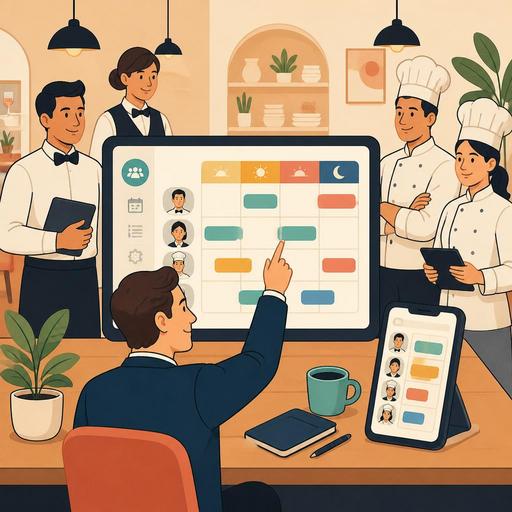
The first need is often simple: to prepare the weekly plan quickly and share it with the team. Shift planning tools that work on drag-and-drop logic are the most practical alternative to Excel, especially for small and medium-sized businesses. The manager places staff into day and time blocks, and employees see their own shifts from a mobile device.
This type of tool stands out in the following situations:
- If there is a shift pattern that is similar every week but not exactly the same
- If last-minute changes happen frequently
- If the plan needs to be tracked from a single up-to-date panel rather than a WhatsApp screenshot
- If employees' question "what time was I supposed to start?" keeps interrupting operations
Let's give a concrete example: imagine a restaurant that is quiet at lunch on weekdays but busy on Friday and Saturday evenings. It is possible to prepare this plan in Excel; however, if a server goes on sick leave, a commis wants to swap shifts, and the number of reservations increases, the plan can become outdated within a few hours. Drag-and-drop tools speed up revisions at this point.
2. Attendance tracking and time-clock-focused systems
For some businesses, the real problem is not preparing the plan but seeing whether the planned shift was actually carried out. Attendance tracking and time-clock-focused systems make clock-in/clock-out times, lateness, early departures, and total working time more visible.
These tools are particularly useful in the following scenarios:
- If overtime control is becoming difficult
- If shift records and actual working times do not match in payroll calculation
- If more than one manager manages different teams
- If there is a constant gap between the weekly plan and the actual operation
The critical point here is not to structure the system merely as a monitoring tool. A good time-clock system enables the manager to answer the following questions: Is there really enough of a team during the busiest hours? Are closing shifts running longer than necessary? Are the same people constantly being scheduled for critical hours? This way, shift planning ceases to be merely an administrative task and turns into an operational-improvement tool.
3. Demand forecasting and density-based planning solutions
One of the areas where Excel falls shortest is forecasting future staffing needs by looking at past data. Demand-forecasting-focused planning solutions make it easier to create more realistic shifts by using signals such as reservation density, past sales hours, special days, and delivery traffic.
For example, a café with strong brunch service and a steakhouse that gets busy during evening service are not managed with the same shift logic. In one, morning preparation and cash-register speed matter; in the other, the evening service flow and kitchen coordination do. Data-supported tools do not eliminate the manager's intuition entirely; but they set that intuition on a firmer footing.
This approach gives restaurants the following actions:
- Reduces the risk of being understaffed during busy hours.
- Makes the cost of keeping more staff than necessary during quiet hours visible.
- Makes it easier to create different shift templates on a per-branch basis.
- Makes it possible to prepare in advance for campaign, event, or weekend traffic.
Planning becomes far more meaningful especially when a connection can be made with reservation, order, and POS data. The value of restaurant digitalization emerges precisely here: the shift plan is thought through not in isolation but together with real operational data.
4. Employee self-service apps and shift-swap platforms
In many restaurants, one of the jobs that takes up most of the manager's time is shift-change requests. When messages such as "I can't come tomorrow," "Can we swap the evening shift for the morning?", and "Can I take Sunday off?" come in through scattered channels throughout the day, the plan becomes effectively fragile even if it looks complete on the surface.
Employee self-service apps offer a strong alternative at this point. Staff see the available shift, submit a swap request, track the approval process, and reach the up-to-date plan from a single screen. This structure creates the following benefits:
- Reduces the message traffic on the manager
- Prevents unapproved shift swaps
- Provides transparency within the team
- Makes it easier for new staff to adapt to the schedule
Concrete example: in a crowded restaurant running two services, the shift needs of the bar team and the dining-room team may differ. Without a self-service structure, changes proceed verbally and the risk of error increases. An app-based system, on the other hand, clarifies the information of "who changed, when, with whose approval."
5. Centralized planning panels for multi-branch businesses
In a single branch, Excel can manage for a while; but after the second or third branch, the files multiply and standards scatter. In multi-branch restaurants, centralized planning panels are needed not only to prepare shifts but to establish a management standard.
Thanks to a centralized structure, the business owner or operations manager gains clearer control over the following headings:
- Is there a similar distribution of roles across branches?
- At which branch is there a constant staff shortage?
- Are experienced employees distributed in a balanced way across critical shifts?
- Are leave and absenteeism clustering at a certain point?
Systems of this kind are especially important for brands in the growth phase. Because the problem is often not the inability to make a plan, but the inability to carry the same planning discipline to all branches. When thought through together with digital structures that offer reservation, order flow, and operational visibility, like Restomas, the shift plan becomes part of a more holistic management model.
6. Solutions integrated with POS, reservation, and operational data
Excel's real limit is that it cannot talk to other systems. Yet in modern restaurant operations, the shift plan cannot be thought of independently of table occupancy, reservation density, kitchen production pressure, and the transaction tempo at the cash register. For this reason, the strongest alternatives are solutions that relate planning to the other operational layers.
For example, a business that sees reservations clustering at certain hours can increase service staff accordingly. If the time it takes to decide at the table is shortening thanks to a QR menu or digital order flow, the dining-room team's task distribution can be rearranged. If POS data shows density in certain product groups at certain hours, the kitchen preparation shift can be structured more accurately.
What should restaurant owners look at when choosing?
- Ease of use: Will the manager and team actually use the system?
- Mobile access: Can the employee see their shift from their phone?
- Authorization: Can the branch manager, human resources, and the business owner access at different levels?
- Integration potential: Can a connection be made with POS, reservation, or order systems?
- Reporting: Can the planned and actual working arrangements be compared?
The best method to make the transition successfully is to run a pilot first in a single branch or with a single team, rather than transforming the whole business at once. In the first stage, it is enough to digitize the weekly plan, shift swaps, and attendance tracking processes. In the next step, smarter planning can be done by connecting with reservation, order, and sales data.
In conclusion, Excel may be a familiar tool to start with; but as restaurant operations speed up, the need for flexibility, visibility, and integration increases. The right shift planning software does not merely produce a schedule; it preserves service quality, reduces the manager's burden, and makes the staff experience more organized. The digital restaurant infrastructure offered by Restomas can also complete this picture and help make planning decisions more compatible with the rest of the operation.
