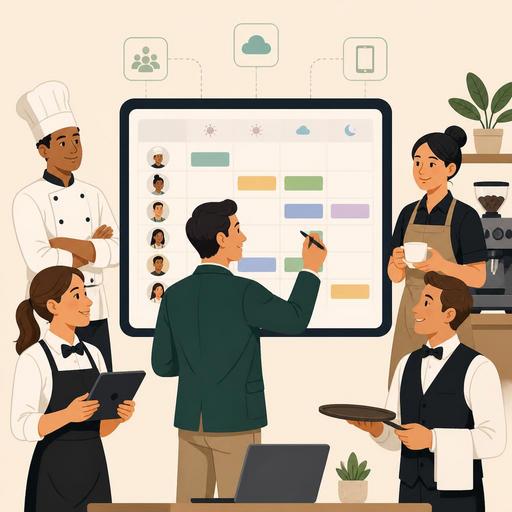
A Guide to Choosing a Shift-Scheduling Tool Instead of Excel in Restaurants
Choosing a shift-scheduling tool instead of Excel in restaurants is not just about writing down which day staff will work. Shift scheduling directly affects service quality, labor cost, overtime control, leave management, and the coordination between the kitchen and the dining room. Excel may seem practical at first; however, when last-minute changes, different branches, part-time employees, and staff distribution according to busy hours come into play, it quickly becomes inadequate. In this article, we will clearly cover the 6 tool types that can be considered instead of Excel for restaurant owners and managers, the selection criteria, and the implementation steps.
Why does Excel quickly reach its limits in restaurant shift scheduling?
Excel can work in the early stage for single-branch businesses with small teams. But restaurant operations are not static. Situations such as a server falling ill, reservation volume being higher than expected, courier demand increasing, or needing experienced staff at certain kitchen stations change the plan in real time.
At this point, Excel's fundamental problems emerge:
- Version confusion: Which file is current can get mixed up.
- Lack of instant notifications: Employees can learn about changes too late.
- Difficulty tracking leave and availability: Information such as who is available on which day, who is on leave, and who can work half a day gets scattered.
- Weakening of overtime control: When hour totals are tracked manually, the risk of error increases.
- Complication of branch- and role-based planning: The bar, kitchen, service, and takeaway operation may not be manageable in the same table.
For example, in a restaurant that is busy on Friday evenings, when an employee writes at the last minute that they can't come, updating the Excel file isn't enough. That change needs to reach the floor manager, the kitchen supervisor, and the relevant staff at the same time. Digital shift tools fill exactly this operational gap.
6 shift-scheduling tools that can be considered instead of Excel
Rather than listing brands one by one here, it is more useful to cover the tool categories that genuinely work for restaurants. Because the right choice depends not on what is popular but on the way the business operates.
1. Mobile-first shift-scheduling apps
These tools let staff see their shifts from their phones, receive changes as notifications, and share their availability. They are especially strong with young and dynamic teams.
Who is it suitable for? Cafe chains, quick-service restaurants, and businesses with a high proportion of student or part-time employees.
Concrete use case: At a cafe with weekend brunch intensity, if one member of the Sunday-morning opening team can't make it, the manager can create an open shift within the app; an available staff member can see it and send a request.
2. Integrated time-tracking and timekeeping systems
Tools that combine scheduling with clock-in/clock-out tracking make it easier to compare planned hours with actual worked hours. This way, the shift plan doesn't just stay on paper; it becomes connected to cost control.
Who is it suitable for? Restaurants that want to control overtime and that experience a manual workload in payroll preparation.
The point to watch: A system that only tracks hours may not solve the restaurant's role-based needs. Distinctions such as the kitchen hot station, cold station, service, bar, and courier should be supported.
3. Operations-planning tools that work with demand forecasting
More advanced systems help anticipate staffing needs by using data such as reservation volume, historical intensity, day-based sales rhythm, or a special-day calendar. This structure enables a shift from intuitive planning to data-supported planning.
Who is it suitable for? Restaurants that take reservations, businesses whose intensity changes sharply throughout the day, and multi-branch structures.
Concrete example: At a restaurant that takes corporate customers at weekday lunch, if the service load increases noticeably on Tuesdays and Thursdays, the system can spot this pattern and make the need to strengthen the service crew visible.
4. Team apps that include communication and task management
Some tools don't just offer a shift schedule; they also include checklists, task assignments, and in-team announcements. This way, the question "who works when" and the question "what will they do during the shift" are solved in the same place.
Who is it suitable for? Restaurants with detailed opening-closing procedures that work with hygiene and prep checklists.
Concrete example: For the team on the evening closing shift, the register closeout, coffee-machine cleaning, cold-fridge check, and the next day's mise en place prep can be assigned on a single panel.
5. HR- and leave-management-focused scheduling software
Tools that centralize processes such as leave requests, shift availability, public-holiday plans, and employee documents bring order especially in growing teams. Since turnover can be high in restaurants, it is important that employee information doesn't get scattered.
Who is it suitable for? Businesses that hire frequently, have many part-time employees, and want to standardize human-resources processes.
6. Systems that work integrated with restaurant operations software
The strongest scenario is thinking about shift scheduling within the same operational ecosystem as the order flow, reservations, table intensity, or POS data. Because when the staffing plan is disconnected from the realities of sales and service, either understaffing or unnecessary labor cost arises.
At this point, restaurants need to look not just for a "shift table" but for digital operational integrity. For example, a manager who can see reservation intensity can strengthen the dining-room crew in advance. When the QR menu, order management, and table flow are digitized, it also becomes easier to see which role is needed at which hours. This is exactly where the organic connection with restaurant-focused digital platforms such as Restomas is formed: the goal is not to add yet another screen but to make scattered operational data more manageable.
5 critical criteria to consider when choosing the right tool
- Role-based scheduling support: It should be able to distinguish different roles such as server, busser, barista, cook, courier, and cashier.
- Mobile ease of use: If employees don't actually use the app, the system reverts to paper.
- Shift-swap and approval flow: Staff should be able to request swaps among themselves, and the manager should be able to approve.
- Reporting visibility: Overtime, understaffing, busy hours, and department-based labor distribution should be trackable.
- Integration potential: It should be able to connect with POS, reservations, timekeeping, or general restaurant-management tools.
The critical mistake here is making a purely price-focused choice. A cheap but unused tool is no better than Excel. It must be understandable for the employee as much as for the manager.
How should the transition process be managed?
The transition from Excel to digital shift scheduling should be thought of not like a software installation but like process design. For a successful transition, the following steps can be followed:
- First, write down the current problems: Is the last-minute change the hard part, is leave tracking confusing, or is overtime invisible?
- Run a pilot in a single branch or single team: Instead of starting across the whole business at once, try it with the service crew.
- Create standard shift templates: Prepare patterns such as weekday lunch, weekend evening, and event day.
- Give employees clear usage training: Basic flows such as viewing shifts, requesting swaps, and reporting availability should be demonstrated.
- Collect feedback in the first 30 days: Are notifications adequate, is the interface understandable, is the manager-approval process practical?
For example, a two-branch burger restaurant can first move only weekend shifts into the digital system. After a month, it becomes visible at which hours open shifts arise, in which role there is a constant shortage, and which employees request shift swaps more often. This data makes the next round of planning more realistic.
Conclusion: The goal isn't getting out of Excel, it's improving shift decisions
Choosing shift-scheduling software in restaurants is not a decision to follow a technology trend. The real issue is being able to position the right person at the right hour in the right role. Excel does the job up to a certain point; but as operations grow, it begins to create a burden on communication, cost control, and service quality. For this reason, when choosing a tool, you should look not only at the schedule-building feature but at mobile use, timekeeping, task management, leave tracking, and the strength of integration with restaurant operations together.
A good shift system gathers the scattered information in the manager's head in one place; it enables the team to work in clarity rather than uncertainty. In restaurant digitization, the most efficient steps are often not the flashy ones, but the ones that simplify the operations that recur every day.
Businesses that want to make shift scheduling more aligned with the order, reservation, and overall operational flow can examine Restomas's restaurant-focused digital approach.
