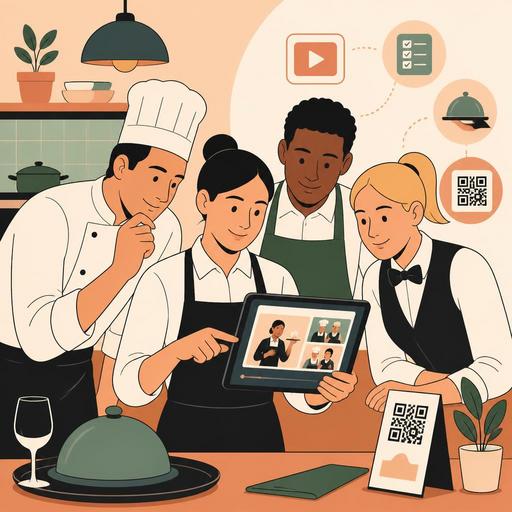
Staff Training with Video in Restaurants: 5 Concrete Benefits and an Implementation Guide
Staff training with video in restaurants is becoming an increasingly practical method, especially for businesses that work in shift rotations, have high staff turnover, and need to maintain operational standards. Written procedures are often not read, while the master-apprentice method produces different results from person to person. Short, clear, and well-structured training videos, on the other hand, can make many critical processes more consistent, from the service flow to hygiene practices, and from POS use to takeaway order management.
The value of this approach is not just "digitizing training." The real point is to take the business's knowledge out of being dependent on individuals and make it systematic. Having a new server learn the steps of setting a table, kitchen staff learn the allergen procedure, or the cashier learn how to manage the order flow during peak hours all to the same standard directly affects both the guest experience and internal operations. Moreover, in restaurants that use QR menus, order management, reservation flows, and POS integration, visual explanation delivers much faster results for the correct use of these systems.
1. Why does video training work more effectively in restaurant operations?
The restaurant environment is fast-paced; practice matters as much as theory. For this reason, text-based training materials alone fall short for most teams. Video, however, shows employees not "what to do" but how to do it. For example, telling a service staff member to "check the bill before closing the table" is not the same as showing how that check proceeds on screen and at the table.
Video is especially more powerful in the following areas:
- Step-by-step process training: Opening checklist, table-turnover preparation, closing routine.
- Screen-use training: POS, order management panel, reservation screen, QR menu update flow.
- Behavioral standards: Guest greeting tone, complaint handling, upselling language.
- Hygiene and safety: Handwashing procedure, cross-contamination prevention, equipment cleaning.
The critical point here is this: video moves training from personal memory to institutional memory. When an experienced team leader is on leave or leaves the job, no knowledge is lost, because the process is recorded within the business.
2. The 5 concrete benefits of staff training with video for restaurants
1) It spreads training standards across branches and shifts
Having a different service language, a different greeting style, or a different order-taking practice at two branches of the same brand is a common problem. Video training provides the advantage of "everyone watching the same content in the same way" instead of "everyone explaining the same thing differently." This is a critical standardization tool, especially for growing businesses.
2) It shortens the onboarding process for new staff
New employees struggle most with uncertainty in their first days. If it is not clear who they will learn what from, in what order they should act, and what happens if they make a mistake, stress increases. Short training videos close this gap. For example, content such as "the 7 screens you need to know on your first shift" or "the order to follow when a takeaway order arrives" gets a person started more confidently.
3) It reduces the burden of giving the same training over and over
When the chef, the floor manager, or the owner explains the same topic to every new staff member again, time is lost. Video does not replace the manager; it systematizes recurring basic explanations. This way the manager can devote their energy to coaching, performance tracking, and problem solving.
4) It makes sources of error visible
If an employee closes a reservation incorrectly, the kitchen prepares an order incompletely, or a takeaway label is printed wrong, the problem is sometimes not "carelessness" but inadequate training. With video modules, it becomes easier to clarify which process was explained. This way the business gets the chance to improve the process instead of blaming the individual.
5) It drives adoption of digital tools
When restaurants set up a new QR menu, order screen, or POS connection, the real difficulty is often not the technology but the team's habits. If staff see why they should use the new system and how it will make their job easier, adoption increases. For this reason, training videos should explain not only "which button to press" but also the operational benefit of that step.
3. A practical content plan for producing effective training videos
Many businesses like the idea of video training but find production daunting. Yet for in-restaurant training videos, clarity and usability matter, not cinematic quality. A phone camera, clean audio, and the right flow are usually enough.
To get started, you can proceed with the following content categories:
- Orientation videos: Brand voice, areas of responsibility, shift flow.
- System-use videos: POS, order management, reservations, menu updates.
- Operations videos: Service opening, closing, delivery preparation, table-turnover process.
- Crisis scenarios: Complaints, wrong orders, out-of-stock products, peak-hour management.
- Hygiene and quality videos: Storage, cleaning, allergen notification, presentation standards.
Let's consider a concrete example: a product runs out in a cafe that uses a QR menu. In the training video, you can show which panel the staff should use first to deactivate the product, then how they will explain this to the guest, and how they will offer an alternative suggestion. This single video strengthens coordination among the kitchen, the POS, and the service team all at once.
4. Points to watch for during shooting and editing
A good training video is functional, not long. For most restaurants, the ideal method is to prepare micro-videos of 3 to 7 minutes that focus on a single task. Small modules are more effective than huge "entire restaurant training" content.
- One topic, one goal: Each video should explain only one process.
- Shoot in the real environment: Training should be shown on the actual devices and areas where the staff work.
- Close-up screen display: Especially in order and POS flows, buttons should be clearly visible.
- Short sentences: Prefer clear expressions used in the field over complex corporate language.
- Ease of updating: Set up a modular structure so you can refresh a single video if the system changes.
Audio quality can be more critical than visuals. An unintelligible video shot in a noisy kitchen pushes the employee to ask questions again. For this reason, shoot during quiet hours if possible, or add the narration afterward. You can also use a short check section at the end of the video: a closing such as "At the end of this process, what should you have verified?" reinforces learning.
5. How do you integrate video training into daily operations?
The biggest mistake is to shoot the videos, drop them into a folder, and then never use them. Training content must be embedded within operations. For this, you need to set up a simple but disciplined system.
A workable flow could be as follows:
- Create a mandatory video list to be watched in the first 3 days for new staff.
- Define a separate training path for each role: server, barista, cashier, kitchen, courier coordination.
- Do a hands-on check after each video; do not count merely watching as enough.
- When a process changes, revise the relevant video and announce it to the team.
- Treat recurring mistakes as a need for a new video.
Here, digital infrastructure provides important support. For example, if menu management, the order flow, and reservation processes are managed with digital systems, the training videos also become a natural extension of these processes. The employee learns not just the rule but the real flow on the screen. This approach provides significant order, especially in multi-branch structures and in businesses where shift changes are frequent.
As a result, staff training with video in restaurants is far less a "modern-looking" choice than a practical way to establish a knowledge standard. When planned correctly, it supports the hiring process, reduces operational errors, helps the manager use their time more efficiently, and helps the team adopt digital tools faster. Even starting small and turning the three most frequently recurring processes into videos can make a difference in a short time.
Restomas offers a simple and applicable foundation so that, as restaurants digitize their menu, order, and operations flows, you can more easily connect these processes to team training.
