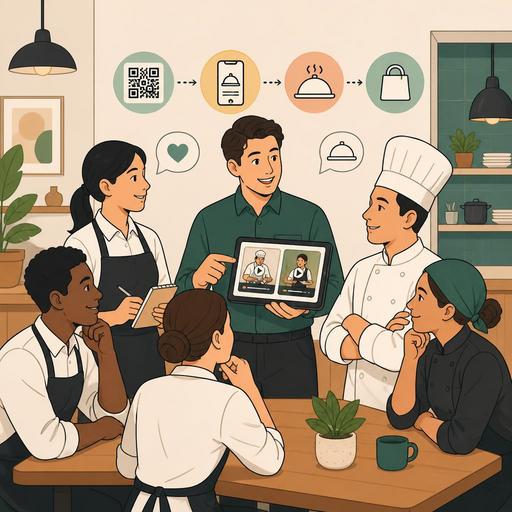
A Guide to Setting Staff Standards with Video Training in Restaurants
Why should staff training with video content in restaurants be rethought?
Staff training with video content in restaurants is a powerful method not only for getting new employees up to speed quickly, but also for maintaining service standards, clarifying communication between the kitchen and the dining room, and reducing knowledge loss as branches grow. In many businesses, training still relies on the master-apprentice relationship, on verbal explanations given amid the rush of a shift, and on practices that vary from person to person. The result is that teams with the same menu, the same brand, and the same goal produce different service experiences.
Video training fills an important gap here: it takes knowledge out of being dependent on individuals, makes it re-watchable, and builds a training archive that matches the real flow of operations. Moreover, the subject is not only "how to serve." Many processes, such as allergen communication, the takeaway-order preparation sequence, QR menu guidance, the reservation greeting language, the steps to open an order on the POS screen, or the closing checklist, become much clearer with short videos.
Especially in businesses with high staff turnover, offering every new team member onboarding at the same level of quality takes a significant burden off the manager. This way, training stops being instructions given hastily during peak hours and turns into a planned system.
The 5 concrete benefits video-based staff training provides to restaurants
1. It ties the service standard to the system, not to individuals
The knowledge of a chef, a floor manager, or an experienced server is very valuable; but when this knowledge remains only in their memory, the business becomes fragile. Training videos standardize topics such as "how a guest is greeted," "how a table is prepared for a family with children," and "which alternative is offered, and how, when a product runs out." This way, differences in explanation that vary by shift are reduced.
2. It shortens the onboarding process for new staff
When a new busser or cashier tries to learn the entire process within the live flow on their first day, mistakes are natural. Short, task-focused videos make the first week more controlled. For example, 2-4 minute pieces of content on topics such as "takeaway-label check," "opening and closing a table," and "reading reservation notes" make the onboarding process less stressful.
3. It helps reduce operational errors
Errors such as a wrong table number, a missing garnish, a skipped allergen note, or wrong packing often stem not from a lack of knowledge but from knowledge not being conveyed clearly. Video content makes concrete the points where verbal explanation stays vague. Showing the order flow on screen, kitchen-output control, or delivery preparation visually can be more effective than written procedures.
4. It reduces practice differences between branches
One of the biggest problems in restaurants with more than one branch is that the same brand offers different experiences. At one branch the guest may be smoothly guided to the QR menu, while at another the staff may not know the process. A video library makes it easier to convey the standards set centrally to all teams in the same way. This is important for brand consistency.
5. The manager uses their time more efficiently
Explaining the same basic training over and over to each new employee drains the manager's energy, especially in busy businesses. Video content does not remove the manager from training entirely; but it systematizes recurring basic explanations. The manager can then devote more time to observation, feedback, and performance development.
Which training topics are most suited to the video format?
Not every piece of information has to be a video. But there are areas in restaurant operations where visual explanation is powerful. For the best result, you should first choose recurring processes that carry a high error risk and require a standard.
- Service flow: greeting, seating, taking orders, closing the bill
- Kitchen processes: station opening, product preparation sequence, portion standards, cross-contamination risks
- Digital-tool use: POS screen, order management, QR menu guidance, reservation-screen control
- Takeaway: product check, packaging sequence, courier handover procedure
- Guest communication: handling complaints, offering an alternative for a sold-out product, answering allergen questions
- Closing and opening routines: cleaning, stock control, shutting down devices, report checks
For example, in a business that uses a QR menu, it is not enough for staff to tell the guest "scan your phone." How they will guide the guest, how they will help an older guest, and what they will do when a product cannot be found on the menu are also part of the training. Likewise, in a restaurant that takes reservations, table preparation, special-note checks, and the greeting tone are also conveyed more clearly with video.
How do you produce an effective training video for a restaurant?
A successful training video is made not with expensive equipment but with the right structure. The aim is not a cinematic image; it is field-applicable clarity. For this reason, you need to define operational needs before starting content production.
- Choose a single goal. Each video should explain one task. For example, "a void transaction on the POS" and "handling a guest complaint" should not be in the same video.
- Shoot in the real work area. Training should be prepared with the real screens, real counters, and real table layout that staff will see.
- Keep it short. Task-based micro-videos are watched more, and reopened when needed, than long explanations.
- Proceed step by step. An introduction, the application, the critical error point, and a correct example are enough.
- Pair it with a checklist. What will the employee be considered to have done after the video? A written mini-checklist completes this.
- Create an update calendar. When the menu, a campaign, the POS interface, or the service flow changes, the video must be updated too.
Let's consider a concrete example: in a burger restaurant with rising takeaway volume, a "final check after the order is prepared" video is shot. The video shows the beverage lid, the number of sauces, the receipt match, the allergen note, and the order of the delivery bag. This content becomes a more lasting reference than verbal reminders, especially during busy evening shifts.
Why is it more effective to set up the video-training system together with digital operations?
Video content is useful on its own; but the real value emerges when you connect it to daily operations. The process explained in training and the digital flow in the field must support each other. For example, if staff learn in a video how to read table notes in reservation management, the system they use must also present this information clearly and in an organized way. If QR menu guidance is being explained, the menu structure must also be simple and clear. If order-management training is given, the screen flow must not confuse the staff.
For this reason, when preparing a training video, restaurant owners should ask the following question: "Do the tools staff use support them in showing the correct behavior?" If the answer is no, the problem may lie in the process design rather than a lack of training. This is where the value of platforms focused on restaurant digitalization, like Restomas, becomes visible: when the menu, order, reservation, and operations flow is organized, training content becomes shorter, clearer, and more applicable.
In practice, the best approach is this: first identify the steps where mistakes are made most often, then clarify how these steps appear in the digital system, and then prepare short training videos. This way, training and operations stop being two separate, disconnected worlds.
A starter plan you can apply right away
You do not need to start with dozens of pieces of content to move to a video-training system. In the first stage, 5 basic videos are enough:
- First-day orientation for new staff
- The 3 most common mistakes in service and the correct practice
- Basic use of the POS or order screen
- QR menu and guest-guidance standard
- Application of the closing checklist
After these shoots, managers can collect feedback from shift leaders: which video was understood, which step was left incomplete, in which process are mistakes still recurring? This way the training archive turns into a living system. The best training content is not the kind that is shot once and forgotten, but the kind that is updated as operations evolve.
As you standardize your staff training with video, if you also want to simplify the digital flows on which this training relies, you can take a look at Restomas's solutions for organizing restaurant operations.
